Updated September 2026
Most sales teams still send the same follow-up video to every lead who fills out a form, regardless of what that lead just did on the site or where they sit in the pipeline. That’s the gap video campaign segmentation automation closes: it uses your CRM data to decide, in real time, which video a prospect should see, when they should see it, and what that video says about them specifically.
You record one base video. AI voice cloning and dynamic backgrounds swap in each recipient’s name, company, or deal stage automatically, triggered by the exact CRM event that makes the message relevant — a demo booked, a pricing page visited, a deal stalled for 14 days. This guide covers the segmentation methods that make it work, the platform requirements to set it up, and the 2026 shift toward autonomous AI agents that run this entire process without a human defining every trigger.
Key Takeaways
- Video campaign segmentation automation triggers a personalized video from CRM events (form fills, deal-stage changes, page visits) instead of a manual send list.
- Personalized video emails convert up to 80% better than static formats, and video-engaged leads move through the pipeline about 20% faster, according to 2026 research from Mediawide.
- 2026 marks a shift from rule-based triggers to autonomous AI agents that plan and adjust campaigns without a human defining every “if this, then that” condition.
- 39% of enterprises now expect generative AI to arrive as task-automating agents rather than copilots, per Futurum Group’s Q1 2026 enterprise survey of 830 decision-makers.
- Clean, deduplicated CRM data is the single biggest predictor of whether a segmentation automation setup works — dirty fields break dynamic personalization before AI ever gets involved.
What Is Video Campaign Segmentation Automation?
Video campaign segmentation automation is a system that groups prospects by shared traits or behavior, then automatically generates and sends a personalized video to each group without anyone manually building a send list. Instead of one generic video going to everyone, a CRM event — a lead reaching a pipeline stage, a form submission, a specific job title — triggers a version of your video with that recipient’s name, company, or context already built in.
The mechanism behind it is straightforward. You record a single base video once. AI voice cloning and dynamic backgrounds then update the spoken name, on-screen company details, or background image for each recipient, so the video looks and sounds custom-made even though you never re-recorded it. Sendspark’s AI video personalization platform handles this generation step automatically once a segment and a trigger are defined.
Three things distinguish real segmentation automation from a basic mail-merge: the segments update dynamically as CRM data changes, the trigger fires without a human clicking “send,” and the video content itself — not just the name field — adapts to the segment. For a deeper look at how the underlying personalization technology works, see our comprehensive guide to AI personalized video.
Core Segmentation Methods and Platform Requirements
Effective video campaign segmentation combines three data types — demographic/firmographic, behavioral, and predictive — with a platform that can act on all three automatically. Skipping any one of these produces videos that feel personalized in name only, since a prospect’s job title alone doesn’t tell you whether they’re ready to buy.
Demographic and Firmographic Segmentation
This is the baseline: grouping contacts by job title, company size, industry, or deal size pulled directly from CRM fields like HubSpot or Salesforce. It answers “who is this person” but says nothing about where they are in their buying journey, which is why it should never be the only segmentation layer in use.
Behavioral and Lifecycle Segmentation
Behavioral segmentation groups contacts by what they’ve actually done — pricing page visits, email opens, demo requests, deal-stage movement, or a stalled deal that hasn’t progressed in two weeks. These behavioral triggers are what make a video timely instead of just personalized, and they’re the segment type most sales teams underuse.
AI-Powered Predictive Segmentation
Predictive segmentation uses historical conversion data to score a lead’s likelihood to close, then routes higher-scored leads into a more resource-intensive video sequence. It’s the segmentation layer most teams stopped at until recently — the next section covers what’s replacing it.
None of these three methods work in isolation. A prospect can be a strong firmographic fit (right company size, right industry) while showing zero behavioral signal, and a predictive score is only as reliable as the historical data feeding it — which is why the platform requirements below matter as much as the segmentation logic itself.
Pro tip
Always set a fallback variable for every dynamic field — company name, job title, first name. When a CRM record is missing a field, a good fallback (“your team” instead of a blank space) keeps the video from looking broken, which matters more for trust than a slightly-less-personalized line.
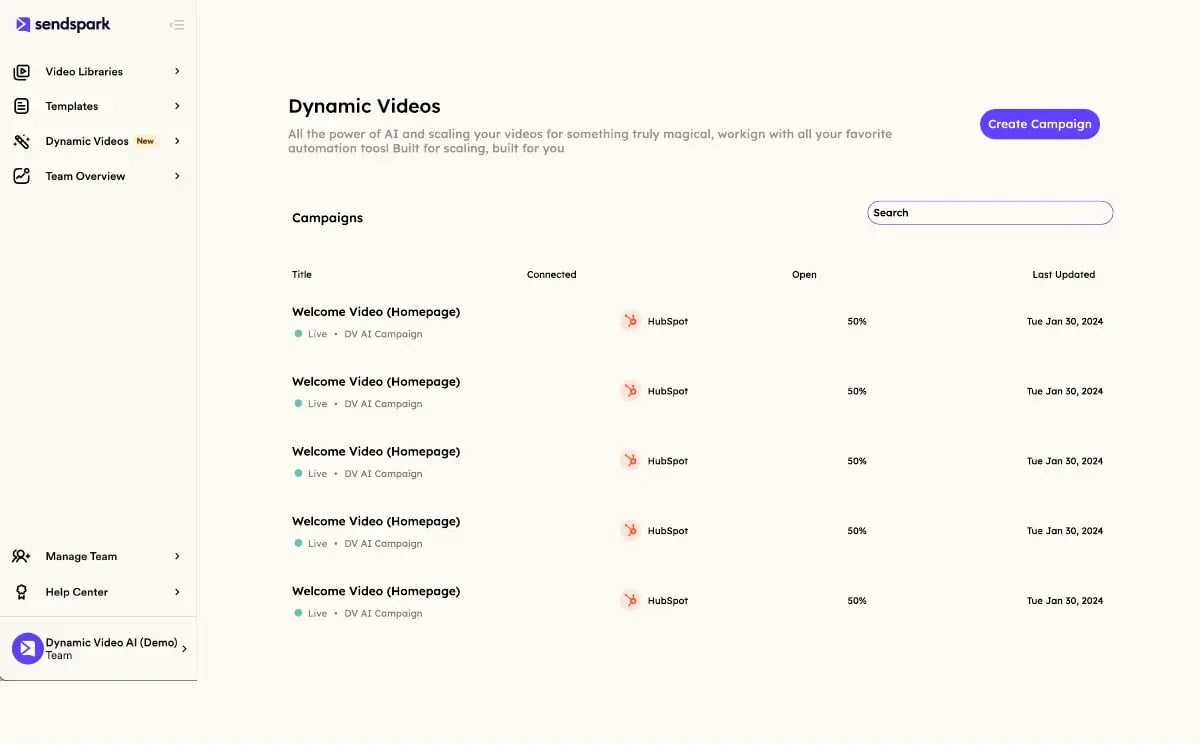
On the platform side, three requirements matter most: native CRM integration that reads segment membership in real time (not on a nightly sync), analytics that report back to the CRM record so reps see who watched what, and support for automated lead nurturing workflows so a video can sit inside a multi-step sequence rather than firing in isolation.
Record One Video. AI Personalizes Thousands.
Sendspark is the AI video personalization platform for B2B sales. Record once, and AI voice cloning generates thousands of individually personalized videos with dynamic backgrounds and personalized thumbnails — each prospect hears their name, sees their website, in your voice. Sales teams see 2-3x more replies.
Get Started NowFrom Predictive Scoring to Autonomous AI Agents: The 2026 Shift
In 2026, video campaign automation moved past predictive scoring toward autonomous AI agents that plan, execute, and adjust a campaign in real time without a human pre-defining every trigger condition. Where predictive segmentation still needs someone to set the rules (“if score > 80, send video B”), agentic automation reads live CRM signals and decides the next action itself — which video, which send time, which follow-up — inside guardrails a team sets once.
This is not a minor naming change. According to Futurum Group’s Q1 2026 Enterprise Software Decision Maker Survey of 830 enterprise buyers, 39% now expect generative AI to be delivered through task-automating agents rather than copilots that wait for a prompt. HubSpot’s own Agentic Engagement Object and Salesforce’s Agentforce are both built around this same premise: an agent that watches CRM data continuously and acts on it, rather than a dashboard a rep has to check.
Practically, agentic AI changes what a segment even is. A rule-based system needs a human to define the segment ahead of time (“visited pricing twice in 7 days”). An agent instead reads a continuous stream of real-time behavioral signals — page visits, email opens, deal-stage changes, support-ticket sentiment — and forms its own judgment about which video, tone, and timing fits a given prospect right now, adjusting as new signals arrive rather than waiting for the next scheduled sync. That shift is also what makes genuine hyper-personalization possible at scale: not just swapping a name field, but adjusting which video plays at all based on what the agent has observed in the last hour, not the last CRM refresh.
It also changes how teams measure success. Rule-based automation is typically judged on send volume and open rate. Agentic systems need closed-loop attribution instead — tracing a specific agent decision (which video, which trigger, which segment) all the way through to a booked meeting or closed deal, so a team can tell whether the agent’s judgment is actually improving outcomes or just moving activity around.
For video specifically, this means the system can now decide on its own that a stalled deal needs a check-in video, that a demo no-show should get a shorter re-engagement clip instead of the standard follow-up, or that a prospect’s intent signal — repeated pricing-page visits, say — justifies moving them into a higher-touch sequence before a rep even notices. Klaviyo’s 2026 marketing automation trends report describes this same shift across the wider marketing stack: a move from scheduled, rule-based workflows toward self-optimizing workflows that plan and adjust in real time, increasingly built on zero-party data customers share directly rather than inferred behavior alone.
Here’s what an agentic setup looks like in practice — an AI agent that generates a personalized background URL straight from a lead’s email domain, with no manual step in between:
This kind of agentic engagement also enables prescriptive retention triggers — rather than just alerting a CSM that a customer looks at risk, the system can autonomously launch a check-in video sequence the moment usage data crosses a churn-risk threshold, closing the loop between signal and action without waiting on a human to act on a dashboard alert.
Common mistake
Handing an agent full autonomy on day one, with no review step, is how a bad CRM record turns into an embarrassing send at scale. Start agentic triggers in a “suggest, don’t send” mode for the first few weeks so a human reviews the agent’s choices before it’s trusted to send unsupervised.
How to Set Up and Scale Video Campaign Automation
Setting up video campaign segmentation automation takes four steps: audit and clean your CRM data, define two or three segments with clear entry criteria, build one base video per segment with dynamic variables mapped in, and test the workflow on a small list before scaling it to your full database. Most teams can get a first working segment live within a week.
Audit your CRM data first. Dynamic personalization is only as good as the fields feeding it — a messy “Job Title” field with 40 variations of “VP of Sales” will break segment logic before AI ever gets involved. Deduplicate records and standardize the fields your segments depend on before building anything.
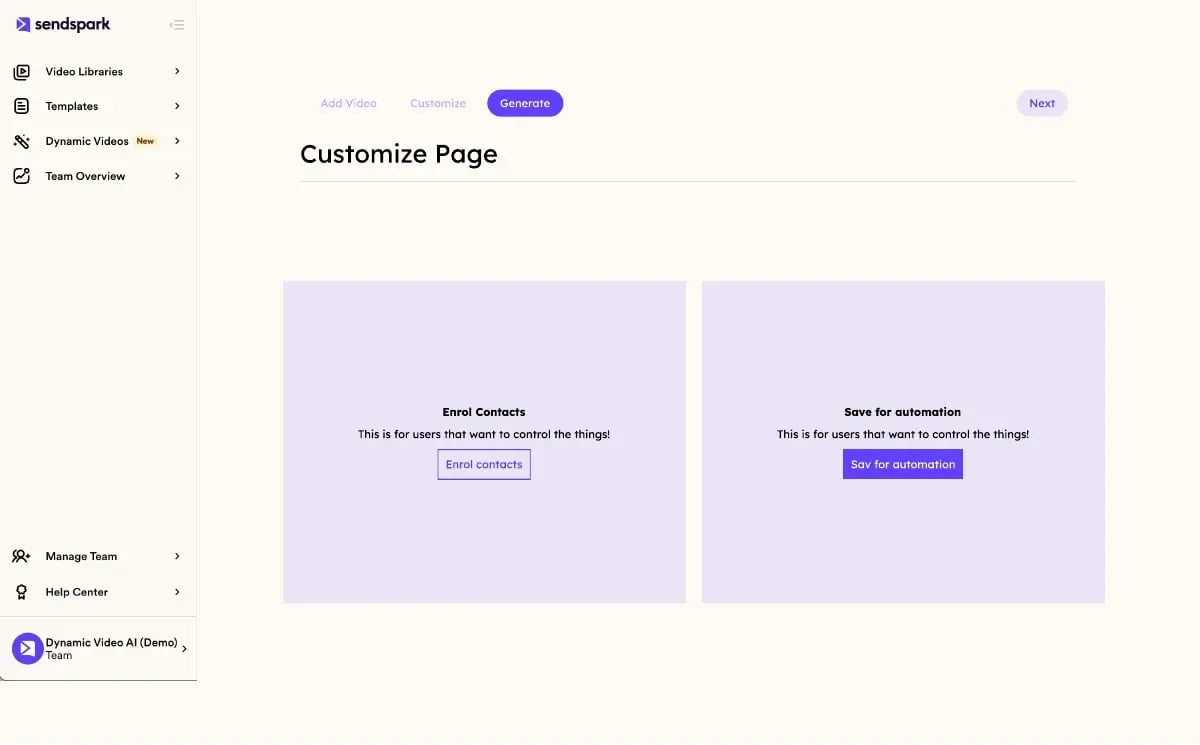
Define segments with a clear entry condition, not a vague label. “Prospects who visited pricing twice in 7 days” is a workable segment; “interested leads” is not, because no automation can act on it. Most platforms give you this choice explicitly — enroll contacts into a segment manually, or save the same logic as a standing automation that runs on its own going forward:
Start with two or three segments, not ten — this is the single most common setup mistake, and it’s directly connected to the analytics gap: Mediawide’s 2026 video personalization research found video-engaged leads move through the pipeline roughly 20% faster and convert to sales-qualified leads 45% more often — but only when the video and the CRM stage genuinely match, which is much easier to verify with three clean segments than ten overlapping ones.
Build one base video per segment, with fallback variables mapped for every dynamic field, then test on 20-50 records before turning the workflow loose on your full list. Watch the watch-through rate on that test batch closely — a sharp drop-off in the first five seconds usually means a dynamic variable rendered wrong (a blank company name, a broken thumbnail) rather than a problem with the message itself, and it’s far cheaper to catch on 30 records than on 3,000.
Once a segment is proven, scaling it is mostly a data-hygiene exercise — the same clean-CRM discipline from step one, repeated as new fields and segments get added. Sendspark’s comprehensive guide to personalized video marketing covers this scaling phase in more depth. For teams building outbound sequences specifically, this same segmentation logic plugs directly into sales prospecting workflows and into broader account-based marketing programs, not just one-off outreach.
Video also outperforms static formats across the board on this front: using video in sales outreach efficiently and pairing it with social video personalization both compound with the CRM-trigger approach described here, since the underlying personalization mechanism is the same regardless of channel.
| Automation Maturity Level | Trigger Mechanism | Example | Human Effort Required |
|---|---|---|---|
| Manual send list | Someone builds and exports a list | Sales rep manually emails 50 leads a personalized video | High — every send is manual |
| Rule-based automation | Fixed “if this, then that” logic | Deal reaches “Demo Booked” stage, triggers reminder video | Medium — rules need maintenance |
| Predictive segmentation | Lead score crosses a threshold | Score > 80 routes into a higher-touch video sequence | Medium — model needs tuning |
| Agentic automation | AI agent reads live signals and decides | Agent detects churn-risk usage drop, launches retention video | Low — agent acts inside guardrails |
Frequently Asked Questions
What is video campaign segmentation automation?
It’s a system that groups contacts by shared traits or behavior in your CRM, then automatically generates and sends a personalized video to each group without a manual send list. AI voice cloning and dynamic backgrounds adapt the video per recipient, triggered by real CRM events like a form fill or deal-stage change.
How do AI agents change video campaign automation in 2026?
Autonomous AI agents read live CRM signals and decide the next action themselves, instead of waiting on a human-defined rule for every scenario. Per Futurum Group’s Q1 2026 survey, 39% of enterprises now expect generative AI delivered as these task-automating agents rather than copilots.
What CRM data do I need to automate personalized video triggers?
You need clean, standardized fields for the variables you want to personalize (name, company, job title) plus a reliable behavioral or lifecycle field to trigger on, like deal stage or last-activity date. Duplicate or inconsistent records are the most common reason segmentation automation breaks.
What is AI voice cloning, and how does it enhance video personalization?
AI voice cloning captures your recorded voice once and generates new spoken lines — like a prospect’s name or company — in that same voice, without you re-recording anything. It’s what lets one base video sound genuinely custom-made for thousands of recipients at once.
What are best practices for keeping CRM data clean for video automation?
Standardize free-text fields like job title into a fixed list, deduplicate contact records regularly, and set fallback variables for any field that might be blank. Clean data matters more than any AI feature, since even the best personalization engine can’t fix a broken “Company Name” field.
How can I measure the success of an automated video segmentation campaign?
Track watch-through rate, reply rate, and pipeline velocity by segment, then compare each segment against a non-personalized control group. Mediawide’s 2026 research found video-engaged leads move through the pipeline about 20% faster, which is the kind of benchmark worth testing against your own data.
Do I need a developer to set up video campaign automation?
No — most CRM-native video personalization platforms, including Sendspark, connect to HubSpot and Salesforce through built-in integrations and workflow triggers that a marketing or sales ops person can configure without writing code. Developer involvement is only needed for custom trigger logic outside standard CRM workflows.
Sources & References
- Mediawide — “Video-engaged leads showed 20% faster pipeline velocity and a 45% higher MQL-to-SQL conversion rate” (2026)
- Futurum Group — “39% of enterprises expect GenAI to be delivered via task-automating agents rather than copilots” (2026)
- Klaviyo — “Marketing automation is shifting from scheduled workflows to self-optimizing systems built on zero-party data” (2025)
- HubSpot — AI agent workflow product documentation for CRM-triggered automation (2026)
Record One Video. AI Personalizes Thousands.
Sendspark is the AI video personalization platform for B2B sales. Record once, and AI voice cloning generates thousands of individually personalized videos with dynamic backgrounds and personalized thumbnails — each prospect hears their name, sees their website, in your voice. Sales teams see 2-3x more replies.
Get Started NowTopics: blog