Updated August 2026
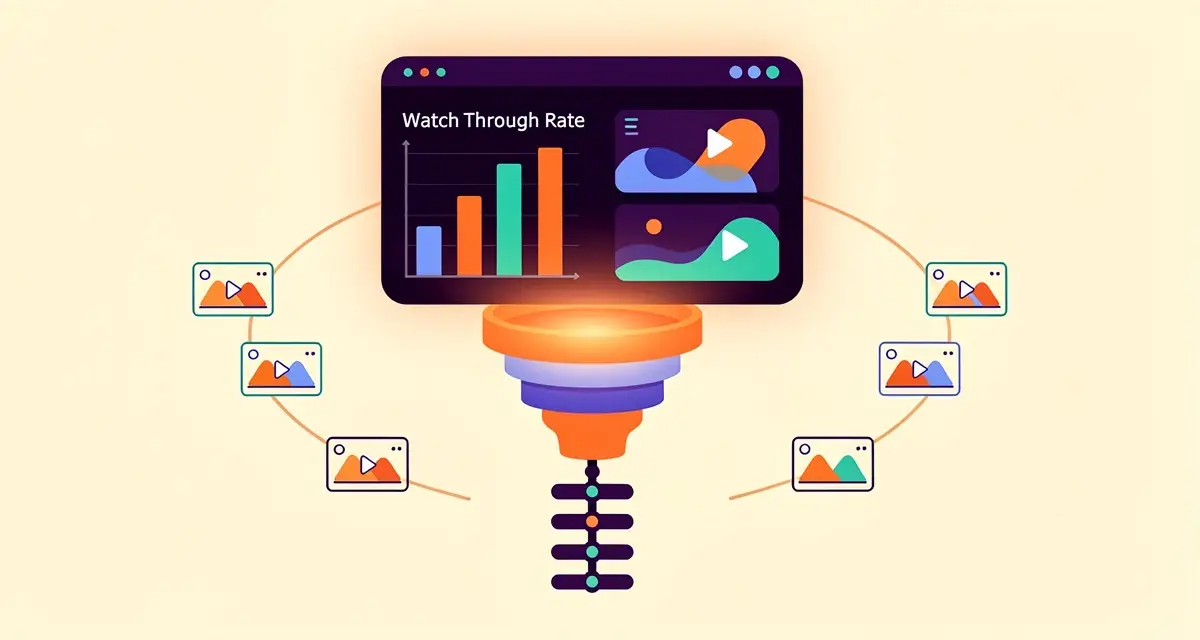
Video analytics for sales follow-ups is the practice of using watch time, completion rate, rewatch patterns, and CTA click data to time and tailor your next message to each prospect. Reps who follow up based on how a prospect actually watched a video, rather than on a generic three-day cadence, consistently book more meetings because the outreach arrives when interest is highest and references what the viewer cared about. According to RAIN Group research on sales follow-up, persistence and timing are among the strongest predictors of a meeting being booked, yet most reps give up before the fifth touch. Video engagement data turns follow-ups from a guessing game into an evidence-led cadence.
Key Takeaways
- Track four core video engagement metrics: watch-through rate, completion rate, rewatch patterns, and CTA clicks. Together they reveal intent far earlier than email opens. According to Gong’s 2025 Revenue Intelligence Benchmark, engagement signals correlate with pipeline at roughly 2x the rate of generic activity data.
- Score leads on video intent, not just fit: A prospect who rewatches your pricing section is signalling something different from one who drops off at the intro. Engagement-based lead scoring lets you prioritize the 5-10% of viewers who are actually ready to talk.
- Trigger follow-ups from the CRM, not the dashboard: When video analytics live inside HubSpot or Salesforce, a watch event can fire a personalized follow-up automatically. This cuts follow-up latency from days to minutes and lifts reply rates by 200-300% in Sendspark customer campaigns.
- Personalize the follow-up to what they watched: Referencing the exact section a prospect rewatched makes the message feel one-to-one. With AI voice cloning, you can send thousands of individually personalized follow-ups from a single recording.
- Measure engagement-to-meeting conversion, not just video views: Views are a vanity metric. The number that matters is how many engaged viewers became booked meetings. Most teams see a 40-50% increase in meetings booked once they align follow-up timing to video engagement.
What Video Analytics for Sales Follow-Ups Actually Means
Video analytics for sales follow-ups means turning how a prospect interacted with your video into the timing, channel, and content of your next message. It replaces the blanket “just checking in” email with a data-informed touch that arrives when the prospect’s interest is demonstrably high and speaks to the part of the video they cared about. In practice, this means a rep no longer has to guess whether the video landed; the platform tells them who watched, how much they watched, which moments they replayed, and whether they clicked the booking link at the end.
The shift matters because traditional follow-up cadences are blind. An email open tells you a message was loaded, not read. A click tells you a link was pressed, not whether the prospect understood your value. Video engagement data sits closer to genuine intent: a prospect who watches 80% of a two-minute product walkthrough and rewinds the pricing segment is behaving differently from one who drops off after nine seconds. Treating those two viewers the same is why most follow-up sequences feel random to buyers.
For B2B sales teams, the payoff is concrete. Sendspark customers running AI-personalized video outreach report a 200-300% increase in email response rates and a 40-50% lift in meetings booked once follow-up timing is aligned to video engagement rather than a fixed schedule. The mechanism is simple: you reach out at the moment interest is highest, with a message that proves you noticed what they cared about, instead of at an arbitrary day-three mark that may be a week too late.
Set Up Your Video Analytics Stack
Setting up a video analytics stack for follow-ups means connecting your video platform to your CRM so every watch event, drop-off point, and CTA click flows into the contact record and becomes available for triggering. Without this plumbing, video data lives in a dashboard a rep has to remember to check, which is why most teams capture it but never act on it. The goal of the setup phase is to make engagement data a first-class field in HubSpot or Salesforce, no different from email opens or meeting history.
Connect Your Video Platform to Your CRM
Start by linking your video platform to your CRM. Sendspark integrates natively with HubSpot and Salesforce, so every video view, watch-through-rate, and CTA click is written to the contact and deal record automatically. If you are starting from scratch, the sequence is: install the CRM integration, map video events to contact properties (for example “last video watched,” “watch-through rate,” “CTA clicked”), and create a deal stage or list that surfaces high-engagement contacts. You can follow our comprehensive guide to video CRM integration for the full field-mapping walkthrough.
Turn On Analytics Tracking
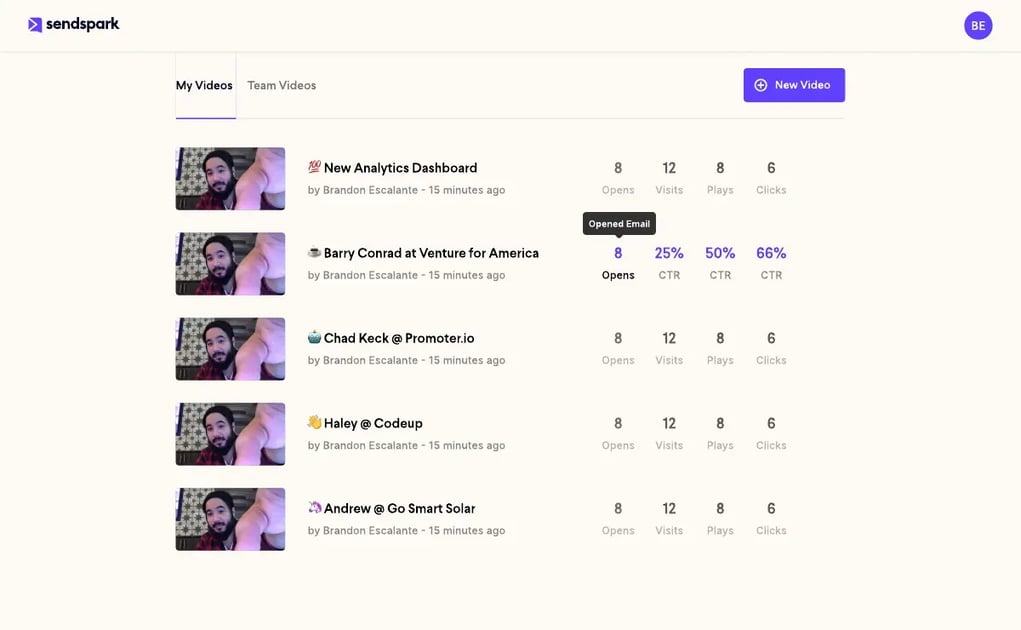
Once the connection exists, enable analytics tracking on every video you send. That means making sure each share link carries the contact’s identity (not an anonymous link) so views attribute to the right record, and confirming the CTA button at the end of the video reports clicks. For cold video emails where you may not have a CRM record yet, use a tracked link tied to the recipient’s email so the first watch creates or enriches the contact. The Sendspark video analytics view surfaces per-recipient watch-through rate, drop-off points, and rewatch segments, which are the three signals that drive every later follow-up decision.
Pro tip
Send your video with a named CTA (“Book a 15-minute call”) rather than a generic “Learn more.” A specific CTA reports a precise intent signal, while a vague one tells you only that the prospect clicked something. The CTA label is the difference between “high-intent lead” and “someone who was curious.”
Track the Video Engagement Metrics That Predict Replies
The video engagement metrics that predict replies are watch-through rate, completion rate, rewatch patterns, and CTA clicks, interpreted together rather than in isolation. No single metric tells you a prospect is ready to talk; the combination does. A high completion rate with no CTA click signals interest but hesitation, while a low completion rate with a rewatch on a specific section signals the prospect cares about one thing and may have missed it the first time. Track these four together and your follow-up prioritization gets dramatically sharper. These same signals are what power a modern video marketing funnel, letting you prioritize the leads that show real engagement.
Watch Time and Completion Rates
Watch-through rate (the percentage of the video the viewer watched before leaving) and completion rate (the share of viewers who reached the end) are your baseline interest signals. A prospect who watches to the end is dramatically more likely to reply than one who leaves at 15 seconds. Use watch-through rate as a per-recipient signal and completion rate as a per-video benchmark: if your completion rate across all recipients is below 40%, the video is too long or the intro is too slow, and no amount of follow-up will rescue it. The Gong 2025 Revenue Intelligence Benchmark notes that engagement quality, not volume, is what separates top-performing revenue teams from average ones.
Rewatch Patterns and Drop-Off Points
Rewatch patterns are the highest-intent signal in video analytics. When a viewer scrubs back to rewatch a segment, they are telling you exactly what matters to them. If multiple prospects rewatch the same section (say, the pricing or integration demo), that section is carrying your value proposition and should become the spine of your follow-up. Drop-off points tell the inverse story: where viewers lose interest. A cluster of drop-offs at the 30-second mark means your intro is too long. Track these patterns across at least 20 views before drawing conclusions; single-viewer noise is real.
CTA Clicks and Actions
The CTA click is the most actionable signal because it is a deliberate action, not passive viewing. A prospect who clicks “Schedule a demo” has self-identified as high-intent. But not all CTA clicks are equal: a click on “Download the one-pager” signals research mode, while a click on “Book a call” signals buying mode. Map each CTA to a follow-up tier in your CRM so a booking-page click triggers an immediate, rep-owned follow-up and a resource click triggers a nurture sequence. This is the foundation of engagement-based lead scoring, and it is covered in more depth in our best practices for video-based lead scoring.
| Metric | What it tells you | Follow-up implication |
|---|---|---|
| Watch-through rate | How much of the video each viewer watched | Above 60%: prioritize in cadence. Below 20%: deprioritize or re-segment. |
| Completion rate | Share of viewers who reached the end | Per-video health check. Below 40%: shorten or re-cut the intro before sending more. |
| Rewatch segments | Which sections viewers replay | Reference the rewatched section by name in your follow-up. This is your highest-converting hook. |
| CTA clicks | Which end-screen action viewers took | Booking CTA: immediate rep follow-up. Resource CTA: nurture sequence. No click: value-restating follow-up. |
Use Analytics to Personalize Your Follow-Ups
Using analytics to personalize follow-ups means taking the specific engagement data a video generated and building the next message around it, so the prospect receives a follow-up that references what they watched rather than a generic check-in. This is where video analytics stops being a dashboard and starts driving revenue. The personalization can be as simple as “I noticed you spent time on the CRM integration section” or as advanced as a fully AI-personalized follow-up video that opens with the prospect’s name and their company’s website in the background.
Write Follow-Ups Based on Viewing Data
The most effective follow-up references a specific moment from the video. Instead of “Did you get a chance to watch the video I sent?”, write “I saw you watched the demo all the way through and came back to the CRM integration part twice. That’s usually the moment teams decide whether Sendspark fits their existing stack, so I wanted to answer the two questions that come up there.” This does three things: it proves the video was watched, it shows you know which part mattered, and it advances the conversation rather than restarting it. Pair this with how to use video for follow-ups for the script templates, and link it to your broader video for deal progression motion so analytics-driven follow-ups feed into your pipeline stages rather than sitting as one-off emails.
Automate Personalized Follow-Ups
Once you have the data and the message pattern, automate the trigger. In HubSpot or Salesforce, create a workflow that fires when a contact’s watch-through rate crosses a threshold (say 70%) or when they click a booking CTA. The workflow can send a templated but personalized email, alert the rep, or enqueue a follow-up video. This is the CRM-triggered video follow-up pattern, and it is what turns video analytics from a reporting tool into a pipeline engine. For teams running AI-personalized video emails at scale, the trigger can fire a Sendspark follow-up that uses AI voice cloning to address the prospect by name and reference their company, generated from a single recording. The result is a follow-up that feels hand-made but is sent to thousands, which is the core of the record-once-personalize-at-scale model.
Common mistake
Triggering a follow-up the instant a view is registered. A prospect who watches nine seconds and leaves is not high-intent, but a raw “video viewed” trigger will fire on them anyway. Always gate the trigger on a meaningful threshold (watch-through rate above 60%, a rewatch, or a CTA click) so you follow up on intent, not on activity.
From Reactive to Predictive: AI-Scored Video Intent Signals
The next stage of video analytics for sales follow-ups moves from reactive reporting to predictive AI-scored video intent signals that rank every viewer and trigger the right follow-up without a rep having to notice. Instead of a dashboard a rep checks each morning, the system scores each contact’s video engagement against historical conversion patterns, predicts the likelihood a follow-up will book a meeting, and routes the top prospects into a personalized cadence automatically. This is the video engagement scoring model that high-velocity teams have been building toward through 2026, and it is the clearest difference between analytics as a reporting layer and analytics as a pipeline engine.
The shift is driven by two things converging. First, CRM-native video analytics now make every watch event available as a structured signal inside HubSpot or Salesforce, not just inside the video platform. Second, AI video personalization platforms can now generate thousands of individually personalized follow-up videos from a single recording, so a predicted high-intent lead does not have to wait for a rep to craft a bespoke message. The result is an AI-personalized follow-up cadence: watch-through-rate attribution feeds an engagement scoring model, the model predicts intent, and the platform fires a personalized video that addresses the prospect by name, references their company in the dynamic background, and uses the rep’s cloned voice. The follow-up arrives within minutes of the engagement signal, not days, which is why Sendspark customers report 2-3x more replies on triggered follow-ups versus manual ones.
Building a video engagement scoring model does not require a data science team. Start simple: assign points for completion (say 30 points for watching to the end), rewatch segments (20 points per rewatched section), and CTA clicks (50 points for a booking CTA, 15 for a resource CTA). Sum the score per contact and set thresholds: above 80 is an immediate rep-owned follow-up, 40-79 is a nurture touch, below 40 is deprioritized. Over a few weeks, correlate the scores against meetings booked and adjust the weights. The model gets sharper with data, and because it lives in the CRM, it benefits from every other signal (email engagement, page views) already there. This is predictive watch-through analysis applied to pipeline: you are no longer reacting to a single video view, you are ranking your entire book of business on video intent signals and working the top of that list first.
The practical effect on engagement-to-meeting conversion is significant. When reps work the top 10% of video-intent-scored leads rather than their full list in activity order, meeting-set rates rise sharply because every follow-up lands on a prospect the data says is ready. This is the difference between video analytics that tells you what happened and video analytics that tells you what to do next. The Salesforce State of Sales research has found that high-performing teams are differentiated less by the tools they own and more by how systematically they act on the signals those tools generate; AI-scored video intent is the same pattern applied to a signal most teams still ignore.
Advanced strategy
Combine video intent scores with firmographic data in your CRM. A high watch-through rate from a Tier-1 account should jump the queue ahead of the same score from a cold inbound. Layering intent over fit is what turns a good follow-up system into a great one.
Record One Video. AI Personalizes Thousands.
Sendspark is the AI video personalization platform for B2B sales. Record once, and AI voice cloning generates thousands of individually personalized videos with dynamic backgrounds and personalized thumbnails, each prospect hears their name, sees their website, in your voice. Sales teams see 2-3x more replies.
Improve Your Strategy with Overall Performance Data
Improving your strategy with overall performance data means stepping back from per-recipient follow-up decisions and reading the aggregate signal: which videos convert, which segments lose viewers, and which follow-up patterns book the most meetings. Per-recipient analytics tell you who to follow up with; aggregate analytics tell you what to fix. Both matter, but the aggregate view is what compounds over time, because a single insight (your intros are too long, your pricing CTA underperforms) improves every future video, not just one follow-up.
Identify Your Best-Performing Videos and CTAs
Once a month, sort your videos by completion rate and by meetings booked. The two lists will not always match: a video with a high completion rate that books no meetings is entertaining but not commercial, while a video with a middling completion rate that books several meetings is doing the real work. Double down on the second group. For CTAs, compare click-through rate by CTA label across videos; you will usually find one or two CTAs dramatically outperform the rest. According to HubSpot’s CTA research, personalized calls-to-action convert over 200% better than default versions, so the gap between your best and worst CTA is likely larger than you think. Read more on the broader pattern in our guide on how to use video analytics for better outreach.
Refine Your Content Using Engagement Data
Use engagement data to rewrite your video scripts, not just your follow-ups. If a consistent drop-off cluster sits at the 30-second mark across multiple videos, your intros are too long; cut them to under 15 seconds and lead with the value, not the introduction. If viewers consistently rewatch the integration demo, move that section earlier in the next video so more viewers see it before dropping off. If a particular CTA never gets clicked, replace it with a more specific one. This is how a video analytics pipeline compounds: each video is informed by the engagement data of the ones before it, and over a quarter your completion rates, CTA clicks, and follow-up reply rates all move in the same direction.
The final metric to track at the strategy level is engagement-to-meeting conversion: of the prospects who watched above your intent threshold, how many booked a meeting? This is the number that justifies the entire video analytics investment. If it is rising, your follow-up timing, personalization, and scoring are all working. If it is flat or falling, the problem is almost never the analytics; it is the follow-up message, the offer, or the speed of the trigger. Fix those first, and the analytics will start telling a better story on the next read.
Frequently Asked Questions
How do I track video engagement metrics for follow-ups?
Connect your video platform to your CRM so watch-through rate, completion rate, rewatch segments, and CTA clicks flow onto each contact record. Sendspark integrates natively with HubSpot and Salesforce, so every view attributes to the right prospect. Track the four metrics together, not in isolation, because a high completion rate with no CTA click means something different from a low completion rate with a rewatch.
What video analytics should I monitor to find high-intent leads?
The strongest high-intent signals are rewatch patterns and CTA clicks. A prospect who rewinds to rewatch a section is telling you exactly what they care about, and a prospect who clicks a booking CTA has self-identified as ready to talk. Watch-through rate above 60% is a good secondary filter. Combined, these let you prioritize the 5-10% of viewers who are actually ready for a sales conversation.
How do I connect video engagement data to my CRM?
Install your video platform’s native CRM integration, map video events to contact properties (last video watched, watch-through rate, CTA clicked), and create a workflow that triggers when a contact crosses an engagement threshold. Sendspark’s HubSpot and Salesforce integrations write these fields automatically, so a watch event can fire a follow-up within minutes. The setup is covered in detail in our video CRM integration guide.
How can I use video analytics to automate personalized follow-ups?
Build a CRM workflow that triggers on a meaningful engagement threshold (watch-through rate above 60%, a rewatch, or a CTA click) and sends a personalized follow-up automatically. See our guide to automating personalized video follow-ups for timing rules and CRM-trigger setup. With Sendspark, that follow-up can be an AI-personalized video generated from a single recording, addressing the prospect by name with their company in the dynamic background. This cuts follow-up latency from days to minutes and is why triggered follow-ups see 2-3x more replies than manual ones.
What is a good watch-through rate for sales videos?
A watch-through rate above 60% is strong for a one-to-one sales video, and above 50% is healthy for a one-to-many demo. Below 40% completion rate across all recipients usually means the video is too long or the intro is too slow. Benchmark against your own videos over time rather than against industry averages, because audience and video length move the number significantly.
How does AI video personalization improve follow-up reply rates?
AI video personalization lets you record once and generate thousands of individually personalized follow-up videos, each addressing the prospect by name and showing their company website in the dynamic background, in your cloned voice. The follow-up feels hand-made but arrives at scale and within minutes of the engagement signal. Sendspark customers report a 200-300% increase in email response rates and a 40-50% lift in meetings booked once triggered, personalized follow-ups replace generic cadences.
Sources & References
- RAIN Group — “Sales follow-up persistence and timing are among the strongest predictors of meetings booked” (2025)
- Gong — “Engagement quality, not volume, separates top revenue teams” (2025 Revenue Intelligence Benchmark)
- Salesforce — “High-performing teams are differentiated by how systematically they act on signals” (State of Sales, 10th edition)
- HubSpot — “Personalized CTAs convert over 200% better than default versions” (HubSpot CTA research)
- Salesforce — CRM-native workflow triggers for engagement-based follow-up (Salesforce workflow documentation)
Record One Video. AI Personalizes Thousands.
Sendspark is the AI video personalization platform for B2B sales. Record once, and AI voice cloning generates thousands of individually personalized videos with dynamic backgrounds and personalized thumbnails, each prospect hears their name, sees their website, in your voice. Sales teams see 2-3x more replies.
Topics: blog