SDRs using AI-personalized video outreach are booking 40–50% more meetings than those sending plain text emails, according to Sendspark customer data across 50,000+ companies. The reason is not that video is novel anymore. It is that most reps still record individual videos one by one, which means they hit 20 prospects a day while their quota demands 200. The fix is a workflow where you record a single video once and let AI personalize it for thousands of prospects automatically. This article gives you the exact steps.
Updated June 2026
Key Takeaways
- One recorded video, combined with Sendspark’s AI personalization, can produce thousands of individually addressed sends in under 30 minutes.
- Signal-based personalization (job change, funding round, page visit) consistently outperforms bulk AI video because it answers the question buyers actually have: “why are you contacting me right now?”
- The biggest risk in AI video is not quality. It is sending generic AI at scale and training your audience to ignore you. Protect your sender reputation before volume.
- Watch-through rate and meeting-booked-per-video-send are the KPIs that matter. Open rate tells you almost nothing about whether your video worked.
- Sendspark integrates directly with Clay, HubSpot, and Outreach, so personalized video fits inside the sequences you already run, with no new tool sprawl.
What “Record Once, Personalize Thousands” Means in 2026
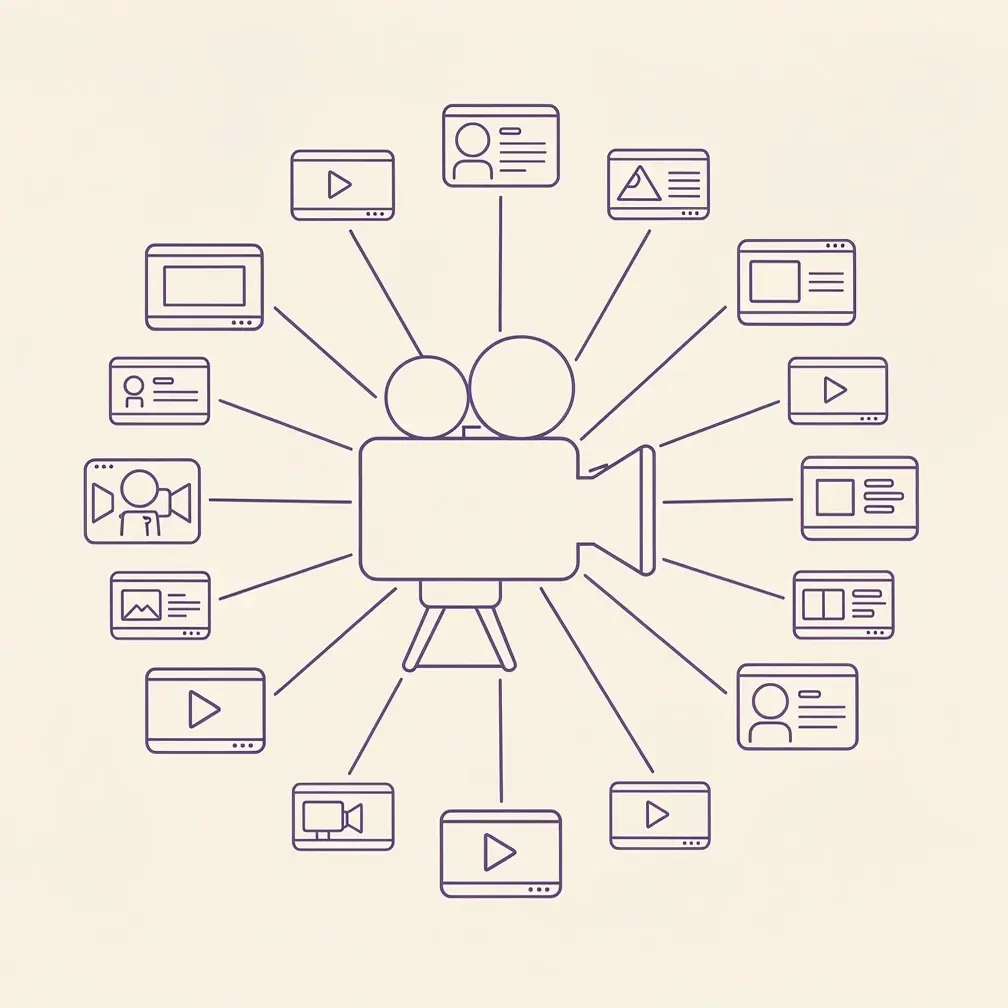
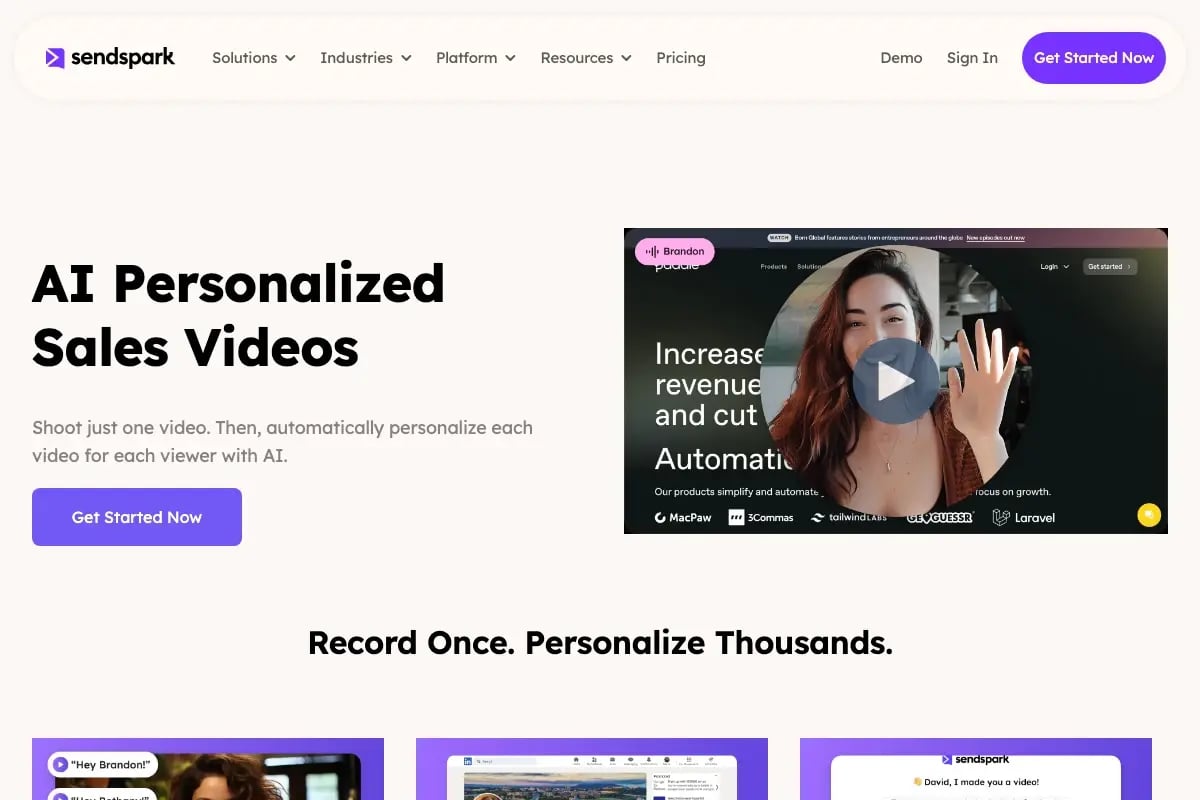
Record-once, personalize at scale means you film yourself delivering a single strong pitch, then Sendspark’s AI engine generates individual versions of that video for each prospect by cloning your voice, swapping dynamic backgrounds, inserting personalized thumbnails, and stitching in a spoken intro that uses each recipient’s real name, company, and a relevant signal. The prospect sees a video that sounds and looks like you sat down and recorded it just for them. You spent 10 minutes, not 10 hours.
Before 2024, doing this required either a full video production team or accepting robotic-sounding AI that buyers immediately distrusted. The shift happened when AI voice cloning reached a quality threshold where the cloned voice is indistinguishable from the original in normal listening conditions. That is what unlocked this workflow for SDR teams at scale.
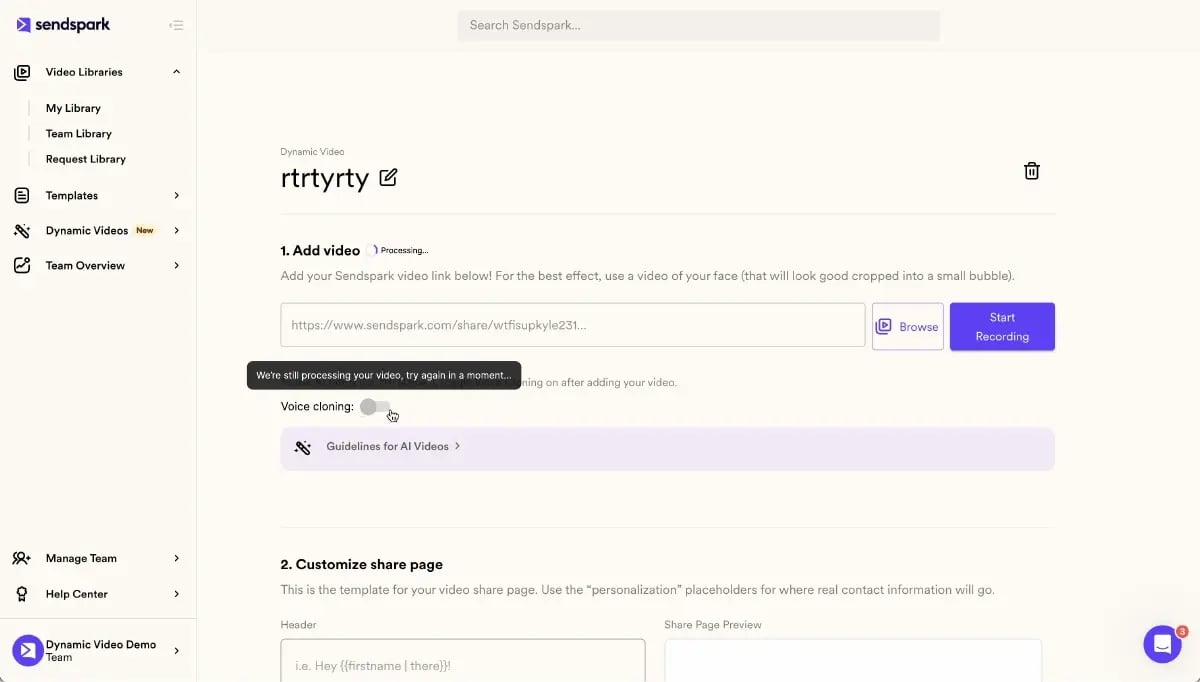
Here is the basic anatomy of a record-once campaign in Sendspark. You record one base video, typically 60 to 90 seconds, where you address the camera directly and deliver your core message. You leave a short gap at the start where the personalized intro will be inserted. You then upload a CSV or connect your CRM, map the personalization fields, choose your dynamic background (a screenshot of the prospect’s website, their LinkedIn profile, or a relevant product page), and generate. Sendspark’s AI clones your voice for the intro, builds the personalized thumbnail, and produces individual shareable video links for every row in your list.
This is not a gimmick or a shortcut that sacrifices quality. The meeting-to-reply rate for personalized AI video runs at roughly 2:1 compared to plain text sequences. Sendspark customers report saving 10 or more hours per campaign compared to manually recording individual videos, and response rates increase by 200 to 300% over standard cold email. For an SDR team covering hundreds of accounts per rep, those numbers change the math on what is actually achievable in a quarter.
For a deeper look at how the mechanics work across different outbound motions, read our comprehensive guide to AI video personalization for outbound sales and the complete video prospecting guide.
The 2026 Authenticity Paradox: Why Signal-Based AI Beats Bulk AI
The authenticity paradox is this: the same AI technology that makes personalization easy also makes it meaningless if everyone uses it the same way. Buyers in 2026 have already been trained by two years of mass-produced AI outreach to recognize and delete the pattern. Signal-based selling is the antidote, because it answers the only question that earns a reply: “why are you reaching out right now?”
AI fatigue is real and it is measurable. According to HubSpot’s State of Marketing research, buyer skepticism toward automated outreach has grown sharply as AI-generated content has flooded inboxes. The reps who are still cutting through are not sending less AI content. They are sending AI content that is anchored to a specific, timely signal. A prospect just raised a Series B. A contact just changed jobs. A company just posted three open headcount positions in the exact department your product serves. These intent signals are the raw material that separates a video that feels relevant from a video that feels like a mail merge with a face on it.
The signal stack is how the best SDR teams in 2026 build their targeting before a single video is recorded. A signal stack is a layered combination of data points, typically assembled in a tool like Clay, that tells you who to contact, why now, and what angle to use. The stack might include a funding announcement from Crunchbase, a hiring spike from LinkedIn, a G2 review your competitor just received, or a page visit from your own site. When you feed that signal into your video personalization, the AI-personalized intro is not just using the prospect’s name. It is saying “I saw you just hired a new VP of Revenue” or “congrats on the funding round last week,” and that changes the entire tone of the interaction.
Video deliverability is a factor most teams ignore until it becomes a crisis. There is a deliverability cliff that happens when your domain starts associating with high-volume low-engagement sends. Recipients who open a video and immediately close it, or who mark your email as spam, are sending signals back to mail providers that your outreach is irrelevant. Multimodal personalization, meaning personalization that touches the email subject line, the thumbnail, the spoken intro, and the body copy all at once, produces higher watch-through rates which in turn protect your deliverability. Behavior-triggered video takes this further by sending a follow-up video only when a prospect has already engaged with a previous touchpoint, which means your video lands when the buyer is actively thinking about the problem you solve.
In a mature account-based video motion, every video send is tied to a specific account play, not just a persona segment. The GTM motion looks like this: marketing qualifies the account, Clay enriches and signals it, your SDR uses Sendspark to generate a personalized video referencing that signal, and the video goes into an Outreach or HubSpot sequence as a step rather than a one-off. The personalization is not a nice-to-have layer. It is the mechanism that makes prompt-driven scripts feel like human conversation rather than automation. SDRs who treat AI personalization as a volume tool will hit the wall. SDRs who treat it as a relevance tool will keep compounding their results.
Tip: Build your signal stack in Clay before you record anything. Knowing the top three signals for your ICP takes 20 minutes and shapes every personalization decision downstream.
The 30-Minute SDR Workflow: From One Recording to 1,000 Sends
This workflow assumes you have a Sendspark account, a Clay table or CRM export with at least first name, company name, and one signal field, and access to either your HubSpot integration or your Outreach integration. You do not need a professional camera or a studio. A laptop webcam in a tidy background is enough.
Step 1: Build Your Signal-Enriched List (5 Minutes)
Before you open Sendspark, go to your Clay table and filter your prospect list to accounts that have at least one active intent signal in the last 14 days. Common signals include a job posting for a role your product supports, a recent funding announcement, a new executive hire, or a competitor review that signals active evaluation. Export those rows with columns for first name, company name, company website URL, and a one-line signal summary field you will use for the personalized spoken intro. A list of 200 to 500 accounts is a comfortable single-session batch. Use Clay enrichment to auto-populate the signal summary field so you do not have to write it manually for each row.
Step 2: Record Your Base Video (8 Minutes)
Open Sendspark and start a new recording. Your base video should be 60 to 90 seconds. Open with a two-second pause where the AI intro will be inserted. Then deliver your core message: who you are, what problem you solve, why it matters for companies like theirs, and one specific call to action. Speak naturally. Do not script it word for word. The best base videos feel like the rep is mid-conversation, not reading from a teleprompter. Record it once, watch it back, and if your energy is right, move on. You can re-record in under three minutes if needed, but most reps accept take two or three and move forward.
Step 3: Set Up AI Personalization in Sendspark (7 Minutes)
Upload your enriched CSV or connect your CRM directly. Map the first name and company name fields to the spoken intro template. Choose your dynamic background, which is typically the prospect’s website homepage pulled automatically from the URL column, though you can also use their LinkedIn company page or a product category page relevant to their industry. Set your personalized thumbnail, which Sendspark generates automatically using the prospect’s name and company logo. If you have not already activated AI Personalized Video (which includes AI voice cloning of your recorded voice), do that now in account settings. The voice clone setup takes about three minutes the first time and is reusable across all future campaigns.
Step 4: Generate and QA (5 Minutes)
Run generation on a test batch of 10 to 15 records first. Watch three or four of the outputs end to end. Check that the AI voice cloning sounds natural on the intro, that the dynamic background is loading the correct website, and that the thumbnail is rendering with the right name. Common issues at this stage include a company URL that redirects to a login page (fix by adding a fallback background) or a name that the AI mispronounces (fix by adding a phonetic override in the settings). Once your test batch passes QA, run the full list. Generation at scale typically takes two to five minutes for a batch of 500.
Step 5: Push to Sequence and Send (5 Minutes)
Export the generated video links back to your CRM or sequence tool. In HubSpot or Outreach, each prospect’s unique video link populates as a variable in your email template. The email itself should be short: three to four lines maximum, with the video thumbnail as the main visual element and a single clear call to action. Do not explain the video in the email. Let the thumbnail and the subject line do the work. Set your sequence to send over a two to three day window rather than all at once, which protects deliverability and lets you monitor early engagement data before the full batch goes out. For more tactical depth on the email side of this, see these SDR email outreach tips.
Warning: Do not send your full batch of 1,000 on day one. Start with 100 to 150 sends and check your watch-through rate and reply rate before scaling up. A bad batch at full volume can damage your domain reputation faster than you can recover it.
See how SDR teams use Sendspark to book more meetings
Record one video and personalize it for every prospect in your list automatically. No manual re-recording. No tool sprawl.
Start Your Free TrialRecord One Video. AI Personalizes Thousands.
Sendspark is the AI video personalization platform for B2B sales. Record once, and AI voice cloning generates thousands of individually personalized videos with dynamic backgrounds and personalized thumbnails. Each prospect hears their name, sees their website, in your voice. Sales teams see 2-3x more replies.
Get Started NowWhat to Personalize (and What Not to Touch)
Not everything in your video should change per prospect, and trying to over-personalize can actually reduce quality by making the AI work harder on low-value variables. The right approach is to personalize the elements that the buyer notices in the first five seconds and leave the core message stable so your pitch stays sharp and consistent.
The elements that move the needle when personalized are the spoken intro (name, company, and a signal reference), the dynamic background (their website or a contextually relevant page), the thumbnail (name and company logo visible before click), and the email subject line that wraps the video. These four points of contact are what the buyer experiences before they decide whether to watch. If any one of them is generic, you have already lost most of the benefit of personalization.
What you should not touch is your core pitch structure. The 60 to 90 second base video should be the same for all prospects in the same ICP segment. If you start trying to swap out the problem statement or the call to action per row, you lose message consistency and your QA becomes unmanageable. Think of it as a stage curtain: the personalization is the curtain that gets the prospect to open the door, and your base video is the room they walk into.
For a practical breakdown of the differences between send approaches, see the comparison below. Real engagement numbers are drawn from Sendspark customer cohort data.
| Dimension | Bulk Send (No Video) | Templated Video (Same Video, No AI) | Record-Once AI Personalization |
|---|---|---|---|
| Email Response Rate | 1–3% | 4–7% | 8–15% (200–300% lift vs. plain text) |
| Click-Through Rate | 1–2% | 5–8% | Up to 50% higher than templated video |
| Meetings Booked per 100 Sends | 1–2 | 3–5 | 5–9 (40–50% more than templated video) |
| Time Required per 500 Prospects | 30–60 min (copywriting) | 60–90 min (recording + sequencing) | 25–35 min (full workflow including QA) |
| Brand Risk | Low (generic, forgettable) | Medium (impersonal, may feel lazy) | Low-Medium (requires QA on AI output) |
| Scale Ceiling | Unlimited (but low ROI at scale) | 500–1,000 per day practical limit | 1,000+ per 30-minute session |
Pro tip: Use a separate personalized thumbnail for each industry vertical, not just each prospect. A thumbnail showing a SaaS dashboard background converts differently than one showing a logistics network, even if the name and logo are the same.
If you want to go deeper on the tactical mechanics of this approach, the post on how to send personalized B2B videos at scale covers common edge cases and troubleshooting steps. You can also read more about how to personalize sales videos at scale with AI for a workflow-level walkthrough.
How to Measure and Iterate: KPIs Beyond Open Rate
Open rate tells you whether your subject line worked. It tells you almost nothing about whether your video created intent to buy. The KPIs that actually predict pipeline impact are watch-through rate, reply rate, meeting-booked-per-video-send, and your downstream conversion from meeting to opportunity. Track all four from the first campaign and you will have the data to improve every subsequent one.
Watch-through rate is the percentage of viewers who watch past the 50% mark of your video. A watch-through rate below 40% usually means your intro is not earning attention fast enough. Check whether the AI personalization sounds natural in the first five seconds, whether the dynamic background is relevant, and whether the video opens with something specific to the prospect or something generic about your company. Most low watch-through problems trace back to a weak or slow opening, not a poor core message.
Reply rate is your primary engagement signal. If your watch-through rate is strong (60% or above) but your reply rate is low (under 4%), the problem is usually the call to action. A CTA that asks for a 30-minute demo is much harder to say yes to than one that asks a single specific question. The best-performing CTAs in AI-personalized video outreach in 2026 are short, curiosity-driven, and low-commitment. “Is reducing ramp time for new AEs on your radar this quarter?” converts better than “Would you like to book a demo to see our platform?”
Meeting-booked-per-video-send lets you compare campaign cohorts fairly regardless of send volume. Shoot for 5 to 9 meetings per 100 sends as a benchmark once your workflow is optimized. Early campaigns typically land at 3 to 5. If you are below 3, the issue is almost always targeting (wrong ICP, weak signals) rather than the video itself.
Iterate in two-week sprints. After each sprint, identify your top-performing signal type (the one with the highest reply and meeting rate), your top-performing thumbnail variant, and your best-performing subject line. Roll those wins into the next campaign as your new baseline. Over three or four sprints, most SDR teams see a compounding improvement that levels off around a 2x lift over their starting benchmark.
Use Sendspark’s built-in analytics dashboard to track watch-through rate and link engagement. Pipe reply and meeting data from your CRM into a simple spreadsheet to correlate video performance with pipeline outcomes. You do not need a complex BI stack for this. A pivot table with send date, signal type, watch-through rate, and meeting booked is enough to make smart decisions. For the full picture on running a sales prospecting workflow from signal to close, that linked page covers the end-to-end motion.
Frequently Asked Questions
How do you personalize videos at scale?
You record one base video and use an AI video personalization platform like Sendspark to generate individual versions for each prospect by cloning your voice for a personalized spoken intro and inserting dynamic backgrounds and personalized thumbnails. You feed the platform a CSV or CRM export with prospect data including name, company, and a relevant signal, and the AI produces a unique shareable video link for each row. The entire process for a list of 500 to 1,000 prospects takes 25 to 35 minutes once your workflow is set up.
What is AI voice cloning in sales videos?
AI voice cloning captures a model of your voice from a short training recording, typically two to five minutes of natural speech, and uses that model to generate new spoken content in your voice. In a sales video context, this means the AI can say a prospect’s name, company name, and a personalized signal reference in a voice that sounds like you, without you recording that line manually. Sendspark’s AI Personalized Video feature uses this technology to generate the individualized intro that gets stitched onto the front of your base video.
How many videos can SDRs create in 30 minutes?
Using Sendspark’s record-once workflow, an SDR can produce 500 to 1,000 individually personalized video links in a single 30-minute session. The bottleneck is not generation time (batch processing of 500 videos typically takes two to five minutes) but rather building the enriched prospect list and running QA on the output. Most reps find the practical limit per session is around 1,000 sends before QA quality starts to slip, which is why we recommend capping batches at that level and running multiple sessions across a campaign week.
Does AI-personalized video actually convert better than generic video?
Yes, and the difference is measurable. Sendspark customers see 40 to 50% more meetings booked compared to sending the same video to every prospect, and click-through rates run up to 50% higher than non-personalized video sends. The mechanism is relevance: a video that mentions the prospect’s name, company, and a timely signal earns attention in a way that a generic video does not. According to Salesforce’s State of Sales research, buyers consistently report that relevance is the primary factor in deciding whether to engage with outbound outreach.
What data do I need to personalize sales videos?
At minimum you need first name, company name, and one signal field per prospect. The signal field is what separates good personalization from a simple mail merge with a face on it. Useful signal data includes a recent funding announcement, a new executive hire, a job posting relevant to your product, a competitor review, or a page visit from your own site. Tools like Clay can enrich your prospect list with these signals automatically before you import into Sendspark.
How do I get my SDR team using AI video without burning trust?
Start with a small pilot of three to five reps who run two-week campaigns and report back on watch-through rate and reply rate. Share the numbers openly with the full team so adoption is driven by results rather than mandate. Set a clear QA standard: every rep watches at least five output videos before sending any batch. The biggest trust issue is usually reps sending AI output they have not reviewed, which produces occasional mispronounced names or broken dynamic backgrounds that damage credibility. A simple QA checklist and a staged rollout prevent most of those problems.
Can prospects tell my video is AI-personalized?
In most cases, no. Modern AI voice cloning at the quality level Sendspark uses is indistinguishable from a natural recording in normal listening conditions, especially for a short intro of 10 to 20 seconds. The dynamic background and personalized thumbnail are visually obvious personalization, but prospects generally experience these as effort and relevance rather than automation. The signal-based content in the intro (referencing something real and timely about them) reinforces the impression that a human chose to reach out, even when the delivery was automated.
See how SDR teams use Sendspark to book more meetings
Record one video and personalize it for every prospect in your list automatically. No manual re-recording. No tool sprawl.
Start Your Free TrialRecord One Video. AI Personalizes Thousands.
Sendspark is the AI video personalization platform for B2B sales. Record once, and AI voice cloning generates thousands of individually personalized videos with dynamic backgrounds and personalized thumbnails. Each prospect hears their name, sees their website, in your voice. Sales teams see 2-3x more replies.
Get Started NowSources & References
- HubSpot State of Marketing 2026. blog.hubspot.com/marketing/state-of-marketing
- Salesforce State of Sales (2025). salesforce.com/resources/research-reports/state-of-sales
- McKinsey, “The State of B2B Sales” (2025). mckinsey.com/capabilities/growth-marketing-and-sales
- Gartner Sales Research (2025). gartner.com/en/sales/insights/sales-research
- LinkedIn Sales Blog, “Signal-Based Selling in 2026.” linkedin.com/business/sales/blog/sales-tips
- Forrester Research, “The B2B Buyer Experience 2025.” forrester.com/research/b2b-buyer-experience
- G2, “Video Prospecting Category Report 2025.” g2.com/categories/video-prospecting
Topics: blog