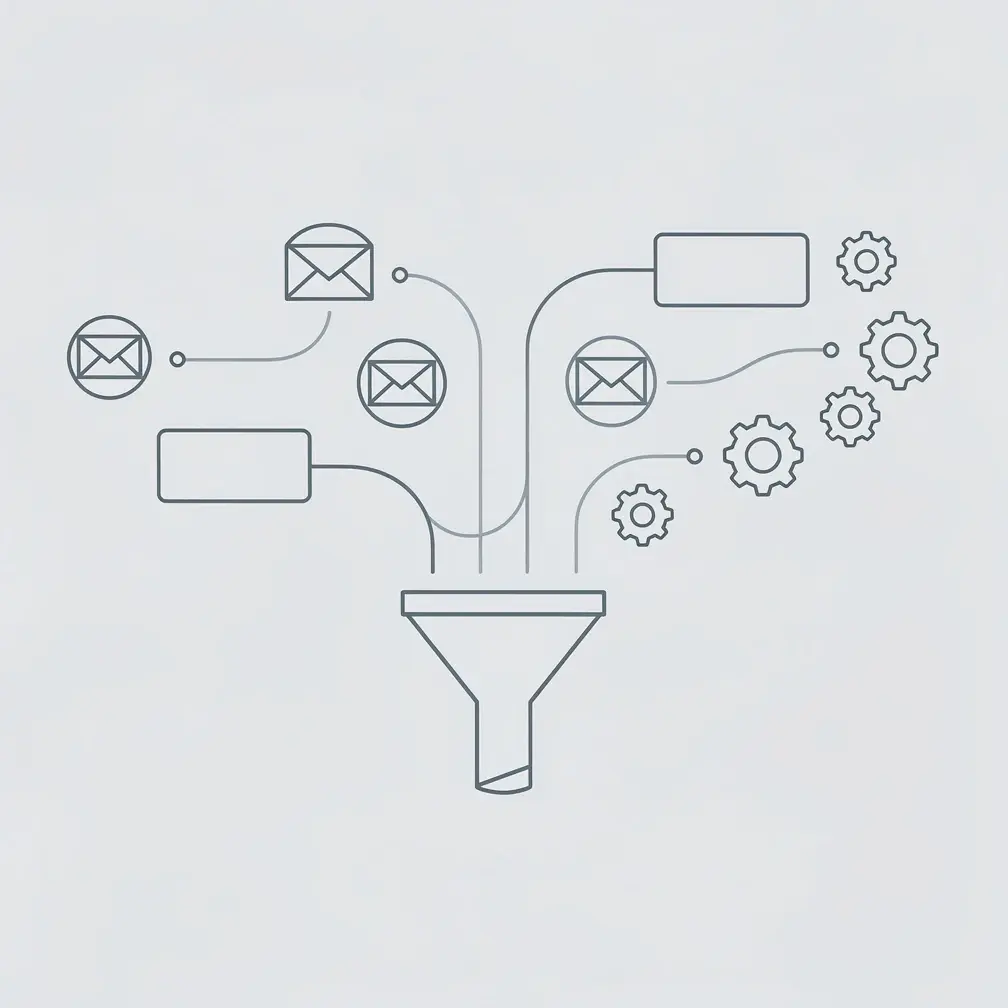
B2B marketing automation is the practice of using software to execute repetitive marketing and sales tasks automatically — sending emails, scoring leads, updating CRM records, and triggering follow-up sequences without manual effort. For sales and marketing teams working with long buying cycles and multiple stakeholders, automation is the difference between a scalable revenue operation and one that stalls as soon as headcount stalls. For the sales side of automation, check out our guide to tools to automate your sales workflow. Most modern stacks now layer AI lead nurturing on top of basic automation to react to behavioral signals in real time.
This guide covers what B2B marketing automation actually includes, which workflows to build first, how to pick the right platform, and how to measure whether it’s working.
Key Takeaways
- B2B marketing automation reduces manual tasks by automating email sequences, lead scoring, and CRM updates — freeing sales teams to focus on high-value conversations.
- Companies using marketing automation see 14.5% higher sales productivity and 12.2% lower marketing overhead, according to Nucleus Research.
- The highest-impact automation workflows combine email sequences with personalized video touchpoints, which generate 2-3x higher reply rates than text-only messages.
- Lead scoring automation lets sales teams prioritize the right prospects at the right time, reducing wasted follow-up on cold leads.
- Integration depth matters more than feature count — automation works best when your CRM, email platform, and engagement tools share data bidirectionally.
What Is B2B Marketing Automation?
B2B marketing automation is software that executes marketing and sales actions automatically based on predefined triggers and rules — without a human doing each task manually. A lead fills out a form: the system enrolls them in a nurture sequence, scores their engagement, assigns them to the right sales rep, and logs every interaction in the CRM. All of that happens in seconds, not days. For a deeper look at your options, see our guide to lead nurturing software.
The distinction from B2C automation matters. B2B buying cycles average 6-12 months and involve multiple stakeholders. According to Gartner, B2B buyers spend only 17% of their purchase journey talking to sales reps — the other 83% is independent research. Automation lets you stay visible and relevant during that 83% without burning rep capacity on contacts who aren’t ready to buy.
According to Salesforce’s marketing automation overview, the core components of a B2B automation system include:
- Email automation — triggered sequences, nurture tracks, and behavioral-based sends
- Lead scoring — automatic scoring based on fit (firmographics) and engagement (opens, clicks, site visits)
- CRM synchronization — two-way data flow between marketing tools and the sales CRM
- Campaign management — multi-channel coordination across email, ads, social, and direct outreach
- Analytics and attribution — tracking which touchpoints drive pipeline and revenue
The goal of B2B marketing automation isn’t to remove humans from the sales process. It’s to remove humans from the tasks that don’t require human judgment — so they can spend more time on the conversations that actually close deals.
The 5 Core Workflows Every B2B Team Should Automate
The most valuable B2B automation workflows focus on the handoffs that cause the most revenue leakage: leads that fall through the cracks, follow-ups that never happen, and CRM data that’s weeks out of date. Start with these five before adding anything else.
1. Lead Capture and Nurture Sequences
When a prospect downloads content, attends a webinar, or fills out a demo request, they signal intent. An automated nurture sequence responds immediately with relevant content — without anyone on your team needing to manually send emails. According to HubSpot’s State of Marketing report, nurtured leads produce 20% more sales opportunities than non-nurtured leads.
A typical B2B nurture sequence looks like this:
- Day 0: Immediate confirmation email with the promised content
- Day 2: Educational email addressing the most common pain point
- Day 5: Case study or social proof from a similar company
- Day 8: Product-focused email with a specific CTA (demo request, free trial)
- Day 12: Breakup email with a final offer or resource
The key is personalizing based on the trigger. A prospect who downloads a pricing guide gets a different sequence than one who attends an educational webinar. Your automation platform handles this branching automatically.
2. Lead Scoring
Lead scoring assigns numeric values to prospect behaviors and firmographic attributes, so your sales team knows which leads to call today and which to leave in nurture. Without scoring, SDRs either call everyone (wasting time on cold leads) or call no one consistently (losing hot leads).
Learn more about Clay personalization stack for SDRs.
A basic scoring model might look like:
- +10 points: Visited pricing page
- +15 points: Watched a product demo video
- +20 points: Requested a trial or demo
- +5 points per email opened, +10 per link clicked
- +25 points: Company size matches ICP (e.g., 50-500 employees)
- -15 points: Competitor domain email address
When a lead crosses a threshold (say, 75 points), the system automatically alerts the assigned rep and creates a task in the CRM. The rep doesn’t have to monitor anything — the signal comes to them.
Pro tip
Start lead scoring with no more than 5-8 criteria. A complex scoring model with 30 variables is harder to maintain and often less predictive than a simple one. Calibrate quarterly by checking whether high-scoring leads actually convert at a higher rate than low-scoring ones.
3. Sales Follow-Up Sequences
Sales reps who follow up within 5 minutes of a demo request are 9x more likely to connect with the prospect, according to a study by Lead Response Management. Automation makes that possible at scale, even when the form submission comes in at 11 PM on a Friday.
Automated follow-up sequences trigger off CRM events: a demo no-show triggers a rescheduling sequence; a proposal viewed triggers a check-in email; a pricing page visit triggers an SDR alert. Sales automation software handles these triggers without anyone manually monitoring contact activity.
The most effective follow-up sequences mix email with personalized video. Instead of sending a fifth identical text email, a sales rep records one short video — “Hey [Name], saw you revisited our pricing page…” — and the automation personalizes and sends it to each prospect at the right moment. Teams using video messaging in their follow-up sequences report 2-3x higher reply rates compared to text-only outreach.
4. CRM Data Updates and Enrichment
Stale CRM data costs B2B teams an estimated 12% of annual revenue, according to SiriusDecisions research. Automation keeps records current without relying on reps to manually update them after every call or email.
Key CRM automations include:
- Auto-updating deal stage when a prospect clicks a proposal link
- Logging email opens, clicks, and video views directly to the contact record
- Enriching records with company data from tools like Clay or ZoomInfo
- Routing leads to the right rep based on territory, industry, or company size
- Triggering re-engagement campaigns when a deal goes inactive for 14+ days
Sendspark’s HubSpot integration and Salesforce integration automatically log video engagement data (opens, play rates, watch time) back to the contact record — so sales reps can see exactly how a prospect engaged with their video before making a follow-up call.
Record Once, Personalize at Scale
Stop recording the same video over and over. Sendspark uses AI to personalize your videos with each prospect's name and website — automatically. Sales teams see 2-3x more replies.
Get Started Now5. Video Personalization at Scale
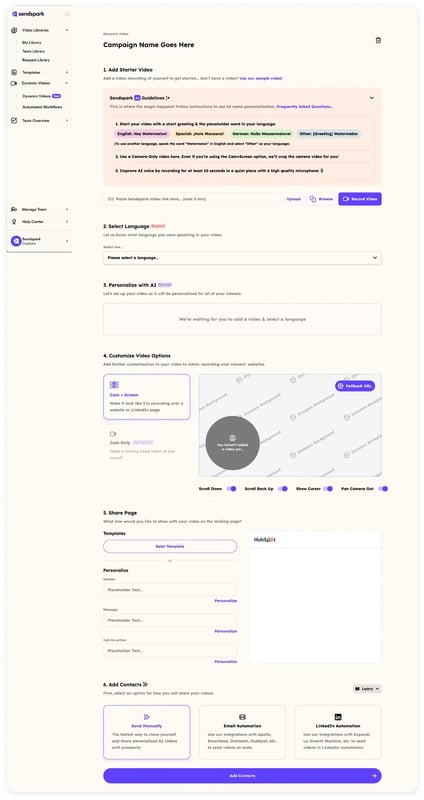
Video is the highest-engagement channel in B2B outreach — but recording individual videos for hundreds of prospects isn’t scalable. AI-powered video personalization closes that gap. A sales rep records a single video template, and the platform automatically creates a personalized version for each prospect, showing their name, company, and even their website as a dynamic background.
Sendspark’s AI Intros feature plugs directly into sales automation workflows. When a prospect is enrolled in an outreach sequence, the platform generates a personalized video using AI voice cloning — no re-recording required. This combines the personal impact of video with the efficiency of automation.
How to Choose the Right B2B Marketing Automation Platform
The right B2B marketing automation platform depends on your team size, tech stack, and the complexity of your buying cycle. Choose based on these four criteria: integration depth with your CRM, the number of contacts and emails you’ll process monthly, the sophistication of your scoring and segmentation needs, and how much configuration the tool requires before it produces value.
According to the Forrester Wave for B2B Marketing Automation Platforms, the market divides roughly into three tiers:
| Platform Tier | Best For | Typical Cost | Examples |
|---|---|---|---|
| SMB / All-in-one | Teams under 50 people, straightforward nurture needs | $50-$400/mo | HubSpot Marketing Hub, ActiveCampaign |
| Mid-market | 50-500 person B2B companies, complex sequences, ABM | $1,000-$5,000/mo | Marketo Engage, Pardot, Klaviyo B2B |
| Enterprise | Large orgs, multi-touch attribution, custom integrations | $5,000+/mo | Salesforce Marketing Cloud, Eloqua |
Integration Requirements
The most critical evaluation criterion isn’t features — it’s integration depth. An automation platform that doesn’t sync cleanly with your CRM creates data silos that undermine every workflow you build. Before evaluating any platform, map out your current tech stack and confirm native integration exists (not just Zapier webhooks) for your CRM, email, and sales engagement tools.
When data lives across multiple platforms — CRMs, marketing tools, data warehouses, and legacy systems — keeping it synced without engineering resources becomes a bottleneck. Integrate.io is a low-code data integration platform that handles ETL, ELT, and reverse ETL pipelines across 150+ data sources at a fixed price, so marketing ops teams can keep every system in sync without building custom integrations or relying on fragile Zapier chains.
For most B2B SaaS teams, the decision comes down to whether your sales team uses HubSpot or Salesforce as their CRM. If HubSpot, the native marketing and sales hub integration is hard to beat at the SMB-to-mid-market tier. If Salesforce, Pardot (now Salesforce Marketing Cloud Account Engagement) or Marketo are the natural fits.
What Sales Teams Actually Need
Marketing automation platforms are often bought by marketing teams and handed to sales teams without aligning on what signals actually drive action. Before buying, ask:
- Can sales reps see a prospect’s full engagement history (emails, content, videos, page visits) in one view?
- Does the platform create tasks or alerts in the CRM when a lead hits a score threshold?
- Can sales reps trigger personalized one-to-one sequences from the CRM without switching tools?
- Does video engagement data (play rate, watch time, CTA clicks) flow into contact records automatically?
If the answer to any of these is “no,” look for a platform with better sales-side integrations — or supplement with dedicated sales engagement tools that plug into your marketing automation stack.
How to Build Your First B2B Automation Workflow
Start with the workflow that covers the highest-volume, highest-stakes handoff in your funnel — typically the moment a lead converts from anonymous visitor to known contact. Build a simple, 5-step workflow first. Add complexity only after you’ve seen it run for 30 days and verified it’s producing the right outcomes.
Step 1: Define Your Trigger
A trigger is the action that starts the workflow. Common B2B triggers include: form submission, content download, demo request, pricing page visit (3+ times in 7 days), or reaching a lead score threshold. Pick one trigger for your first workflow — don’t try to combine multiple entry points until you understand how the workflow performs. For a deeper look at building these segments and triggers end-to-end, see our guide to video campaign segmentation automation.
Step 2: Map the Sequence of Actions
After the trigger, the system executes a series of actions in order. Write these out on paper before building them in the tool. A typical new-lead nurture sequence for a B2B SaaS product:
- Send confirmation email immediately (personalized with first name + company)
- Wait 2 days
- Send educational email addressing the top pain point your ICP reports
- Check condition: Did they click? If yes → send case study. If no → send a different angle.
- Wait 3 days
- Send a personalized video from the assigned rep (this is where Sendspark’s AI personalization fits)
- Wait 4 days
- Send a direct “should we talk?” email with a calendar link
Step 3: Add Personalized Video as a Touchpoint
The video touchpoint in step 6 above is where B2B automation moves from good to great. Instead of the rep recording 50 individual videos, they record one template and Sendspark’s AI generates a personalized version for each prospect. The video shows the prospect’s name in the intro, uses a cloned voice for natural delivery, and can display their company’s website as a dynamic background.
Setting this up takes less than an hour. Connect Sendspark to your CRM or automation platform via the Zapier integration or native API. When a prospect reaches the video step in the sequence, the automation triggers video generation and delivers it through the email platform automatically.
Common mistake
Don’t automate everything from day one. The best B2B automation workflows are built in small iterations — start with your highest-priority trigger, run it for 30 days, measure open rates, click rates, and reply rates, then optimize before expanding. Teams that try to build a 12-step, multi-branch workflow in week one almost always end up with a complex system no one understands or trusts.
Step 4: Set Up CRM Logging
Every action in your automation workflow should write data back to the CRM contact record: email opens, clicks, video views, and link clicks. This is what allows sales reps to pick up where automation leaves off — they can see exactly how engaged the prospect is before making their first call.
Test this explicitly before going live. Send yourself a test through the workflow, then check whether all engagement actions appeared on the CRM contact record as expected. Missing data at this stage creates gaps in your pipeline visibility later.
Step 5: Define Exit Conditions
An exit condition removes a contact from the workflow when something changes. Common exit conditions: the contact books a meeting (they’ve converted — stop nurturing), the contact replies to any email (hand off to sales immediately), or the contact unsubscribes (remove from all sequences). Without exit conditions, prospects who’ve already become customers can end up receiving nurture emails weeks into their onboarding — a quick way to damage trust.
Measuring B2B Marketing Automation ROI
B2B marketing automation ROI is measured by three categories of metrics: efficiency gains (how much manual work was eliminated), pipeline contribution (how many leads and deals automation influenced), and revenue impact (how much revenue came from automation-touched contacts). According to McKinsey research on marketing personalization, companies with advanced automation and personalization capabilities generate 40% more revenue than those without.
Track these metrics from the first week your automation is live — don’t wait until the end of the quarter to look at the data:
| Metric | What It Measures | B2B Benchmark |
|---|---|---|
| Email open rate | Subject line effectiveness and list quality | 20-30% for B2B |
| Click-through rate (CTR) | Content relevance and CTA effectiveness | 2-5% for B2B email |
| Lead-to-meeting rate | How many nurtured leads convert to a sales conversation | 2-5% for cold outreach |
| MQL-to-SQL conversion rate | How accurately marketing qualifies leads before handoff | 13% industry average (Salesforce) |
| Video play rate | Prospect engagement with video touchpoints | 30-50% for personalized video |
| Pipeline influenced | $ value of deals where automation played a role | Depends on volume; track % change |
| Time saved per rep/month | Efficiency gained from removing manual tasks | 5-10+ hours/rep/month |
How Long Before You See Results?
Most B2B teams see measurable changes in email engagement metrics within 2-3 weeks of launching their first automation workflow. Pipeline impact typically shows up within 45-60 days, as automated nurture sequences start moving leads through stages faster. Revenue impact is visible at the quarter level — compare the close rate and deal velocity of automation-touched contacts against those that weren’t automated.
Nucleus Research found that marketing automation produces an average ROI of $5.44 for every $1 spent, but this varies significantly by implementation quality. Teams that set up proper exit conditions, keep their contact lists clean, and regularly A/B test subject lines see much higher returns than those who set up a workflow and never revisit it.
“The biggest ROI from marketing automation doesn’t come from the automation itself — it comes from the data it generates. When you can see which content, touchpoints, and sequences actually move deals forward, you stop guessing and start compounding.”
Using Video Analytics to Prove Automation ROI
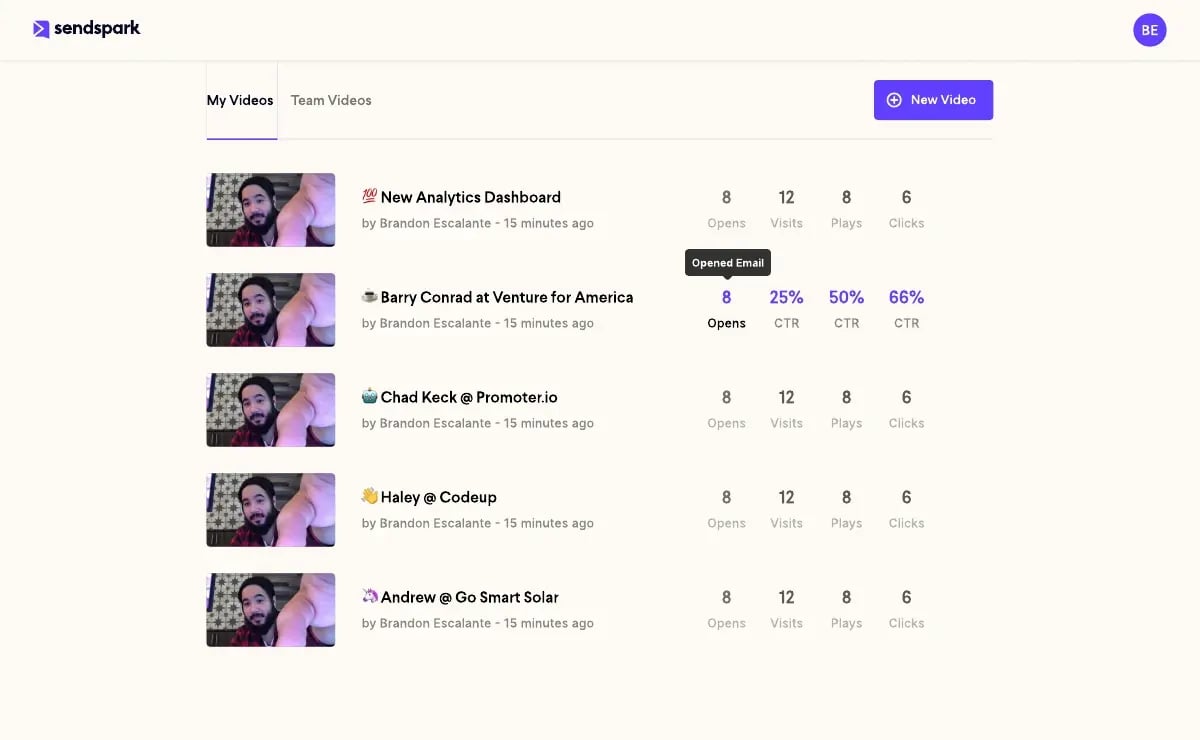
One of the hardest parts of proving marketing automation ROI is attributing revenue to specific touchpoints. Video analytics solve this for video-based outreach. Sendspark’s Video Analytics dashboard shows per-recipient data: who watched, how much they watched, whether they clicked the CTA, and at what time. This data flows into the CRM automatically, making it easy to draw a line from a specific video touchpoint to a booked meeting or closed deal.
For B2B teams running automation workflows with video touchpoints, track watch-to-meeting rate as a separate metric. If 40% of prospects who watch a full personalized video then book a meeting, that’s a clear signal to add more video steps to your sequences — and to prioritize video in your automation investment.
Sources & References
- Gartner — B2B buyers spend only 17% of their purchase journey talking to sales reps (2023)
- Salesforce — Core components of B2B marketing automation: email, lead scoring, CRM sync, campaign management, analytics (2024)
- HubSpot State of Marketing — Nurtured leads produce 20% more sales opportunities than non-nurtured leads (2024)
- Forrester Wave: B2B Marketing Automation Platforms — Evaluation of enterprise, mid-market, and SMB marketing automation tiers (2024)
- McKinsey & Company — Companies with advanced personalization capabilities generate 40% more revenue than peers (2023)
Frequently Asked Questions
What is B2B marketing automation?
B2B marketing automation is software that executes marketing and sales tasks automatically based on triggers and rules — including email sequences, lead scoring, CRM updates, and multi-channel campaign coordination. It allows B2B teams to engage hundreds of prospects consistently without manual effort for each interaction.
How does B2B marketing automation differ from B2C marketing automation?
B2B marketing automation handles longer buying cycles (months vs. days), multiple stakeholders per account, and lower email volume with higher personalization requirements. B2C automation focuses on volume and speed. B2B automation focuses on nurturing relationships through complex, multi-touch sequences and routing leads to the right sales rep at the right time.
What are the most important workflows to automate in B2B marketing?
The five highest-impact B2B automation workflows are: lead nurture sequences (triggered by content downloads or form fills), lead scoring (automatic prioritization for sales), sales follow-up sequences (triggered by CRM events), CRM data updates (logging engagement automatically), and personalized video outreach (AI-generated video for each prospect at scale).
How long does it take to see ROI from B2B marketing automation?
Email engagement metrics improve within 2-3 weeks. Pipeline impact is visible at 45-60 days as automation moves leads through stages faster. Full revenue ROI typically shows at the quarterly level, when you can compare close rates and deal velocity for automation-touched contacts versus non-automated ones.
What should I look for when choosing a B2B marketing automation platform?
Prioritize integration depth with your CRM (native integration, not just Zapier), lead scoring and segmentation capabilities, the ability to trigger sales alerts and tasks based on engagement signals, and bidirectional data sync so sales reps see full prospect engagement history. Start with the platform tier that matches your contact volume and team size — don’t pay for enterprise features you won’t use for 2 years.
How does video fit into B2B marketing automation?
Personalized video is the highest-engagement touchpoint in B2B outreach sequences, generating 2-3x higher reply rates than text-only email. Modern platforms like Sendspark use AI to personalize video at scale — a rep records one template, and the system generates a unique version for each prospect with their name and company details, which then triggers automatically within your email sequence.
What is a good lead scoring model for B2B automation?
A good B2B lead scoring model weighs both fit (company size, industry, title matching your ICP) and engagement (pricing page visits, content downloads, video views, email clicks). Assign higher scores to high-intent signals like pricing page visits (+10) and demo requests (+20). Set a threshold — typically 50-75 points — that triggers an automatic alert to the sales rep. Review and recalibrate every quarter based on actual conversion data.
Record Once, Personalize at Scale
Stop recording the same video over and over. Sendspark uses AI to personalize your videos with each prospect's name and website — automatically. Sales teams see 2-3x more replies.
Get Started Now