The average cold email gets a 1-3% reply rate. That means 97 out of 100 prospects ignore you completely. The reps who beat those numbers aren’t necessarily better writers — they’re using proven scripts built around specific selling scenarios, not improvising every email from scratch.
A cold email script is a word-for-word, copy-paste message designed for a specific outreach scenario. Below you’ll find 10 scripts organized by situation — from trigger-event outreach to AI-personalized video — with subject lines and the psychology behind each one. Copy them, customize them, and start sending. For a deep dive on cold email pitch frameworks and examples, that guide covers all seven scenarios.
Key Takeaways
- A cold email script is complete, word-for-word copy — not a fill-in-the-blank template — built around a specific scenario like a trigger event, referral, or shared pain point.
- The highest-converting scripts stay under 150 words and focus on one specific problem or trigger, not a general product pitch.
- Adding a 30-second AI-personalized video to your cold email script — using Sendspark’s voice cloning — can increase reply rates by 200-300% compared to text-only outreach.
- You should run 3-5 scripts simultaneously across different prospect segments and measure reply rates weekly before standardizing on a winner.
- Trigger-event and referral scripts consistently outperform generic outreach — always tie your opening to something specific about the prospect.
What Is a Cold Email Script?
A cold email script is a complete, pre-written email — every word written out — for a specific outreach scenario. Unlike a template, which gives you a structure with blanks to fill in, a script gives you the exact copy to send. You customize the details (name, company, specific trigger) but the core language is already tested and proven.
The difference matters in practice. A template says “Hi [Name], I noticed your company [OBSERVATION]…” A script says “Hi Sarah, I saw Acme just closed a $12M Series B — congrats. Most fast-growing SaaS teams we talk to hit a wall with outbound at exactly this stage, when volume outpaces what the current process can handle.” One leaves the hardest part to you; the other does the heavy lifting.
A well-built cold email script has four parts:
- Subject line — earns the open (curiosity, relevance, or a name)
- Opening sentence — establishes immediate relevance to this specific prospect
- Value proposition — one sentence on what you do and why it matters to them
- CTA — a single, low-friction ask (15 minutes, a quick call, a yes/no question)
Good scripts stay under 150 words. Anything longer and reply rates drop sharply — research from Gong, which has analyzed millions of sales interactions, shows that brevity and specificity are the two highest-correlation factors with cold outreach success. Prospects don’t read; they scan. Give them something worth stopping for.
The goal of a cold email script isn’t to close a deal — it’s to start a conversation. Every word should serve that single purpose. If a sentence doesn’t earn a reply, cut it.
For more on how to structure the email itself, see our guide to the perfect cold email format.
10 Cold Email Scripts for B2B Sales
These 10 scripts cover the scenarios B2B sales reps encounter most often. Each one is ready to use — customize the bolded placeholders and send. The scripts are organized from the highest-converting (trigger-event, referral) to broader approaches you can use at scale.
1. The Problem-Aware Script (PAS Framework)
When to use: You know a specific operational pain point your prospect faces — one that your product directly solves.
Subject line: Quick question about [PAIN POINT]
The script:
Hi [First Name],
Most [JOB TITLE]s at [COMPANY SIZE] SaaS companies tell me [SPECIFIC PAIN POINT — e.g. “they’re spending 4+ hours a week manually personalizing outreach emails that still get ignored”].
At [YOUR COMPANY], we help teams like yours [OUTCOME — e.g. “cut that to under 30 minutes while tripling reply rates”] — [CUSTOMER NAME] did it in [TIMEFRAME].
Worth a 15-minute call to see if it makes sense for [COMPANY]?
[Your name]
Why it works: The PAS (Problem-Agitate-Solve) framework mirrors the prospect’s internal monologue. You’re not pitching — you’re articulating a pain they already feel, which earns attention before you mention your product.
2. The Trigger Event Script
When to use: The prospect’s company just raised funding, made a strategic hire, launched a new product, or announced expansion. These events create specific new needs.
Subject line: Congrats on the [EVENT] — one question
The script:
Hi [First Name],
Saw [COMPANY] just [TRIGGER — e.g. “closed a $20M Series B”]. Congrats — that kind of growth usually means scaling the sales team fast.
When teams like yours double SDR headcount, the biggest bottleneck we see is keeping outreach quality consistent as you ramp new reps. We help fix that.
[CUSTOMER] went from 1% to 4% reply rate in 60 days after a similar growth stage.
Worth 15 minutes to talk through how you’re approaching it?
[Your name]
Why it works: Trigger events are genuine research signals. Referencing them shows you did homework and creates natural timing — the prospect’s need is acute right now. Trigger-event emails consistently generate the highest open and reply rates of any cold outreach type.
3. The Referral Script
When to use: A mutual contact — customer, colleague, or connection — told you to reach out.
Subject line: [MUTUAL CONTACT] suggested I reach out
The script:
Hi [First Name],
[MUTUAL CONTACT] mentioned you’re [CONTEXT — e.g. “building out your outbound motion”] and thought we should connect.
We work with [RELEVANT CUSTOMER TYPE] to [OUTCOME]. [MUTUAL CONTACT] saw [RESULT] at [THEIR COMPANY] and thought it could be worth exploring for [COMPANY].
Happy to share what we did with them. Do you have 15 minutes this week?
[Your name]
Why it works: Referral emails get 3-4x higher reply rates than cold outreach because the social proof is embedded in the subject line. The prospect reads it and thinks “if [trusted person] recommended this, it’s probably worth a look.”
4. The Social Proof Script
When to use: You have a strong customer win in the prospect’s exact vertical or a result that maps directly to their situation.
Subject line: How [SIMILAR COMPANY] got [RESULT] in [TIMEFRAME]
The script:
Hi [First Name],
[SIMILAR COMPANY] — also a [VERTICAL] company with [SIZE] SDRs — went from [BEFORE STATE] to [AFTER STATE] in [TIMEFRAME] using [YOUR PRODUCT].
I think we could do the same for [COMPANY]. The situation sounds similar: [1-2 SENTENCE PARALLEL].
Can I share how they approached it in a quick 15-minute call?
[Your name]
Why it works: Leading with a result — not a feature — reframes the conversation. You’re not asking permission to sell; you’re offering a case study. Social proof reduces perceived risk and makes the prospect curious rather than defensive.
5. The Industry Insight Script
When to use: You have a data point, trend, or insight about the prospect’s industry that positions you as a peer, not a vendor.
Subject line: [INDUSTRY] open rates are down 40% — here’s why
The script:
Hi [First Name],
We’ve been tracking reply rates across [INDUSTRY] outreach over the last 6 months. The teams holding above 5% reply rate have one thing in common: they’re personalizing at the contact level, not just at the company level.
Most [JOB TITLE]s we talk to know this is the gap but haven’t found a way to do it at scale.
We’ve helped [NUMBER] [INDUSTRY] teams solve this without adding headcount. Worth comparing notes?
[Your name]
Why it works: You’re leading with value — a relevant insight — before making any ask. This positions you as someone worth talking to, not just another rep blasting templates. For more on personalization inside cold email, see our guide to cold email personalization.
Record One Video. AI Personalizes Thousands.
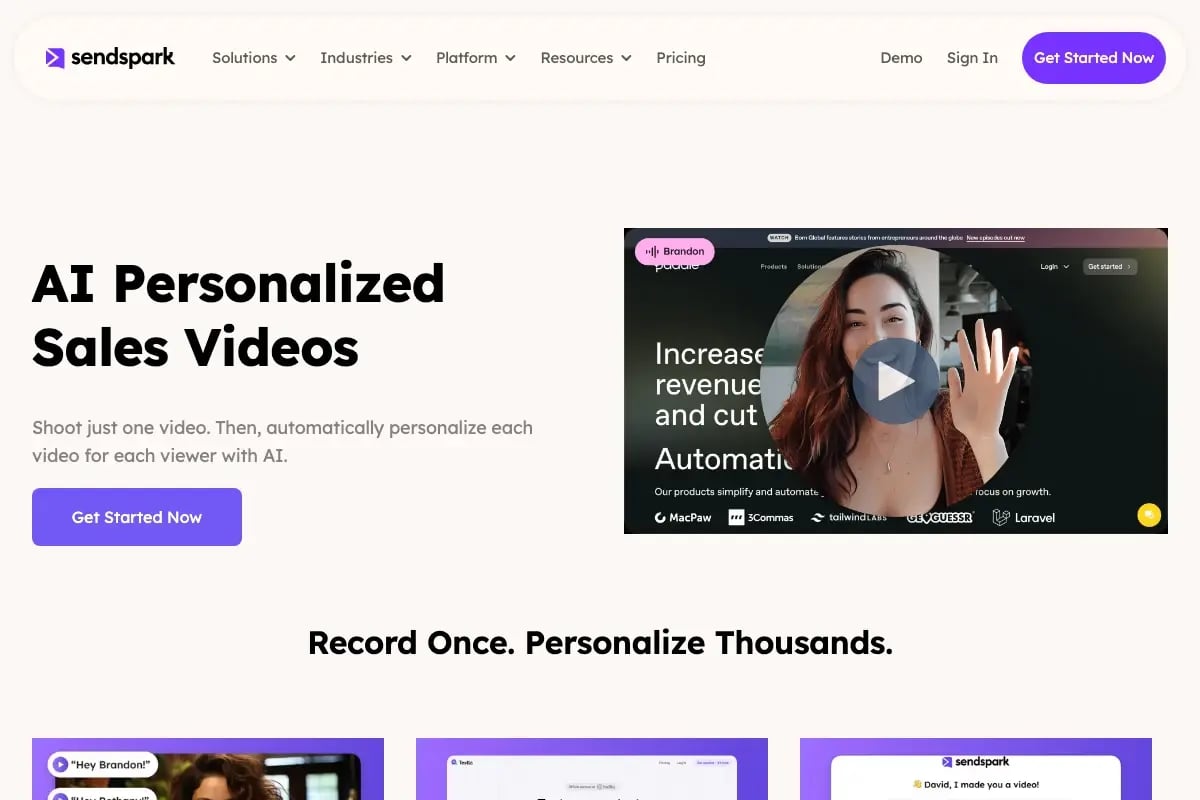
Sendspark is the AI video personalization platform for B2B sales. Record once, and AI voice cloning generates thousands of individually personalized videos with dynamic backgrounds and personalized thumbnails — each prospect hears their name, sees their website, in your voice. Sales teams see 2-3x more replies.
Get Started Now6. The AI-Personalized Video Script
When to use: You want to stand out in a crowded inbox — especially for high-value accounts — without spending hours recording individual videos.
Subject line: 30-second video for [First Name] at [Company]
The script:
Hi [First Name],
I recorded a quick 30-second video for you — it’s specific to [COMPANY] and what I think the gap is in your current outbound approach.
[VIDEO THUMBNAIL — linked to personalized video]
If any of it resonates, happy to go deeper. If not, no worries — just reply and let me know.
[Your name]
Why it works: A personalized video thumbnail in an email stops the scroll. Prospects open it out of curiosity — and a 30-second video with their name and company as the background converts far better than text. The catch: recording individual videos for every prospect doesn’t scale.
This is where Sendspark’s AI-personalized video platform changes the equation. You record one video script once. Sendspark’s AI voice cloning generates a unique version for each prospect — each one uses their name, shows their company website as the dynamic background, and uses your cloned voice. A 100-prospect sequence that would take hours of individual recording takes 15 minutes. Teams using AI-personalized video outreach with Sendspark see 200-300% more replies compared to text-only cold email.
7. The AIDA Script
When to use: Broad prospecting when you have a clear, universally relevant value proposition for your ICP.
Subject line: [OUTCOME] in [TIMEFRAME] — worth a look?
The script:
Hi [First Name],
[ATTENTION: Bold opening stat or claim relevant to their role].
[INTEREST: One sentence on why this matters to them specifically].
[DESIRE: One sentence on what your customers achieve — a specific result].
[ACTION: Single low-friction ask — 15 minutes, a yes/no, or a resource offer].
[Your name]
Why it works: The AIDA (Attention-Interest-Desire-Action) framework maps to how humans make decisions. Each sentence earns the right to the next. It works for broader audiences because the structure forces clarity even when you can’t personalize deeply.
8. The Short-Form Blunt Script
When to use: Senior prospects — VP, C-suite, Founders — who get dozens of cold emails daily and respond best to directness.
Subject line: [Company] + [Your Company] — worth 15 min?
The script:
Hi [First Name],
We help [ROLE]s at [COMPANY TYPE] [SPECIFIC OUTCOME].
[CUSTOMER] went from [BEFORE] to [AFTER] in [TIMEFRAME].
Worth 15 minutes?
[Your name]
Why it works: Senior buyers are time-constrained and pattern-match instantly. Long emails signal “this rep doesn’t respect my time.” Three sentences forces you to distill your value proposition to its core. If you can’t say it in three sentences, your pitch needs more work — not a longer email.
9. The LinkedIn Warm-Up Script
When to use: You connected on LinkedIn first, engaged with their content, or had a brief exchange — now following up via email.
Subject line: Following up from LinkedIn
The script:
Hi [First Name],
We connected on LinkedIn recently — I enjoyed your post on [TOPIC]. It made me think of a problem we see often with [RELEVANT CONTEXT].
We help [ROLE]s like you [SPECIFIC OUTCOME] without [TYPICAL TRADE-OFF — e.g. “adding headcount or sacrificing quality”].
Would you be open to a quick call to see if it’s relevant?
[Your name]
Why it works: You’re converting a warm signal (LinkedIn connection, content engagement) into a higher-intent conversation. The email feels like a natural continuation of an existing relationship, not a cold pitch. For more on LinkedIn-first sequences, check our guide to cold email opening lines.
10. The Re-Engagement Script
When to use: A prospect went cold after initial interest — they replied once, attended a demo, or downloaded content, then disappeared.
Subject line: Still relevant for [Company]?
The script:
Hi [First Name],
We spoke [TIMEFRAME] ago about [CONTEXT]. I don’t want to assume it’s still relevant — things change.
If [PAIN POINT] is still on your radar, I have a few ideas that worked well for [SIMILAR COMPANY] recently.
If timing is off, just say the word — I’ll follow up in [TIMEFRAME] instead.
[Your name]
Why it works: Re-engagement scripts work because they don’t guilt-trip. Giving the prospect an easy exit (“just say the word”) paradoxically makes them more likely to re-engage. They feel in control, not cornered. For more on follow-up sequences, see our complete cold email follow-up guide.
How to Personalize Cold Email Scripts at Scale
Personalizing a cold email script means more than swapping in a first name. Real personalization — referencing a specific trigger, pain point, or result relevant to that prospect — is what drives reply rates. The challenge is doing it at scale without spending your entire day researching and rewriting.
Manual personalization caps out at roughly 30-50 highly personalized emails per day for a dedicated SDR. That works for enterprise accounts. For mid-market volume (200-500 prospects per sequence), you need a different approach.
Text-Level Personalization
Start with a tiered personalization model:
- Level 1 — Company-level: industry, size, tech stack, recent news (automated via Clay or ZoomInfo)
- Level 2 — Role-level: common pain points for that job title in that company size
- Level 3 — Contact-level: something specific to that person (LinkedIn post, published content, career history)
Most cold email scripts only reach Level 1. Level 3 personalization at scale requires AI — specifically, using tools like Clay to automate research and enrichment across thousands of contacts.
Pro tip
Write your scripts in bullet points, not a word-for-word script. When you deliver a video version of your email, bullet points produce a more natural, conversational tone than reading verbatim. Prospects can tell the difference — and conversational beats polished every time.
Video Personalization at Scale
The highest-converting version of a cold email script isn’t text — it’s a personalized video. A 30-second video with the prospect’s name spoken aloud and their company website visible in the background generates 2-3x the reply rate of identical text-only outreach. For multi-channel sequences combining these scripts with LinkedIn and AI-personalized video, see our B2B sales examples guide.
The old constraint was time: recording individual personalized videos was only viable for 10-15 top accounts per week. Sendspark’s AI video personalization platform removes that constraint entirely. You record your script once. Sendspark’s AI voice cloning generates a unique version for every prospect — each one uses their name (spoken in your cloned voice), shows their company website as a dynamic background, and includes a personalized thumbnail. A sequence of 500 prospects takes the same time as recording one video.
“The shift from generic templates to personalized outreach isn’t just about higher reply rates — it’s about qualifying better. Prospects who reply to personalized outreach have already demonstrated they’re worth pursuing.”
Teams using Sendspark for AI-personalized video outreach see a 200-300% increase in email response rates and a 50% improvement in click-through rates. The sales prospecting workflow becomes: write your script → record once → distribute thousands of personalized versions automatically.
Cold Email Script Best Practices
The right script matched to the wrong scenario will still underperform. These practices help you pick the right script, test it properly, and iterate toward consistently higher reply rates — without starting over every quarter.
Keep scripts under 150 words. According to HubSpot’s analysis of cold email performance, emails between 50-125 words get the highest reply rates. Every sentence above 150 words costs you conversion. If you can’t make the point in 150 words, the problem is the pitch, not the length.
Test subject lines and body copy separately. Changing both at once means you can’t tell what moved the needle. Run subject line variants first (same body), then body variants (same subject line). Give each variant at least 50 sends before drawing conclusions.
Use one CTA, not multiple options. “Want a 15-minute call, or would you prefer I send a case study first?” kills reply rates. Decision paralysis is real. Pick one ask and commit to it. The CTA that works best is a direct question with a yes/no answer: “Worth a quick call this week?”
Update your scripts quarterly. A script that worked in Q1 might plateau by Q3 — markets move, inboxes change, messaging gets stale. Pull reply rate data monthly and refresh scripts that drop below your baseline. See our guide on cold email strategies for more on managing your outbound cadence.
Common mistake
Don’t use the same script for every prospect in a sequence. Your trigger-event script shouldn’t go to contacts where there’s been no trigger. Sending the wrong script to the wrong segment signals you didn’t do any research — and prospects notice.
Which Script to Use When
| Script Type | Best Scenario | Expected Reply Rate | Personalization Required |
|---|---|---|---|
| Trigger Event | Funding, new hire, product launch | Highest (5-10%+) | High — event + pain context |
| Referral | Warm intro from mutual contact | Highest (5-10%+) | Medium — context from referrer |
| Social Proof | Strong vertical win to share | High (3-6%) | Medium — industry relevance |
| PAS | Known ICP pain point | High (3-5%) | Medium — pain specificity |
| AI Video Script | Scale + differentiation | Very High (5-8%) | Low — AI handles it |
| Industry Insight | Broad ICP, data-driven angle | Medium (2-4%) | Low — segment-level |
| AIDA | Broad prospecting, clear value prop | Medium (2-4%) | Low — role-level |
| Short-Form Blunt | C-suite, VP, Founder-level | Medium (2-4%) | Low — brevity is the hook |
| LinkedIn Warm-Up | After LinkedIn connection | Medium-High (3-5%) | Medium — LinkedIn context |
| Re-Engagement | Cold leads from prior outreach | Low-Medium (2-3%) | Low — timing + exit option |
For a deep dive on cold email best practices — including sender reputation, deliverability setup, and sequence structure — see our full 16-rule guide.
Published July 2026
Sources & References
- Gong Revenue Intelligence — Analysis of millions of sales interactions showing brevity and specificity as top predictors of cold outreach success (2024)
- Salesforce State of Sales Report (2024) — “The shift from generic templates to personalized outreach isn’t just about higher reply rates — it’s about qualifying better.”
- HubSpot Sales Research — Cold email performance analysis showing emails between 50-125 words achieve highest reply rates
- Harvard Business Review — “The Best Ways to Contact a Prospect for the First Time” — Email remains the preferred initial contact method across B2B sales contexts (2015)
Frequently Asked Questions
What is a cold email script?
A cold email script is a complete, word-for-word email written for a specific outreach scenario — not a template with blanks to fill in. A script includes the subject line, opening sentence, value proposition, and CTA already written out, so you customize only the specific details (name, company, trigger) rather than composing from scratch each time.
How long should a cold email script be?
Cold email scripts should stay under 150 words — ideally 75-125 words for most scenarios. HubSpot’s analysis of cold email performance shows that 50-125 word emails consistently outperform longer ones. Senior prospects (VP, C-suite) respond best to scripts under 75 words. The only exception is complex enterprise outreach where context genuinely requires more space.
What is the best cold email script for B2B sales?
The trigger-event script and referral script consistently generate the highest reply rates (5-10%+) in B2B outreach. They work because they’re inherently relevant — the prospect already has a reason to care before you pitch. For scale, the AI-personalized video script outperforms all text-based approaches because of the visual differentiation and personalization depth.
How do I personalize cold email scripts at scale?
For text personalization at scale, use Clay or ZoomInfo to automate research enrichment (trigger events, company news, tech stack) and merge that data into your script variables. For video personalization at scale, Sendspark’s AI voice cloning lets you record one script and auto-generate thousands of individually personalized videos — each prospect hears their name and sees their company website in the background, in your voice, without any additional recording time.
How many cold email scripts should I A/B test at once?
Test 3-5 scripts simultaneously across clearly defined prospect segments, and give each at least 50 sends before drawing conclusions. More than 5 variants dilutes the sample size and makes it harder to isolate what’s working. Focus your initial tests on the opening approach (PAS vs. trigger-event vs. social proof) before optimizing subject lines and CTAs.
Can I use video in my cold email script?
Yes — and it’s the highest-converting format. A 30-second personalized video embedded in a cold email (as a linked thumbnail) generates 2-3x more replies than text-only outreach. Sendspark’s AI video personalization platform lets you scale this by recording one video and auto-generating personalized versions for every prospect, with their name, voice cloning, and dynamic backgrounds — without recording each one individually.
How often should I update my cold email scripts?
Review your script performance monthly and refresh any script that drops below your baseline reply rate for two consecutive months. Completely overhaul your script library quarterly — messaging that worked in Q1 can plateau by Q3 as inboxes adapt and competitive messaging shifts. Track reply rate by script type in your CRM so you have data rather than intuition driving the decision.
Record One Video. AI Personalizes Thousands.
Sendspark is the AI video personalization platform for B2B sales. Record once, and AI voice cloning generates thousands of individually personalized videos with dynamic backgrounds and personalized thumbnails — each prospect hears their name, sees their website, in your voice. Sales teams see 2-3x more replies.
Get Started Now