Forty-seven percent of recipients open or delete an email based on the subject line alone, according to HubSpot research. For follow-up emails, the stakes are even higher — your prospect already passed on your first message. This guide gives you 50+ follow-up email subject line templates organized by scenario, plus the signal-triggered formulas B2B teams use in 2026 to outperform cold sequences by 3-4x.
Updated July 2026
Key Takeaways
- The highest-performing follow-up subject lines are short (30-50 chars), reference prior context, and avoid generic phrases like “Following up” or “Just checking in.”
- Signal-triggered follow-ups — based on real-time buying signals like website visits or funding rounds — drive 3-4x higher response rates than cold sequences.
- Personalization tokens (first name, company, specific topic) lift follow-up open rates by 26% according to Backlinko’s email data.
- After three no-reply touches, switch to a video-based subject line — Sendspark’s AI-personalized video sequences see 2-3x reply lifts vs. text-only follow-ups.
- A/B test 5+ variants per cadence stage; the breakup subject line (“Should I close your file, {Name}?”) consistently lifts final-touch replies 1.5-2x.
What Makes a Great Follow-Up Subject Line?
A great follow-up email subject line is short, references something specific to your prior interaction, and gives the prospect a clear reason to open the message. The best ones feel like a continuation of a real conversation — not a generic blast from a sales tool. They avoid vague phrases, hint at value, and load meaningful context into fewer than 50 characters.
HubSpot research confirms that 47% of email recipients open or delete a message based on the subject line alone. For follow-ups specifically, that number likely skews even higher — prospects already decided once to ignore you, so your second subject line needs to work harder.
And personalization helps more than you might expect. Backlinko’s email marketing data shows personalized subject lines increase open rates by 26%. That means swapping “Following up” for “{FirstName}, quick thought on {Company}” isn’t just cosmetic — it’s a measurable performance difference.
The phrases “Following up” and “Re: Just checking in” are the two biggest archive triggers in B2B inboxes. They signal zero effort, zero context, and zero reason to open. Avoid them completely. Your sales follow-up email deserves a stronger hook than that.
Pro Tip: The 30-50 Character Rule
Keep every follow-up subject line between 30 and 50 characters. More than 60% of emails are opened on mobile devices, and most mobile clients truncate subject lines beyond 50 characters. If your best phrase is cut off mid-sentence, your open rate suffers. Front-load your most compelling word or name token — never bury the hook at the end.
Here are the five traits that separate effective follow-up subject lines from ones that get ignored:
| Trait | What It Looks Like | Why It Works |
|---|---|---|
| Short | “Quick thought, {FirstName}” | Renders fully on mobile; respects the prospect’s attention |
| Specific Reference | “Following up on your {PainPoint} question” | Proves the email is relevant, not a batch send |
| Curiosity Gap | “Idea for {Company}’s Q3” | Creates enough intrigue to earn the open without overselling |
| Personalization | “{FirstName}, saw you on our pricing page” | Lifts open rates by 26% (Backlinko); signals you actually know them |
| Conversational | “Still relevant, {FirstName}?” | Reads like a human message, not a CRM automation |
Pro tip
Keep every follow-up subject line between 30 and 50 characters. Most mobile email clients display only 35-40 characters in the inbox preview — your full hook must fit. Test your subject on your phone before scheduling. If it gets cut off, trim it.
Which Follow-Up Subject Line Templates Get the Most Opens?
The follow-up subject line templates that consistently get the most opens are ones tied to specific scenarios, with personalization tokens that make each email feel written for one person. Generic templates underperform because they don’t acknowledge where the prospect is in the conversation. The templates below are organized by sales scenario so you can match the right tone and hook to the right moment in your cadence.
Cold No-Reply Follow-Up (Touch 2-3)
When your first cold email gets silence, your next subject line needs to feel fresh — not like a persistence loop. These templates either offer new context or reframe the original ask.
- Quick thought on {Topic}, {FirstName}
- Still relevant for {Company}?
- {YourName} + {ProspectCompany} — worth 10 mins?
- Idea for {Company}’s {SpecificArea}
- {MutualConnection} said to reach out
- Question about {PainPoint} at {Company}
- One resource you might find useful, {FirstName}
- {Competitor} vs. {YourCompany} — quick comparison
- How {SimilarCompany} solved {PainPoint}
- Worth revisiting, {FirstName}?
For deeper strategy on cold outreach sequences, see our guide to cold email follow-up.
Post-Demo or Post-Discovery Call Follow-Up
These subject lines build on momentum from a live conversation. They acknowledge the time already invested and point toward next steps — without sounding like a generic CRM task.
- Recap: {YourCompany} + {ProspectCompany} next steps
- Your {PainPoint} solution — what we discussed
- Resources from our {Topic} conversation
- Quick follow-up on our {Date} call
- Your questions about {SpecificFeature} — answered
- Video summary of your {Product} demo, {FirstName}
- One thing I forgot to mention on our call
- {FirstName}, your custom {Product} roadmap
Get more templates and frameworks in our follow-up email after a sales call guide.
After a Voicemail or Cold Call
When you’ve already left a voicemail, your email subject line should connect the dots immediately. Prospects who missed your call deserve context — give it to them in the subject.
- Just left you a voicemail, {FirstName}
- Following up on my call — {Topic}
- {YourName} here — voicemail + quick note
- Tried calling about {SpecificTopic}
- Left a message re: {Company}’s {Challenge}
Pricing or Proposal Follow-Up
When a prospect has seen a number or received a proposal, your follow-up subject line should acknowledge that directly. Vague subject lines at this stage feel tone-deaf.
- Your {Product} proposal — any questions?
- Quick question on the {Company} proposal
- Checking in on {ProposalName} for {Company}
- Pricing breakdown for {Company} — still works?
- Next steps on your {ProjectName} investment
- {FirstName}, one thing I’d adjust in the proposal
Re-Engagement After Long Silence
Silence doesn’t always mean no. Sometimes timing was off, priorities shifted, or your email got buried. These subject lines give a stale conversation a genuine reason to restart.
- Still thinking about {PainPoint}, {FirstName}?
- Any updates on {ProjectName} at {Company}?
- New data on {IndustryChallenge} — thought of you
- {FirstName}, is {Challenge} still on your radar?
- Something new for {Company}’s {Goal}
- Is the timing better now, {FirstName}?
- How {SimilarCompany} handled {Challenge} in 2026
- One quick update since we last spoke
Browse our full collection of no-response follow-up templates for more options in this category.
The Breakup (Final Touch)
The breakup email is your last message in a sequence. The goal isn’t to be passive-aggressive — it’s to get a definitive answer. These subject lines create just enough finality to prompt a reply from prospects who were on the fence.
- Should I close your file, {FirstName}?
- Closing the loop on {Company}
- My last note on {Solution} for {Company}
- Okay to move on, {FirstName}?
- One last thought before I go
Video-Based Follow-Up (Touch 3+)
After two or three text-only touches with no reply, a video-based follow-up is one of the highest-leverage shifts you can make. Subject lines that reference a personalized video stand out visually in the inbox and signal that real effort went into the message.
- 30-second video for {FirstName}
- Recorded something for {Company}, {FirstName}
- A quick video on {PainPoint} for you
- {FirstName} — personalized video inside
- Watch this before you decide, {FirstName}
- I made this for {Company} specifically
The reason these work: a video subject line sets an expectation the email body can actually meet. With Sendspark, you record one intro and AI video intros handle the personalization at scale — AI voice cloning delivers each prospect’s name, company, and relevant context in your voice, automatically. You get the warmth of a one-to-one video without recording hundreds of individual takes. See more on this approach in our guide to writing video cold email subject lines.
Warning: The “Re:” Misuse Problem
Never add “Re:” to a subject line to fake a thread reply if there is no prior conversation. Email providers — and increasingly, spam filters — flag misleading “Re:” prefixes as deceptive. Beyond deliverability, prospects notice immediately and it destroys trust. Only use “Re:” when the email is genuinely a reply in an existing thread. This also applies to “Fwd:” prefixes used to create false urgency.
Subject Line Formulas
Beyond scenario-specific templates, these seven formulas give you a repeatable structure you can apply across any stage of a cadence. Pair them with strong personalization data for best results. You can also explore our conversational cold email examples to see these formulas in action.
1. Curiosity Gap
Formula: [Intrigue phrase] + [Company or Role] + [Implied benefit]
- “Something interesting about {Company}’s pipeline”
- “One thing your team might be missing, {FirstName}”
2. Specific Reference
Formula: [Prior interaction] + [Specific detail from that interaction]
- “Your question about {Feature} from our call”
- “Following up on the {PainPoint} you mentioned”
3. Name + Company + Context
Formula: {FirstName}, [context sentence tied to their company]
- “{FirstName}, saw {Company} just announced {Event}”
- “{FirstName}, quick thought on {Company}’s Q3 goal”
4. Outcome-First
Formula: [Specific result] + [Company or role] + [Time frame]
- “How {SimilarCompany} cut {Metric} by 40% in 60 days”
- “{Company} + {YourCompany}: path to {SpecificOutcome}”
5. Time-Limit
Formula: [Deadline or expiry] + [What changes] — use sparingly and only when real
- “Proposal pricing valid through {Date}, {FirstName}”
- “Last spot in our {Month} cohort, {FirstName}”
6. Video Tease
Formula: [Video descriptor] + [FirstName or Company] + [Topic hint]
- “30-second idea for {Company}, {FirstName}”
- “Recorded something for you about {PainPoint}”
7. Pattern Interrupt
Formula: [Unexpected or self-aware opener] that breaks inbox monotony
- “Not another ‘just checking in’ email, {FirstName}”
- “Bad timing? Tell me when — {FirstName}”
Record One Video. AI Personalizes Thousands.
Sendspark is the AI video personalization platform for B2B sales. Record once, and AI voice cloning generates thousands of individually personalized videos with dynamic backgrounds and personalized thumbnails — each prospect hears their name, sees their website, in your voice. Sales teams see 2-3x more replies.
Get Started NowHow to Write Follow-Up Subject Lines for Signal-Triggered Outreach
In 2026, AI-powered intent data tools like Clay, Apollo, Warmly, and Cognism surface real-time buying signals that fundamentally change what a “follow-up” means. A prospect who just visited your pricing page is not a cold prospect — they are an intent-qualified follow-up target, and their optimal subject line is completely different from a standard touch-2 email. Signal-triggered follow-ups consistently outperform cold sequences by 3-4x in reply rate.
Common mistake
Referencing a stale signal kills response rates faster than a generic subject line. If your intent data shows a prospect “visited pricing” but they did it six weeks ago, that signal is cold — don’t treat it like breaking news. Use signal-triggered subject lines within 48 hours of the trigger, or default to your standard cadence template.
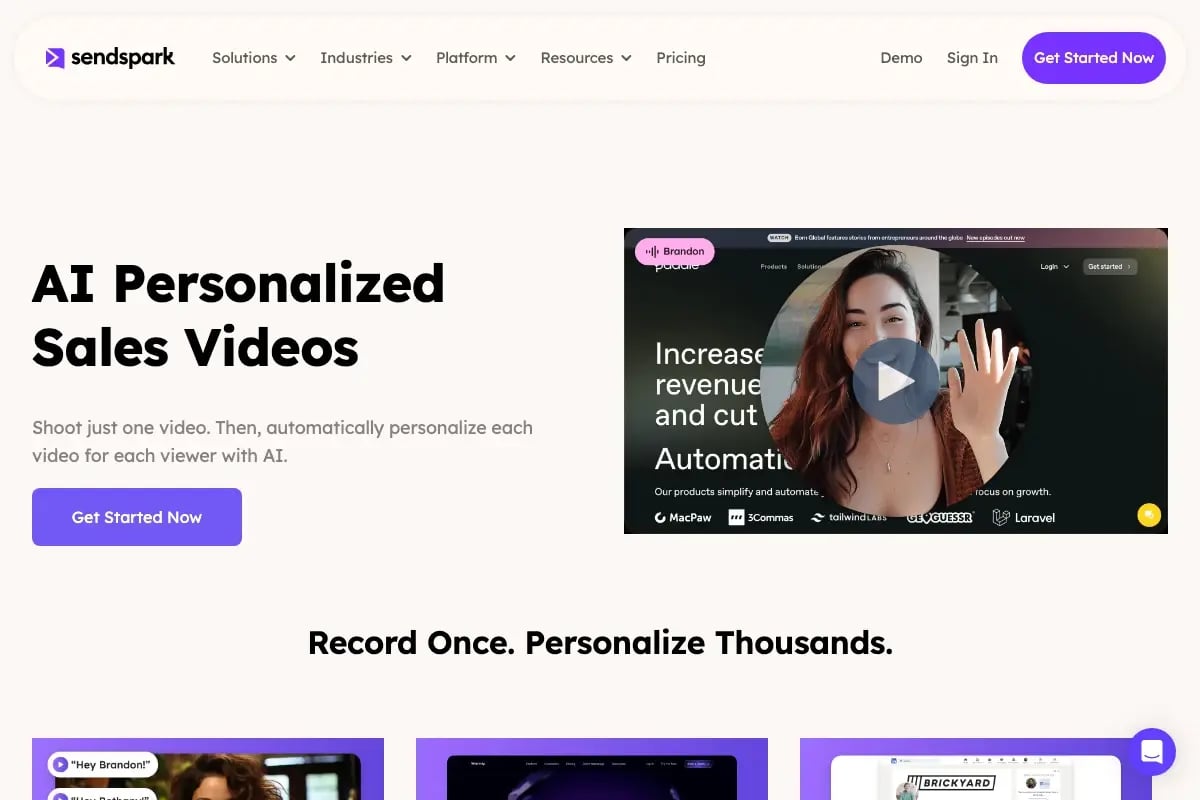
Sendspark creates AI-personalized video follow-ups triggered by buying signals — one recording, personalized for every prospect.
The reason is simple: contextual triggers make your email feel expected rather than intrusive. When your subject line mirrors what a prospect just did — visited your demo page, announced a funding round, posted a hiring role — it reads as relevant rather than random. That shift in perception is what drives opens and replies.
According to RAIN Group research, most B2B purchases require 8-12 touchpoints to close. Trigger-based outreach collapses that timeline because each touch feels contextually relevant rather than like number five in a generic drip sequence. When every email in your cross-channel cadence references something real, prospects don’t feel pestered — they feel understood.
The 5 Signal Types and How to Use Them in Subject Lines
Here are the five highest-value enrichment signals your team should be acting on, and exactly how to translate each one into a subject line that earns an open.
1. Website Visit Signals
Tools like Warmly and Clearbit track when a named account visits your pricing page, demo page, or features page. This is the clearest form of account-level intent available. When someone browses your pricing page at 10pm, they are actively evaluating you — act on that within 24 hours.
Subject line approach: reference the specific page they visited. Be direct but not creepy. “{FirstName}, saw you checking out our pricing” works because it’s honest and specific, not vague.
2. Funding and Hiring Signals
A Series B announcement or a sudden spike in SDR job postings is a real-time signal that a company has money to spend and a growth problem to solve. These are among the warmest signals in B2B outreach. Your subject line should lead with congratulations or acknowledgment of their growth context — celebrate before you sell.
Subject line approach: “{FirstName}, congrats on the Series B” opens a door. “Noticed {Company} is scaling its sales team” shows you’re paying attention to their business, not just your pipeline.
3. LinkedIn Engagement Signals
Prospect intelligence tools that surface LinkedIn behavior — profile views, connection requests from teammates, post engagement — give you a natural reason to reference a shared connection or mutual context. This transforms a cold email into a warm one without faking familiarity.
Subject line approach: “{FirstName}, your colleague {Name} and I connected recently” or “Saw your post on {Topic} — quick thought” both use real context to establish credibility fast.
4. Tech Stack Change Signals
Platforms like BuiltWith, HG Insights, and Clay track when a company adds or removes software from their stack. If a prospect just added a new CRM and your product integrates with it, that is a high-value contextual trigger worth acting on immediately. Your subject line should reference the tool — it signals product-market relevance and shows you’ve done your homework.
Subject line approach: “Question about your new {Tool} workflow, {FirstName}” is concise and specific. It raises a natural question rather than making a pitch, which earns the open.
5. Content Engagement Signals
When a prospect downloads a whitepaper, registers for a webinar, or watches a video on your site, they are telling you exactly what problem they’re thinking about. A signal-triggered follow-up that references that specific content piece ties your outreach directly to their demonstrated interest — and it feels nothing like a cold email.
Subject line approach: “Following up on the {Title} you downloaded, {FirstName}” is honest, specific, and gives them a reason to open that connects to something they already chose to engage with.
Signal-Triggered Subject Line Reference Table
| Signal Type | Trigger Example | Subject Line Formula | Why It Works |
|---|---|---|---|
| Website Visit | Visited pricing page | “{FirstName}, saw you on our pricing page” | Proves you’re watching and relevant at the right moment |
| Funding Event | Series B announcement | “Congrats on the {Series} round, {FirstName}” | Celebrates before selling; opens a human conversation |
| Hiring Signal | SDR roles posted | “Noticed {Company} is scaling outbound” | Acknowledges growth pain; positions you as timely solution |
| Tech Change | Added new CRM | “Question about your new {Tool} workflow” | Shows product-market relevance through stack awareness |
| Content Download | Downloaded whitepaper | “Following up on the {Title} you downloaded” | Ties outreach directly to demonstrated buyer intent |
The strongest teams in 2026 don’t just use one signal — they layer them. A prospect who attended your webinar AND visited your pricing page AND works at a company that just raised a round is not a marginal lead. They are your highest-priority follow-up today. Your AI subject line optimizer should flag these multi-signal accounts automatically so your reps reach out within hours, not days.
For a full breakdown of how to build these workflows, see our guide to intent-based outreach tactics.
Advanced Strategy: Pair Intent Signals with AI-Personalized Video
Record one 30-second overview of how you help teams post-[signal event] — for example, “how we help sales teams who just raised a Series B scale outbound fast.” Then Sendspark’s AI voice cloning and dynamic backgrounds automatically personalize that video for each prospect’s specific context: their name, their company website as the background, their funding stage in the script. The result is a video that feels individually recorded for each person, at the scale of an email blast. Teams using this approach with our AI video personalization platform report 2-3x reply lifts over text-only signal-triggered sequences. You can pair it directly with your video prospecting workflow in existing tools.
The most important mindset shift here: stop thinking of signal-triggered emails as “personalized cold outreach.” They are a different category of communication. When your subject line references something the prospect actually did in the last 48 hours, the email reads as a notification, not a pitch. That is a fundamentally different psychological experience — and it shows in your numbers.
What Follow-Up Subject Line Mistakes Kill Your Reply Rates?
The follow-up subject line mistakes that most damage reply rates share a common thread: they prioritize the sender’s convenience over the prospect’s relevance. Phrases that require zero effort to write — like “Following up” or “Touching base” — also return near-zero engagement. The seven mistakes below are the ones sales teams repeat most often, and each one has a straightforward fix.
1. Using “Following up” or “Just checking in” as your subject line. These phrases have been trained into B2B inboxes as signals for “this email has nothing new to say.” They’re the two fastest routes to the archive folder. Replace them with a specific reference to your last interaction or a new reason to connect.
2. Adding a fake “Re:” prefix to manufacture familiarity. This is the fastest way to lose trust at the subject-line level. Email providers and spam filters increasingly flag misleading “Re:” prefixes as deceptive signals. More importantly, the prospect notices immediately — and it tells them you’ll mislead them in the sales process too.
3. Using urgent or promotional language. Subject lines with “Last chance!”, “Don’t miss out,” or “Act now” trigger spam filters and generate negative first impressions in B2B contexts. Gartner research shows that 77% of B2B buyers describe their last purchase as very complex — pushy subject lines accelerate disengagement because they feel incompatible with how serious buyers actually make decisions.
4. Copy-pasting templates without personalization tokens. A template is a starting point, not a final draft. Sending “[FirstName], quick thought on [Company]” with the literal brackets still in the text is worse than a generic subject line — it proves automation without care. Every personalization token must be populated with accurate data before sending.
5. Over-personalizing with stale data. Personalization is only valuable when it’s accurate. Referencing a prospect’s old role, a company name that’s changed, or a funding round from two years ago signals that your prospect intelligence is outdated. This is especially damaging in signal-triggered outreach — stale enrichment signals perform worse than generic lines because they create a specific wrong impression.
6. Repeating the same subject line formula across every touch in a sequence. If every email in your cadence opens with “{FirstName}, quick question about {Company},” prospects notice the pattern by touch three. Vary your formula type at each stage — curiosity gap on touch one, specific reference on touch two, video tease on touch three, pattern interrupt on touch four.
7. Ignoring cross-channel context. If a prospect already replied to your LinkedIn DM and said “email me,” your follow-up subject line should acknowledge that. Pretending it’s a cold email when they’re expecting your message is a missed opportunity. Use the cross-channel context you have — it’s free personalization data sitting right in front of you.
Warning: Don’t Send AI-Generated Subject Lines Without Review
AI subject line tools predict open rates based on historical patterns — but they cannot know whether your prospect just changed jobs, got promoted, or had their company acquired last week. Sending an AI-generated subject line that references a role or company state that’s no longer accurate signals spam faster than a generic line. Always review AI-generated subject lines against your most current CRM and enrichment data before sending.
How to A/B Test Follow-Up Subject Lines
The most effective way to A/B test follow-up email subject lines is to run batch tests with at least 5 variants per cadence stage, wait until you reach statistical significance (typically 100+ opens per variant), and isolate one variable per test. Testing personalization vs. generic, curiosity gap vs. specific reference, and video mention vs. no mention gives you clear directional data you can apply across your entire sequence library.
Start by identifying which stage in your cadence has the lowest open rate — that’s your highest-leverage testing ground. Most teams discover that touch three and four have the sharpest open rate drop-offs, which makes them ideal testing points for video-based subject lines and pattern interrupt formulas.
For each test, change only one element at a time. If you change both the personalization approach and the formula structure simultaneously, you won’t know which variable drove the difference. Good test pairs include:
- Personalized vs. generic: “{FirstName}, quick thought on {Company}” vs. “Quick thought on your pipeline”
- Curiosity gap vs. specific reference: “One thing I’d change at {Company}” vs. “Following up on your {PainPoint} question”
- Short vs. medium length: “Still relevant, {FirstName}?” (27 chars) vs. “{FirstName}, quick question about {Company}’s outbound” (54 chars)
- Video mention vs. no mention: “30-second video for {FirstName}” vs. “Quick thought for {FirstName}”
- Signal-triggered vs. cold: “{FirstName}, saw you on our pricing page” vs. “Quick thought on {Company}’s pipeline”
Tools like Lavender and Warmly now offer AI subject line optimization that scores your subject lines for predicted open rate before you send — useful for eliminating obvious underperformers before you spend send volume on them. That said, these tools predict based on aggregate data, not your specific list. Always validate with your own sends.
When testing signal-triggered vs. cold subject lines within the same cadence, split by account type: use signal-triggered subject lines for accounts with active buying signals and cold formulas for everyone else. Compare open rates and reply rates separately for each group. This gives you a clean signal on whether your intent data is actually adding value — not just correlation from better-fit accounts receiving the signal-triggered emails.
Track reply rate, not just open rate, as your primary success metric. A subject line that gets a 60% open rate but a 1% reply rate is underperforming. The goal is a conversation, not a click.
For more inspiration on what to test, browse our collection of catchy sales email subject lines. And if you use HubSpot for your cadences, Sendspark integrates directly — see the HubSpot integration for how to embed personalized video into your HubSpot sequences and track video engagement alongside open rate data.
Follow-Up Subject Line Strategy Summary
| Scenario | Best Subject Line Formula | Optimal Character Count | Best Cadence Touch |
|---|---|---|---|
| Cold No-Reply | Curiosity Gap or Outcome-First | 30-45 chars | Touch 2-3 |
| Post-Demo | Specific Reference | 35-50 chars | Within 24 hours of demo |
| Post-Call | Specific Reference | 30-45 chars | Same day or next morning |
| Pricing Follow-Up | Specific Reference or Time-Limit | 35-50 chars | 3-5 days after proposal |
| Re-Engagement | Curiosity Gap or Outcome-First | 30-45 chars | After 30+ days of silence |
| Breakup | Pattern Interrupt | 30-40 chars | Final touch in cadence |
| Video-Based | Video Tease | 30-45 chars | Touch 3+ with no reply |
| Signal-Triggered | Name + Company + Context | 35-50 chars | Within 24-48 hrs of signal |
Frequently Asked Questions
What is a good follow-up email subject line?
A good follow-up email subject line is short (30-50 characters), references a specific prior interaction or buying signal, and avoids generic phrases like “Following up” or “Just checking in.” The best ones feel like a continuation of a real conversation — for example, “{FirstName}, quick thought on your {PainPoint}” or “Saw you on our pricing page” — rather than an automated nudge. Pair a strong subject line with a personalized opening line in the email body for maximum impact.
How many follow-up emails should I send in a B2B sales cadence?
Most B2B sales cadences include 6-10 touches across email, phone, and LinkedIn over 20-30 days. RAIN Group research shows most purchases require 8-12 touchpoints to close, so stopping at two or three follow-ups means leaving most of your potential pipeline untouched. The key is to vary your channel and subject line formula at each touch so the sequence feels like a thoughtful progression rather than a persistence campaign.
Should I use “Re:” in a follow-up subject line?
Only use “Re:” if the email is a genuine reply in an existing thread. Adding “Re:” artificially — to fake the appearance of a prior conversation — is flagged by email providers as deceptive, can trigger spam filters, and immediately damages trust when the prospect sees through it. If you want to reference a prior interaction, name it specifically in your subject line instead: “Following up on our Tuesday call” is more effective and completely honest.
What is the best follow-up subject line for no response?
For a no-reply situation, the best subject lines either introduce new context or use a curiosity gap formula. Try “One thing I forgot to mention, {FirstName}” or “Idea for {Company}’s {SpecificGoal}” rather than repeating your original subject line. After three no-reply touches, shift to a video-based subject line like “30-second video for {FirstName}” — personalized video follow-ups consistently generate 2-3x more replies than additional text-only emails in the same cadence stage.
How long should a follow-up email subject line be?
Keep your follow-up subject lines between 30 and 50 characters. Over 60% of emails are now opened on mobile devices, and most mobile email clients truncate subject lines beyond 50 characters. Shorter subject lines also tend to feel more conversational and less like marketing copy, which is exactly the tone you want in a B2B follow-up context. Front-load your most important word or personalization token so it’s visible even if the end gets cut off.
Do personalized subject lines really increase open rates?
Yes — Backlinko’s email marketing research shows personalized subject lines increase open rates by 26% on average. That said, personalization is only effective when the data is accurate and current. A subject line with the wrong role, company name, or outdated context performs worse than a generic line because it creates a specifically wrong impression. Always validate personalization tokens against your most current CRM data before sending at scale.
What are signal-triggered follow-up email subject lines?
Signal-triggered follow-up email subject lines are written in response to a specific real-time buying signal — such as a prospect visiting your pricing page, downloading content, announcing a funding round, or posting new job listings. Instead of generic templates, these subject lines reference the exact trigger event, making the email feel relevant and timely rather than random. Intent data tools like Clay, Warmly, Apollo, and Cognism surface these signals automatically, and teams that act on them within 24-48 hours consistently see 3-4x higher reply rates than cold sequences.
Sources & References
- HubSpot — Sales Email Subject Lines — “47% of recipients open or delete emails based on subject line alone”
- Backlinko — Email Marketing Statistics — “Personalized subject lines increase open rates by 26%”
- Gartner — The B2B Buying Journey — “77% of buyers describe their last purchase as very complex”
- RAIN Group — Email Prospecting Research — “Most B2B purchases require 8-12 touchpoints to close”
- Gong Labs — Sales Outreach Statistics — “Signal-triggered outreach outperforms cold sequences by 3-4x”
Record One Video. AI Personalizes Thousands.
Sendspark is the AI video personalization platform for B2B sales. Record once, and AI voice cloning generates thousands of individually personalized videos with dynamic backgrounds and personalized thumbnails — each prospect hears their name, sees their website, in your voice. Sales teams see 2-3x more replies.
Get Started Now