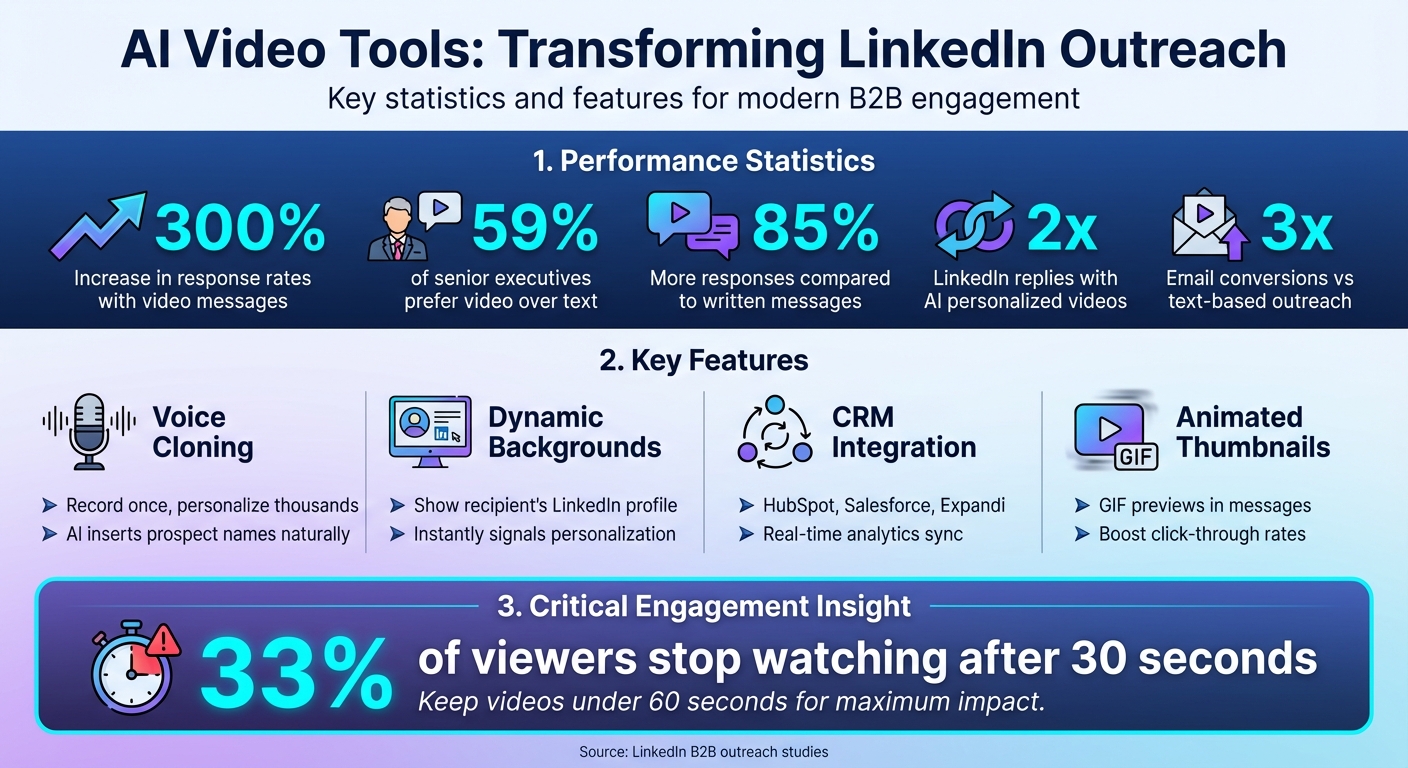
AI video tools are changing the way professionals connect on LinkedIn, especially for B2B sales. These tools help you create personalized video messages at scale, making outreach more engaging and efficient. Instead of sending generic messages, you can record one video and use AI to customize it for thousands of recipients. Features like voice cloning, dynamic backgrounds, and CRM integration make this process seamless and effective. With video messages boosting response rates by up to 300% and 59% of senior executives preferring video over text, incorporating these tools into your LinkedIn strategy can significantly improve engagement and results. Tools like Sendspark simplify this process, allowing you to stand out in crowded inboxes while saving time.
See our roundup of the voice cloning best practices.
AI Video Tools Impact on LinkedIn Outreach Performance
What AI Video Tools Can Do for LinkedIn
AI Voice Cloning
Imagine recording just one video and letting AI handle the rest. With voice cloning, you can create a single video using a placeholder for the recipient's name. The AI then steps in, replicating your voice to seamlessly insert each prospect's name into thousands of personalized videos. It doesn’t just mimic your words - it captures your tone and cadence, making each greeting feel natural and tailored without the need for endless re-recordings.
Personalized Video Backgrounds
AI tools go beyond just voice personalization. They can dynamically overlay backgrounds while you’re speaking. For LinkedIn campaigns, this often means showcasing the recipient's LinkedIn profile or company website as the backdrop. Seeing their own profile or website behind you immediately signals that the message is customized just for them, creating a sense of trust and connection right off the bat.
CRM Integration and Automation
AI video tools integrate effortlessly with platforms like HubSpot, Salesforce, and LinkedIn automation tools such as Expandi. This integration allows you to automate video creation based on CRM triggers, eliminating manual work. These videos can then be embedded directly into LinkedIn connection requests or direct messages, using placeholders to keep them personalized. On top of that, real-time analytics track who watched the video, how long they engaged, and whether they clicked your call-to-action. All this data syncs back to your CRM, giving you a complete view of campaign performance.
Check out our guide on automating video campaigns to learn more.
| Feature | How It Works | LinkedIn Impact |
|---|---|---|
| Voice Cloning | AI inserts the prospect's name into a pre-recorded video | Creates a personalized greeting that builds trust |
| Dynamic Backgrounds | Displays the recipient's LinkedIn profile or website behind you | Instantly signals a tailored message |
| Animated Thumbnails | Generates GIF previews for LinkedIn messages | Boosts click-through rates in crowded inboxes |
| Custom CTAs | Embeds links or calendars directly on the video page | Makes it easy for prospects to take immediate action |
These features make AI video tools a game-changer for LinkedIn outreach, paving the way for the next steps in leveraging tools like Sendspark effectively. For a side-by-side view, see our 2026 Synthesia vs Vidyard vs Sendspark comparison.
How Sendspark Works for LinkedIn Outreach
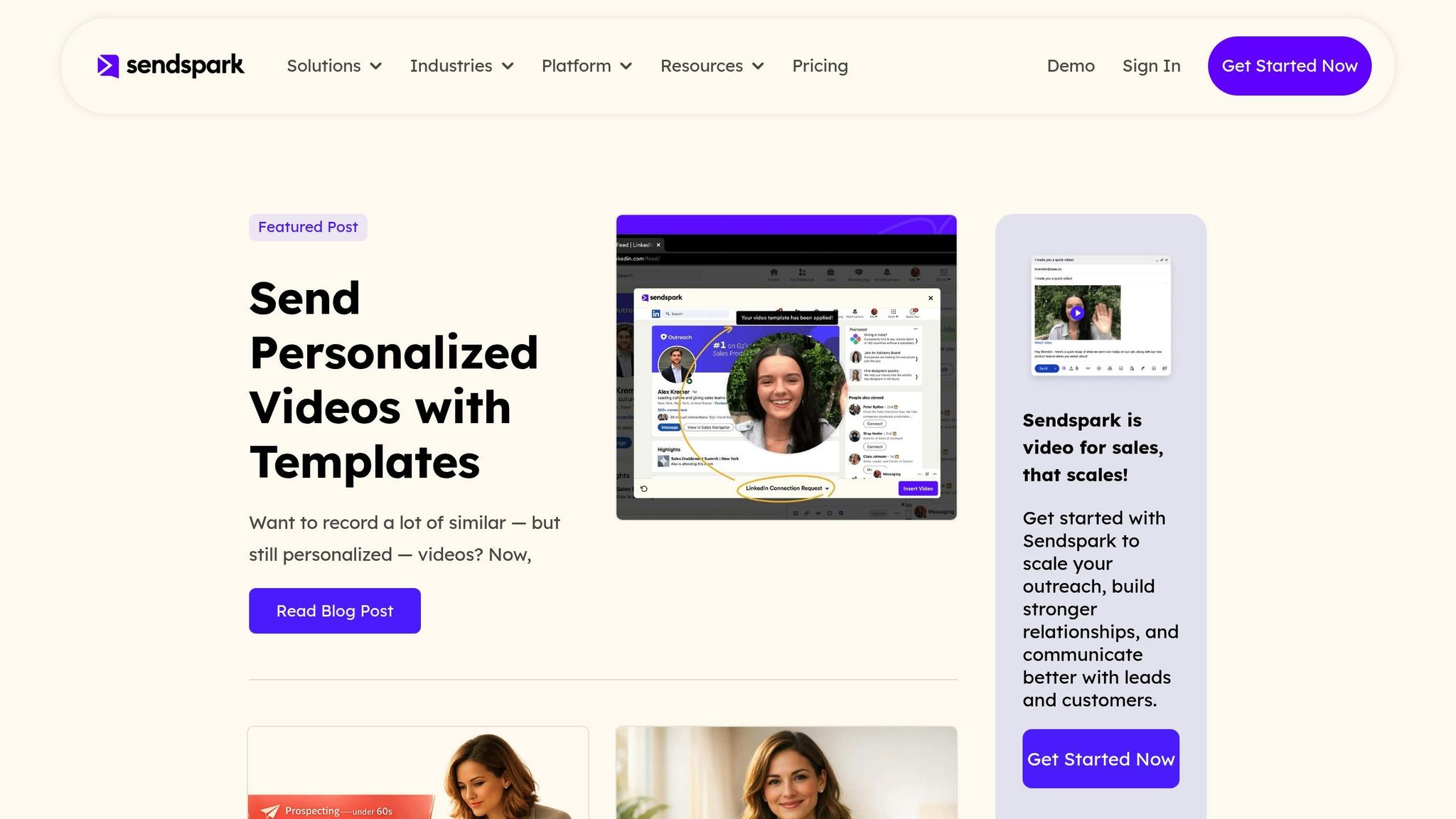
Sendspark takes LinkedIn outreach to the next level by combining AI-driven video technology with automation and dynamic personalization.
Record Once, Personalize for Everyone
With Sendspark, you no longer need to record a separate video for every prospect. Instead, you create one video with a placeholder for the recipient’s name. Using AI, Sendspark matches your voice and lip movements to seamlessly insert each prospect's first name into the video. But it doesn’t stop there - Sendspark also adds dynamic backgrounds, like the recipient’s LinkedIn profile or their company website, making each video feel tailored without requiring extra effort. It’s a smart way to create thousands of personalized videos from a single recording, perfect for LinkedIn campaigns.
Integrations with LinkedIn Campaign Tools
Sendspark integrates directly with tools like Expandi, a LinkedIn automation platform, to send personalized videos as part of your connection request sequences. It also syncs with CRMs such as HubSpot (rated 5/5 in their marketplace) and Salesforce, ensuring video engagement data is tracked and available for follow-up. If you’re using enrichment tools like Clay, Sendspark pulls in dynamic data to personalize video backgrounds and custom fields automatically. The Chrome extension makes it even easier to record videos directly within LinkedIn and send them as animated GIFs with trackable links.
Proven Results with Measurable Impact
Sendspark’s features translate into real results. Users report double the LinkedIn replies and triple the email conversions compared to text-based outreach. Some campaigns have even seen engagement rates increase by 85%. For instance, in September 2024, the agency LevelUp Leads used Sendspark’s AI-powered video personalization for LinkedIn services, achieving higher engagement while drastically reducing the time spent on manual recordings. William Padilla, Account Executive at GRIN, shared his experience:
Learn more about online video recorder.
"I'm confident I've found the best video prospecting tools, and it's Sendspark. Welcome to the world where AI meets video."
Sendspark also provides real-time analytics, showing who watched your video, how long they engaged, and whether they clicked your call-to-action. All this data syncs back to your CRM, enabling instant and informed follow-ups.
sbb-itb-afd3f9e
How to Use AI Video Tools on LinkedIn
Building on the earlier discussion about AI personalization, these practical tips show how to use those capabilities effectively on LinkedIn.
LinkedIn Outreach Best Practices
Keep your videos short - ideally under 60 seconds - to ensure viewers watch until the end. Start strong by personalizing the first few seconds: mention the recipient's name or reference something specific about their business. This immediate connection grabs attention and sets the tone. Add a quick intro line like, "Made this for you - here's a quick idea," to make your message feel more genuine.
If you're using LinkedIn Sales Navigator, paste the "LinkedIn Video Link" from Sendspark directly into your message. However, remember that a moving thumbnail preview will only appear after the recipient accepts your connection request. For scaling your outreach, upload your contact list as a CSV file to Sendspark. Then, sync the personalized video links with LinkedIn automation platforms like Expandi for efficient distribution.
These strategies help ensure your video outreach aligns with your campaign goals and resonates with your audience.
Matching Video Content to Campaign Goals
Your video content should match the purpose of your campaign. Here’s how to tailor your approach for different objectives:
- Lead Generation: Use personalized intro videos. Mention the prospect's name early and address a specific pain point to grab attention. These are great for cold outreach or connection requests.
- Moving Deals Forward: Share product demo videos. Focus on problems discussed in earlier conversations and show how your product solves them.
- Building Trust: Use customer testimonial videos. With Sendspark's "Request Video" feature, you can easily collect authentic client feedback to showcase social proof.
- Qualifying Leads: Create Video Sales Letters (VSLs). These should highlight a problem, present your solution, and back it up with results.
- Retention and Upselling: Use customer check-in videos to share updates, celebrate milestones, or introduce new features.
Here’s a quick reference table to guide your video strategy:
| Video Type | Campaign Goal | Best Practice |
|---|---|---|
| Personalized Intro | Lead Generation | Mention name early; keep under 60 seconds |
| Product Demo | Moving Deals Forward | Address specific issues discussed in meetings |
| Customer Testimonials | Building Trust | Collect clips using the "Request Video" feature |
| Video Sales Letter (VSL) | Qualifying Leads | Present a problem, solution, and proof |
| Customer Check-in | Retention/Upselling | Share updates or celebrate milestones |
Once your video content aligns with your goals, the next step is tracking performance to optimize follow-ups.
Tracking Performance with Video Analytics
Sendspark offers real-time notifications whenever a prospect watches your video or interacts with a call-to-action (CTA). This gives you the chance to follow up while their interest is still fresh. Pay attention to watch time - studies show that 33% of viewers stop watching after 30 seconds. If analytics reveal high drop-off rates in the first 10 seconds, revisit your intro to make it more engaging.
Beyond views, track CTA clicks - like calendar links or "Book a Meeting" buttons - to see if your video is prompting the desired action. Sendspark integrates with tools like HubSpot and Salesforce, syncing engagement data directly into your CRM. This makes it easy to see how video performance impacts deal progression and overall ROI, helping you plan timely and informed follow-ups.
Conclusion
Key Takeaways
AI video tools are transforming LinkedIn outreach by making personalized messaging scalable. Traditional B2B prospecting often struggles with balancing personalization and efficiency, but tools like Sendspark solve this by letting you create one video that AI customizes for thousands of prospects. Using features like cloned voice and dynamic backgrounds, these tools bring a personal touch without the manual effort. Personalized video messages can boost response rates by up to 300% compared to plain text. Additionally, video outreach generates up to 85% more responses than written messages, and with 59% of senior executives favoring video over text, these tools provide a unique way to foster connection through face, tone, and relatability - all while keeping campaigns efficient.
How to Start Using AI Video
If you're ready to explore AI video on LinkedIn, tools like Sendspark make it easy to get started. Their Chrome extension works seamlessly with LinkedIn and Sales Navigator, allowing you to record, preview, and send personalized videos directly within the platform. To maximize impact, consider creating a short introductory video that mentions the prospect's name and addresses a specific challenge they face. This small effort can significantly improve your connection request acceptance rates. Whether you're working independently or as part of a team, AI video tools provide an effective way to stand out in busy LinkedIn inboxes while saving time and effort.
FAQs
How can AI video tools personalize LinkedIn messages effectively?
AI video tools bring a fresh twist to LinkedIn messaging by making them more engaging and tailored through advanced personalization. Take Sendspark, for example - it lets you record one video and then automatically customizes it for each recipient. How? By adding specific details like the recipient’s name, company, or website directly into the video. This approach, called personalization at scale, is a massive time-saver while still keeping things personal.
But that’s not all. These tools can even clone voices to naturally say each recipient’s name and use dynamic video backgrounds - imagine showing the prospect’s website behind the presenter during the video. With LinkedIn integrations, these personalized videos can be effortlessly embedded into LinkedIn messages, making your outreach feel more relevant and increasing the likelihood of a response. This streamlined method gives sales and marketing teams a way to connect with prospects that feels more human and impactful.
What are the advantages of using AI video tools for LinkedIn outreach in B2B sales?
AI video tools are transforming how B2B sales teams approach LinkedIn outreach by making personalization scalable. Instead of crafting individual videos for every prospect, platforms like Sendspark let you record one video and customize it for thousands. These tools can clone voices, include recipient names, and even add personalized elements like a prospect's website as a background. The result? Highly tailored, attention-grabbing videos that help establish trust and spark interest.
Compared to plain text, personalized videos are much more engaging. They not only increase response rates but also make it easier to secure meetings and generate leads. Many AI video tools also integrate directly with LinkedIn, enabling you to send these customized videos through messages, InMails, or even automated workflows. This integration saves time and ensures your outreach stands out in the sea of messages filling your prospect's inbox.
How does Sendspark enhance LinkedIn outreach efforts?
Sendspark changes the game for LinkedIn outreach by offering personalized AI-personalized video outreach at scale, helping you stand out and create genuine connections. Its AI-driven tools let you record a single video and automatically tailor it with details like recipient names and dynamic backgrounds - think their website or branding. This saves you time while making your messages more engaging.
The platform works effortlessly with LinkedIn, allowing you to send these customized videos directly through messages or automation tools. This method helps cut through the noise of busy inboxes, leading to higher response rates and stronger relationships with potential clients or partners.