
A prospect just replied to your cold email. What you do in the next few minutes matters more than anything you wrote in the email that got their attention. Most cold email advice stops at “how to get a reply” — this guide starts where that advice ends.
Below is a taxonomy of the five reply types you’ll actually see, a script for each one, and a workflow your team can run so warm replies stop going cold. Along the way, you’ll see where a 15-30 second AI-personalized video reply, recorded once and sent in your own cloned voice, converts faster than another paragraph of text.
Key Takeaways
- The average cold email reply rate is 3.43%, so how you handle the replies you do get matters more than chasing a higher reply rate (Instantly.ai, 2026 Cold Email Benchmark Report).
- Speed compounds: a widely cited Harvard Business Review study found leads contacted within one hour are roughly 7x more likely to qualify than those contacted after 60 minutes.
- Not every reply needs a longer paragraph back. A 15-30 second AI-personalized video reply, spoken in your own cloned voice, can convert a hesitant or “not now” reply into a booked meeting.
- Gong Labs data shows pitching in cold emails reduces reply rates by as much as 57%, so your second message matters as much as your first cold email.
- Routing replies into your CRM with a clear response-time SLA prevents warm replies from sitting unanswered and going cold again.
Published August 2026
How Should You Respond to a Cold Email Reply?
You should respond to a cold email reply by matching the prospect’s intent immediately, in plain language, with one clear next step — and you should do it fast. Reply-handling is a different skill from reply-getting: once someone has engaged, the job shifts from earning attention to not wasting it. Speed and relevance beat volume every time.
Most cold email best practices content stops at the send button. But the average cold email reply rate is only 3.43%, and top performers exceed 10%, according to Instantly.ai’s 2026 Cold Email Benchmark Report. That’s a small, valuable pool of engaged prospects — treat each one like it costs money to replace, because it does.
“If you’re able to respond within minutes, you can really impress them and earn some points from the very beginning.”
— Margaret Sikora, CEO at Woodpecker.co
Sikora’s point is backed by research on response speed generally. A widely cited Harvard Business Review study analyzing 1.25 million sales leads found that companies contacting a prospect within one hour were roughly 7 times more likely to qualify that lead than companies that waited even 60 minutes. The same logic applies to a live reply sitting in your inbox: momentum decays fast.
Cold email reply-handling is the process of reading a prospect’s response, classifying its intent, and answering with the shortest path to a decision — a meeting, a clear no, or a specific answer to their question. Get the classification right first; everything else in this guide builds on it.
This matters most for teams running outbound sales prospecting at volume, where a handful of reps can be managing hundreds of open threads at once. Without a shared framework, reply quality comes down to whichever rep happens to be fastest that day — which is exactly the inconsistency this guide is meant to remove.
What Are the 5 Types of Cold Email Replies?
Cold email replies fall into five types: Interested, Question or Objection, Not Now, Not Interested, and Out-of-Office or Wrong Person. Each signals a different level of intent, and each has a different correct response — treating them the same is the fastest way to lose a warm lead.
The table below is the reference your team should work from before they type a single reply.
| Reply Type | What It Signals | Right Response |
|---|---|---|
| Interested | High intent, ready to talk | Offer specific times or a booking link immediately |
| Question or Objection | Evaluating, needs more information | Answer the specific question directly, then ask for the meeting |
| Not Now | Timing problem, not a fit problem | Acknowledge, offer one piece of value, set a specific future touchpoint |
| Not Interested | Low intent or no fit today | Close politely, update the CRM, leave the door open |
| Out-of-Office / Wrong Person | Administrative, not a decision | Ask for the right contact, update your records |
Two of these types — Question/Objection and Not Now — are the ones reps most often botch, because they read as rejection when they’re actually still open doors. The scripts in the next section are built specifically to keep those two moving instead of stalling out. For a deeper set of scripts specifically for verbal objections raised on calls, see our sales objection handling guide.
How Do You Respond to Each Type of Reply? (Scripts + Frameworks)
You respond to each reply type with a short, specific answer that removes one decision for the prospect — never with a longer version of your original cold email. Below is one working script per type, plus where a quick AI-personalized video reply outperforms text.
Interested
Move straight to scheduling. Don’t ask “when works for you” with no anchor — offer two specific times.
“Great to hear. Let’s grab 15 minutes — does Tuesday at 2pm or Wednesday at 10am work, or you can grab a time directly here: [booking link].”
Question or Objection
Answer the actual question in the first sentence. Don’t pivot to a pitch before you’ve addressed what they asked.
“Good question — yes, it connects directly to [tool] with no migration needed. Want me to walk through exactly how that’d look for a team your size on a quick call?”
Not Now
Respect the timing, but don’t just disappear for three months. Name a specific date to come back.
“Makes sense — I’ll follow up in six weeks. In the meantime, here’s a two-minute example relevant to [their industry] in case it’s useful before then.”
Not Interested
Close it cleanly instead of arguing. A graceful exit protects the relationship for later. For a full breakdown of this specific reply type — including when to push back once and when to let go — see our dedicated guide to responding to a not-interested email.
“Appreciate you letting me know — I’ll close this out on my end. If that changes down the line, my door’s open.”
Out-of-Office or Wrong Person
Treat this as a data-cleanup opportunity, not a dead end.
“Thanks for the heads-up — could you point me to whoever owns [topic] on your team? Happy to loop them in directly.”
For the Question/Objection and Not Now types especially, a text reply isn’t always the fastest way to remove doubt. Sendspark is an AI video personalization platform for B2B sales that lets you record one video, and use AI voice cloning to personalize at scale — so instead of typing a fourth paragraph explaining how your product integrates with their stack, you can send a 20-second video, in your own voice, addressing their exact question with their company name and website on screen behind you.
Pro tip
Reply within the first few minutes when you can. Speed is the single biggest lever in this entire framework — a same-day reply that arrives an hour later is measurably worse than one sent in the first ten minutes.
This isn’t about replacing every reply with a video. It’s about reserving AI-personalized video outreach for the replies where trust and clarity matter most — a real objection, a stalled “not now,” or a high-value account. Gong Labs research on more than 30,000 prospecting emails found that one-to-one personalization more than doubles reply rates for non-managerial buyers, and the same principle compounds when you carry that personalization into the reply itself.
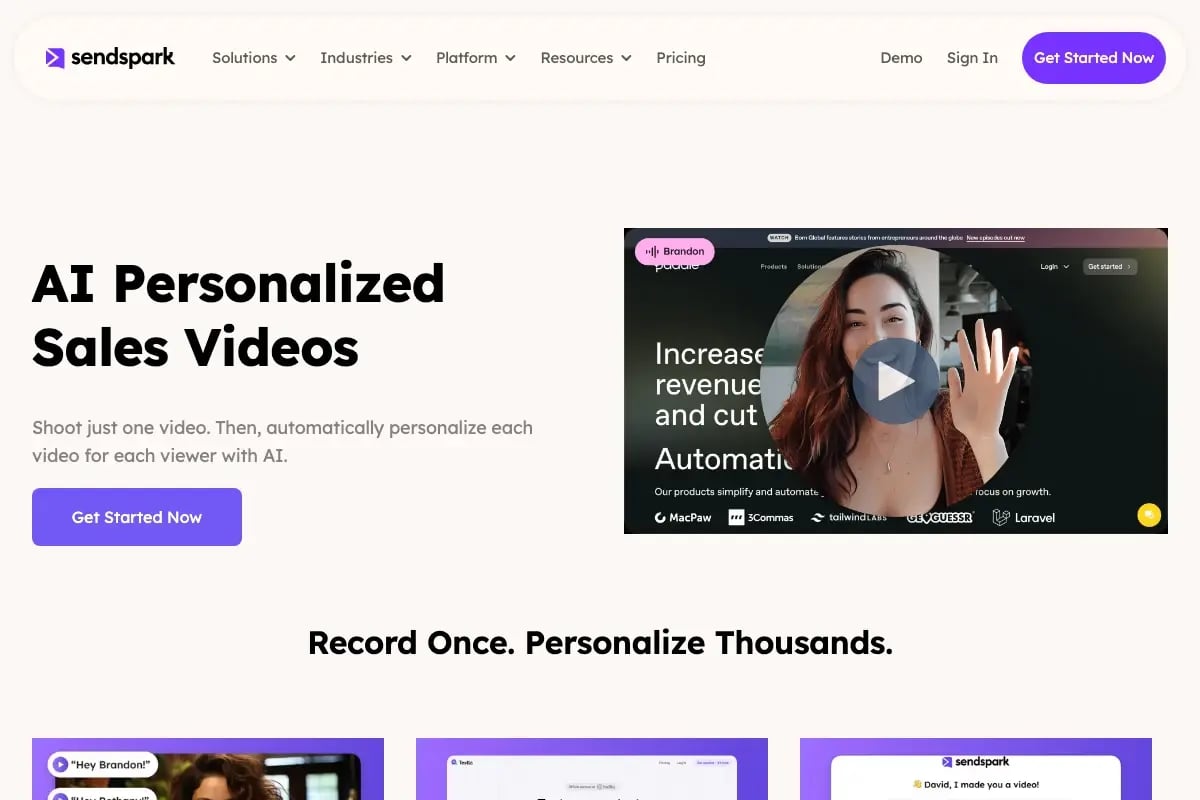
Record One Video. AI Personalizes Thousands.
Sendspark is the AI video personalization platform for B2B sales. Record once, and AI voice cloning generates thousands of individually personalized videos with dynamic backgrounds and personalized thumbnails — each prospect hears their name, sees their website, in your voice. Sales teams see 2-3x more replies.
Get Started NowHow Do You Build a Reply-Handling Workflow for Your Sales Team?
You build a reply-handling workflow by setting a response-time SLA, automatically routing replies to the right rep, and logging every classification and outcome in your CRM. Without a workflow, reply quality depends entirely on which rep happens to check their inbox first — and that’s how warm leads sit for hours.
A working version looks like this:
- Ingestion — the reply lands in a shared inbox or your CRM’s connected inbox, not a personal one that goes unchecked.
- Instant notification — the owning rep is alerted immediately (Slack, mobile push), not on their next inbox check.
- Classification — the rep tags the reply using the five-type taxonomy above.
- Action — the rep sends the matching script, or triggers a personalized video reply for higher-value accounts.
- CRM logging — the reply type and outcome get logged against the contact record, not left in an email thread only the rep can see.
- Next touchpoint — the system schedules the follow-up date automatically based on the reply type (immediate for Interested, 4-6 weeks for Not Now).
Set a hard SLA, and tier it by reply type instead of applying one blanket number: under 15 minutes during business hours for Interested or Question/Objection replies, same business day for Not Now, and 24 hours for Out-of-Office. Track it the same way you’d track any other pipeline metric — reps who consistently miss the SLA are losing qualified leads before the deal even starts. Our guide to sales automation in CRM covers how to wire this routing directly into HubSpot or Salesforce so notifications fire without manual checking.
Once a reply converts to a meeting, don’t let the thread go cold again. Our follow-up cadence guide covers what happens after the reply, and video analytics for sales follow-ups covers how to see whether a prospect actually opened and watched a video reply before you follow up again — so you’re not guessing whether it landed. For a deeper look at combining personalized video with the rest of your reply process, our guide to personalized video email walks through the full setup.
Smaller teams without a dedicated sales engineer can still run this workflow. A shared inbox, a CRM field for “reply type,” and a Slack channel that pings on new replies covers the same ground as a full sales engagement platform — the discipline matters more than the tooling.
What Mistakes Kill Deals After a Prospect Replies?
The mistakes that most often kill a deal after a reply are pitching too hard, sending a generic template, responding slowly, and never logging the interaction. Each one undoes the work your original cold email already did to earn the reply.
Pitching too hard is the most common. Gong Labs found that pitching reduces cold email reply rates by as much as 57%, and the moment a prospect senses a sales pitch instead of a direct answer, they disengage. Answer what they asked, then ask for the meeting. Don’t attach a deck to the second email.
Common mistake
Don’t reply with a copy-pasted template. Gong’s research team notes that “irrelevant personalization still falls flat” — a reply must reflect the specific context of what the prospect actually said, not a generic next-step script.
Generic templates fail for the same reason: the prospect can tell. Even when you’re using a script as a starting point, the reply needs to reference their specific question or objection, not just insert their first name into a canned paragraph.
Slow response is the most expensive mistake, and the one teams underrate most. As shown earlier, leads contacted within an hour are roughly 7x more likely to qualify than those contacted after 60 minutes — a reply that sits for half a day is competing against every other vendor who answered faster.
Not logging the interaction quietly compounds all three. If a reply and its outcome never make it into the CRM, the next rep who touches that account has no idea a conversation already happened — and re-sends a cold email to someone who already replied once. That single error is often what turns an engaged prospect into a formal opt-out.
There’s a fifth, quieter mistake worth naming: treating every reply as equally urgent. A one-line “not interested” from an unqualified contact doesn’t need the same five-minute SLA as an Interested reply from your ideal customer profile. Triage by account fit first, then by reply type — it keeps your best reps focused on the replies that actually move pipeline.
| Mistake | Why It Kills the Deal | Fix |
|---|---|---|
| Pitching too hard | Reply rates drop up to 57% (Gong) | Answer the question first, pitch never |
| Generic template reply | Prospect can tell it’s not personal | Reference their exact words or send a personalized video |
| Slow response | Qualification odds drop sharply after 60 minutes (HBR) | Enforce a sub-15-minute SLA during business hours |
| No CRM logging | Duplicate outreach, lost history | Log every reply type and outcome against the contact |
Frequently Asked Questions
How long should you wait to respond to a cold email reply?
Respond within 15 minutes during business hours whenever possible. Research on lead response speed found that contacting a prospect within one hour makes qualification roughly 7 times more likely than waiting even 60 minutes, so the first 15 minutes matter far more than the next follow-up email.
What do you say when a prospect replies “interested” to a cold email?
Skip open-ended questions and offer two specific meeting times or a booking link in your very next line. An interested reply is a small window of high intent — the fastest path to a calendar invite wins, not the most polished paragraph.
How do you respond to a “not interested” cold email reply?
Thank them for the honest answer, update your CRM so they’re not re-contacted immediately, and leave the door open for the future. Arguing with a “not interested” reply rarely changes the outcome and can damage the relationship for later.
Should you reply to an out-of-office auto-response?
Yes — wait until the person returns, then follow up once, or use the auto-reply to ask the sender for the correct contact if it names one. An out-of-office reply is administrative, not a decision, so treat it as a data-cleanup step rather than a rejection.
What’s a good cold email reply rate in 2026?
A good cold email reply rate in 2026 is 5.5% or higher (the top quarter of campaigns), with elite campaigns exceeding 10%, according to Instantly.ai’s 2026 benchmark data. The average across all campaigns sits around 3.43%, which is why how you handle each reply matters as much as the rate itself.
Can you send a video instead of a text reply to a cold email?
Yes — a short AI-personalized video reply works especially well for a Question/Objection or Not Now reply, where tone and specificity build trust faster than another paragraph of text. Platforms like Sendspark let you record one video and use AI voice cloning to personalize it with the prospect’s name and company without re-recording.
How do you track cold email replies in a CRM?
Log the reply type, the response sent, and the next scheduled touchpoint against the contact record as soon as the reply is handled. This prevents duplicate outreach and gives the next rep who touches the account full context instead of a blank slate.
Sources & References
- Instantly.ai — Average cold email reply rate of 3.43%, with top performers exceeding 10% reply rates (2026)
- Woodpecker.co — Margaret Sikora, “What to Do When You Get an Interested Reply to Your Cold Email?”: “If you’re able to respond within minutes, you can really impress them”
- Harvard Business Review — “Companies that contacted leads within an hour were nearly seven times more likely to qualify them” (2011)
- Gong Labs — One-to-one personalization “more than doubles the reply rate of non-managerial buyer personas” (30,000+ prospecting emails, 2023)
- Gong Labs: “Pitching reduces reply rates by as much as 57%”
Record One Video. AI Personalizes Thousands.
Sendspark is the AI video personalization platform for B2B sales. Record once, and AI voice cloning generates thousands of individually personalized videos with dynamic backgrounds and personalized thumbnails — each prospect hears their name, sees their website, in your voice. Sales teams see 2-3x more replies.
Get Started Now