Cold email automation is the practice of using software to send personalized outreach emails at scale, combining sending infrastructure, sequence logic, and personalization to reach hundreds or thousands of prospects without drafting each message by hand. For B2B sales teams, it means setting up dedicated domains, building multi-touch sequences, and injecting AI personalization so every email feels written for one person, not blasted to a list. The result is a predictable pipeline engine that runs while you sleep.
But here is the tension: automation makes it easy to send more, not better. Gartner predicted that 80% of B2B sales interactions between suppliers and buyers would occur in digital channels by 2025, which means inboxes are more crowded than ever. The teams winning at cold email automation are not the ones sending the most emails. They are the ones pairing automation with genuine personalization, including AI-personalized video that stops the scroll.
Key Takeaways
- Cold email automation combines sending infrastructure, sequence logic, and personalization to reach thousands of prospects without manual 1:1 drafting.
- Teams using AI-personalized video in automated sequences see 2-3x higher reply rates than text-only emails.
- The best automation stacks pair sequence tools (Outreach, SalesLoft) with an AI personalization layer (Sendspark) and CRM sync (HubSpot, Salesforce).
- Deliverability is the foundation: dedicated domains, warmup, and volume ramping determine whether automated emails reach the inbox or spam.
- Hyper-personalization at scale, not volume alone, is what separates automation that books meetings from automation that burns lists.
Published August 2026
What Is Cold Email Automation?
Cold email automation is the process of using software to send personalized outreach emails to prospects at scale, combining dedicated sending infrastructure, pre-built sequence logic, and dynamic personalization so each message feels individually crafted rather than mass-blasted. Unlike manual cold emailing, where a rep drafts and sends each message one at a time, automation lets you build a sequence once and have it run for thousands of prospects automatically, with branching based on opens, replies, and engagement.
The key distinction is between cold email automation and email marketing automation. Email marketing tools like Mailchimp or HubSpot Marketing are built for 1:many communication to opt-in lists. Cold email automation is built for 1:1 personalized outreach to prospects who have never heard of you. The infrastructure, compliance considerations, and personalization requirements are fundamentally different.
For B2B sales teams, cold email automation is how SDRs scale. A single rep cannot manually research, draft, send, and follow up on 100+ personalized emails per day. Automation handles the repetitive mechanics, freeing the rep to focus on research, strategy, and conversations.
How Cold Email Automation Works: The 4-Layer Stack
A working cold email automation system has four layers: sending infrastructure (the domains and inboxes that deliver your email), data and list building (the prospects you target), sequence logic (the cadence and branching rules), and personalization (what makes each email feel unique). Skip any layer and the system breaks down. Here is how each one works.
Layer 1: Sending Infrastructure
Your sending infrastructure is the foundation. Without it, your emails never reach the inbox. This layer includes dedicated sending domains (not your primary company domain), multiple rotated inboxes per domain, DNS authentication (SPF, DKIM, DMARC), and inbox warmup to build sender reputation before you send at volume.
Most teams use 3-5 secondary domains, each with 2-3 inboxes, rotating sends across them to stay under per-inbox volume limits.
Common mistake
Never send cold email automation from your primary company domain. One spam complaint spike can damage your domain reputation and affect transactional emails. Always use secondary domains for cold outreach.
Layer 2: Data and List Building
The second layer is your prospect data. Cold email automation is only as good as the list it sends to. This is where you define your ideal customer profile (ICP), build prospect lists using tools like Clay, ZoomInfo, or Apollo, and verify email addresses to reduce bounces. Bounce rates above 2-3% trigger spam filters across your entire sending infrastructure.
The best teams enrich each prospect with data points that enable personalization at scale: company name, industry, recent funding, tech stack, role, and trigger events. This data feeds into your personalization layer so that each email can reference something specific about the prospect without a human writing it.
Layer 3: Sequence Logic
The third layer is your sequence logic, also called your cadence. A cold email automation sequence is a pre-built series of 5-7 touchpoints spaced over 2-4 weeks, with branching rules based on prospect behavior. If a prospect opens but does not reply, they get a different follow-up than someone who did not open at all. If they click a link, that triggers a different branch.
RAIN Group’s Top Performance in Sales Prospecting research found that it takes an average of 8 touches to get an initial meeting with a new prospect. Cold email automation lets you build these touchpoints once and run them for every prospect in your list, with the sequence tool handling timing, branching, and CRM logging automatically.
Layer 4: Personalization
The fourth layer is where most cold email automation falls short. Basic personalization means inserting first names and company names using merge fields. Real personalization means referencing something specific about the prospect, their company, or their situation that proves you did your research.
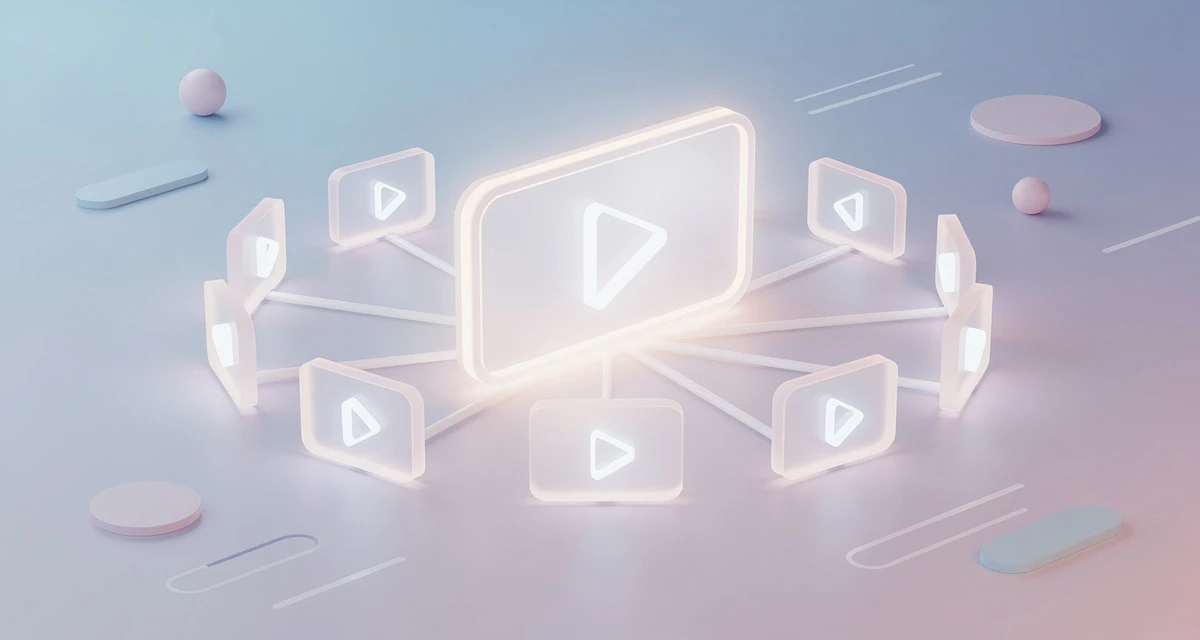
This is where AI-personalized video changes the game. With Sendspark’s AI personalized video platform, you record one video and AI voice cloning generates thousands of individually personalized versions, each addressing the prospect by name, showing their company website as a dynamic background, and speaking in your cloned voice. These videos embed directly into your cold email automation sequence, and Sendspark’s data shows they drive 2-3x more replies than text-only emails.
Record One Video. AI Personalizes Thousands.
Sendspark is the AI video personalization platform for B2B sales. Record once, and AI voice cloning generates thousands of individually personalized videos with dynamic backgrounds and personalized thumbnails, each prospect hears their name, sees their website, in your voice. Sales teams see 2-3x more replies.
Get Started NowCold Email Automation Tools Compared
The cold email automation tool landscape splits into two categories: sending-focused tools (Instantly, Smartlead) that specialize in high-volume cold email infrastructure, and sales engagement platforms (Outreach, SalesLoft, Apollo) that combine cadence logic with broader sales workflow features. The right choice depends on your team size, budget, and whether you need standalone cold email or a full sales engagement platform.
| Tool | Best For | Key Strength | Starting Price | AI Personalization |
|---|---|---|---|---|
| Instantly | High-volume cold email at scale | Unlimited sending accounts, built-in warmup | $37/mo | Basic (merge fields) |
| Smartlead | Agencies and multi-tenant sending | Master inbox, sub-accounts, warmup network | $39/mo | Basic (merge fields) |
| Outreach | Enterprise sales engagement | Full sequence + call + meeting workflow | Custom pricing | Moderate (AI email assist) |
| Apollo | Data + sequencing in one tool | Built-in prospect database, enrichment | $49/mo | Moderate (AI email assist) |
| SalesLoft | Mid-market sales engagement | Cadence + dialer + coaching | Custom pricing | Moderate (AI email assist) |
| Sendspark | AI video personalization layer | Record once, AI personalizes thousands | $49/mo | Deep (AI voice cloning + video) |
Pro tip: Sendspark is not a replacement for your sending tool. It is the personalization layer that plugs into it. You build your sequence in Outreach or Instantly, then inject Sendspark’s AI-personalized videos at the touchpoints where text alone underperforms, typically the first email and the post-demo follow-up.
The comparison shows a clear pattern: sending-focused tools handle infrastructure well but offer only basic personalization. Sales engagement platforms add workflow and CRM integration but still rely on text-based email. Sendspark fills the personalization gap by adding AI voice cloning and dynamic video to any existing cold email automation stack, integrating natively with HubSpot, Outreach, and 90+ other platforms.
Building a Cold Email Automation Workflow That Books Meetings
Building a cold email automation workflow that actually books meetings requires five sequential steps: setting up sending infrastructure, building your ICP and prospect list, writing a multi-touch sequence, injecting AI-personalized video at key touchpoints, and syncing everything to your CRM for tracking. Each step builds on the previous one, and skipping any step reduces your reply rate and meeting conversion. Here is how to do each one.
Step 1: Set Up Sending Infrastructure
Start by purchasing 3-5 secondary domains, not your primary company domain. Set up 2-3 inboxes per domain, configure SPF, DKIM, and DMARC records, and run each inbox through a warmup tool for 2-4 weeks before sending any cold email. Plan to send no more than 30-50 cold emails per inbox per day initially, ramping gradually as reputation builds.
For a deeper dive on scaling this infrastructure, see our guide on scaling cold email outreach infrastructure.
Step 2: Build Your ICP and Prospect List
Define your ideal customer profile using firmographic data (company size, industry, revenue stage), technographic data (what tools they use), and trigger events (funding, hiring, leadership changes). Build your list using enrichment tools like Clay or Apollo, and verify every email address before importing into your sequence tool. A clean list with under 2% bounce rate is essential for protecting your sender reputation.
Step 3: Write Your Sequence (5-7 Touchpoints)
Build a 5-7 touchpoint sequence spanning 2-3 weeks. Your first email should be short, personalized, and focused on one CTA. Follow-ups should add new value, not just say “checking in.” Include a mix of email, LinkedIn touch, and phone if your team supports multi-channel. For framework guidance, read our email cadence guide.
A simple 6-touch cold email automation sequence might look like:
| Touch | Day | Channel | Content |
|---|---|---|---|
| 1 | Day 1 | Email + Video | AI-personalized video intro + 2-sentence value pitch |
| 2 | Day 3 | Case study relevant to prospect’s industry | |
| 3 | Day 5 | Connection request with personalized note | |
| 4 | Day 7 | Follow-up referencing the video (if viewed) | |
| 5 | Day 10 | Different angle or use case | |
| 6 | Day 14 | Break-up email (“Should I stop reaching out?”) |
Step 4: Inject AI-Personalized Video at Key Touchpoints
This is where your cold email automation goes from forgettable to unignorable. Use Sendspark to record one video, then AI voice cloning generates thousands of personalized versions, each addressing the prospect by name and showing their company website as a dynamic background. Embed the video in your first email and your post-demo follow-up, the two touchpoints where personalization has the highest impact on reply rate.
For more on writing cold emails that complement your video, see our cold email personalization guide.
Step 5: Sync to CRM and Track Engagement
Connect your cold email automation tool to your CRM so every send, open, click, reply, and video view is logged automatically. This is where the integration layer matters. If you are using Sendspark for sales prospecting, video engagement data flows directly into HubSpot or Salesforce, triggering tasks for reps when a prospect watches more than 75% of a video. For more on CRM-integrated automation, see our guide on sales automation in CRM.
Pro tip
Set up CRM alerts for high-intent engagement signals: a prospect watching your video past 75%, clicking a pricing link, or replying to a follow-up. These are your hottest leads, and automation should route them to a rep within minutes, not days.
Common Cold Email Automation Mistakes (and How to Fix Them)
The most common cold email automation mistakes fall into four categories: prioritizing volume over personalization, ignoring deliverability basics, using no branching logic so every prospect gets the same sequence, and sending generic follow-ups that do not reference engagement. Each mistake kills reply rates and burns prospect lists. The good news is that every one of them has a straightforward fix that you can implement in your sequence tool today.
| Mistake | Impact | Fix |
|---|---|---|
| Volume over personalization | Generic emails, low reply rates, list burnout | Cap daily volume per inbox (30-50), invest in AI personalization layers like Sendspark |
| Ignoring deliverability | Emails land in spam, sender reputation damaged | Use secondary domains, warmup for 2-4 weeks, configure SPF/DKIM/DMARC |
| No branching logic | Same sequence for all prospects regardless of engagement | Add open/reply/click branches, different paths for engaged vs unengaged |
| Generic follow-ups | “Just checking in” emails get ignored, sequence fatigue | Reference video views, link clicks, and add new value each touchpoint |
| No multi-channel | Email-only sequences underperform vs multi-touch | Add LinkedIn touches and phone calls into the sequence |
| Forgetting CRM sync | Reps do not see engagement data, miss hot leads | Connect sequence tool to CRM, set up engagement alerts |
The pattern across all these mistakes is the same: treating cold email automation as a “set and forget” volume engine rather than a personalization system that happens to be automated. The teams that win are the ones who automate the mechanics, not the message. For a broader view, read our guide on sales automation software.
Advanced strategy
Use Sendspark’s AI to personalize at the deepest level: showing each prospect’s own website as the video background. This signals genuine research and stops the scroll in a way that text personalization, no matter how clever, cannot match. Pair it with your cold email automation sequence and watch reply rates climb.
For more on how AI personalization fits into your broader outbound strategy, explore our guide to AI video personalization for outbound sales.
Frequently Asked Questions
What is the 30/30/50 rule for cold emails?
The 30/30/50 rule is a cold email framework that divides your email into three parts: 30% about the prospect (their situation, company, or challenge), 30% about the value you offer (how you solve their problem), and 50% about the proof (case studies, data, or examples). It ensures your email is prospect-centric rather than me-centric, which improves reply rates significantly.
Is cold email automation legal?
Yes, cold email automation is legal in most jurisdictions when you comply with regulations like CAN-SPAM (US), GDPR (EU), and CASL (Canada). Key requirements include a clear unsubscribe mechanism, accurate sender information, and a physical mailing address. Cold email to business addresses for B2B purposes is generally permitted, but you must honor opt-out requests within 10 business days under CAN-SPAM.
Is cold email still effective in 2026?
Cold email remains effective in 2026, but only when it is highly personalized and sent through proper infrastructure. Generic mass cold email is dead, but personalized cold email sequences that include AI-personalized video and multi-channel touchpoints still drive 2-3x higher reply rates than text-only emails. The teams winning are pairing automation with genuine personalization, not blasting lists.
What is the best software for cold email automation?
The best cold email automation software depends on your use case. For high-volume cold email, Instantly and Smartlead are strong choices. For full sales engagement, Outreach and SalesLoft lead the market. For AI video personalization that plugs into any sending tool, Sendspark adds the personalization layer that text-only automation platforms lack. Most teams use a combination of a sending tool plus a personalization layer.
How many cold emails should I send per day?
Start with 30-50 cold emails per inbox per day, ramping gradually over 2-4 weeks as your sender reputation builds. Never exceed 100 per inbox per day, and spread sends across multiple inboxes and domains. Quality of personalization matters more than quantity of sends.
How do I automate cold email without sounding robotic?
To automate cold email without sounding robotic, use AI personalization tools that generate unique content per prospect, not just merge fields. Reference specific trigger events, inject AI-personalized video that addresses the prospect by name and shows their company, and write follow-ups that reference previous engagement (opens, video views, link clicks). The goal is to automate the sending mechanics while keeping each email feeling individually crafted.
What is the difference between cold email automation and email marketing automation?
Cold email automation targets prospects who do not know you, using 1:1 personalized emails sent through dedicated sending infrastructure with strict deliverability management. Email marketing automation targets existing subscribers who opted in, using 1:many broadcast emails sent through your primary domain. Cold email requires separate domains, warmup, and higher personalization. Email marketing focuses on nurturing an already-warm audience with broader content.
Sources & References
- Gartner press release, September 15, 2020: “80% of B2B sales interactions between suppliers and buyers will occur in digital channels by 2025”
- RAIN Group, Top Performance in Sales Prospecting: “It takes an average of 8 touches to get an initial meeting with a new prospect”
Record One Video. AI Personalizes Thousands.
Sendspark is the AI video personalization platform for B2B sales. Record once, and AI voice cloning generates thousands of individually personalized videos with dynamic backgrounds and personalized thumbnails, each prospect hears their name, sees their website, in your voice. Sales teams see 2-3x more replies.
Get Started Now