Most B2B reps send one or two emails and then move on. That’s a problem, because RAIN Group research shows it takes an average of 8 touches to get a first meeting with a new prospect. An email cadence closes that gap — it’s the structured system that keeps you in front of prospects long enough to actually get a response. For more on follow-up timing and multi-touch sequences, explore our guide to building an effective follow-up cadence.
See our roundup of the when to send sales emails.
Key Takeaways
- An email cadence is a planned sequence of touchpoints sent over a set timeframe — typically 5-12 touches over 2-4 weeks for cold B2B outreach.
- RAIN Group research shows it takes an average of 8 touches to get a first meeting. Most reps give up after 2.
- Top-performing cadences mix channels: email, LinkedIn, phone, and video — video messages drive 2-3x more replies than text-only email.
- Space touches 2-4 days apart. Every message needs a specific reason for reaching out — not just “checking in.”
- AI-generated video intros let you personalize each cadence touch at scale without recording individual videos for every prospect.
What Is an Email Cadence?
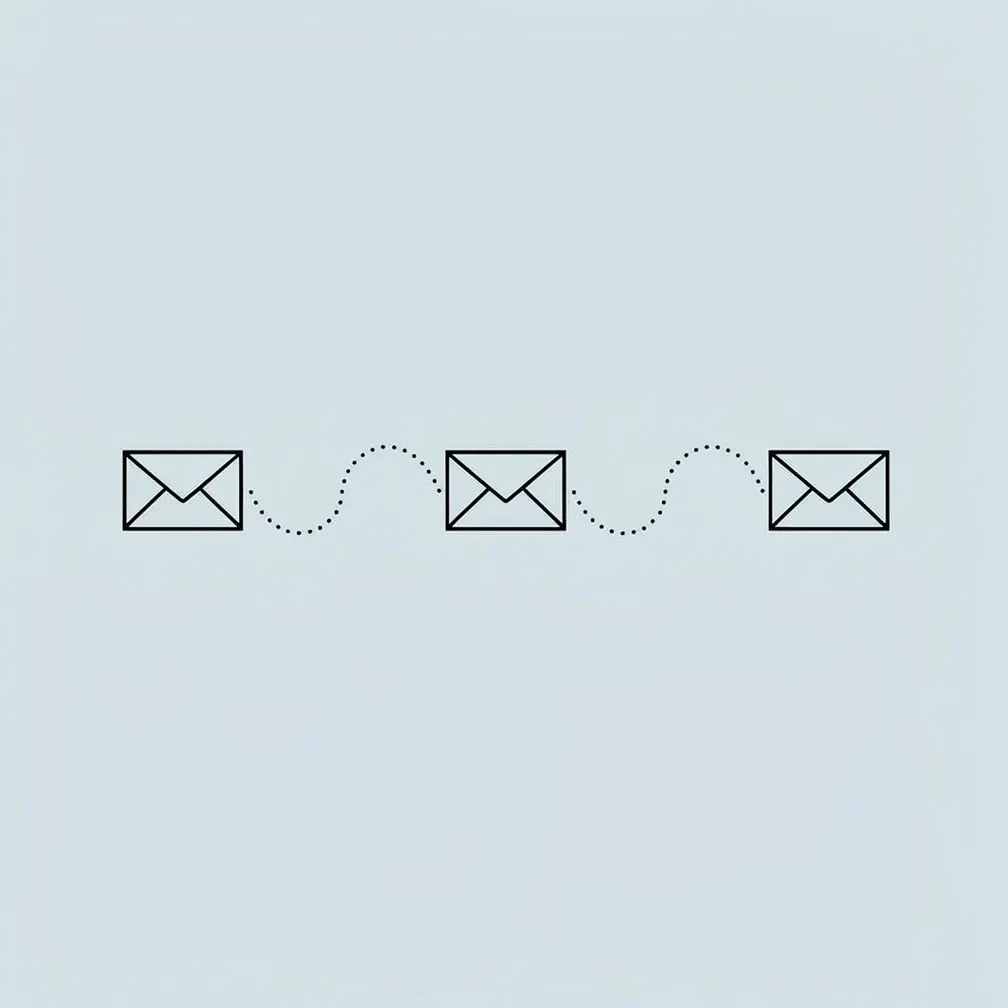
An email cadence is a pre-planned sequence of outreach messages sent to a prospect over a defined period, with set timing between each touch. Instead of sending emails at random or responding to gut feeling, you follow a structured schedule — touch 1 on day 1, touch 2 on day 3, touch 3 on day 7, and so on — until the prospect responds or exits the sequence. For a complete framework to structure your outreach, see our your B2B sales plan.
The word “cadence” comes from music and movement. In sales, it means the same thing: a consistent, repeatable rhythm. You decide the frequency, the channels (email, phone, LinkedIn, video), the message angle at each step, and when to stop. That structure is what separates reps who consistently book meetings from those who rely on luck.
A cadence is different from an email blast. A blast goes to everyone at once with the same message. A cadence is personal, sequential, and timed — each message builds on the one before it, and the pacing respects the prospect’s time while staying visible. For a complete guide, see our post on creating an effective sales sequence. For a broader look at the full email channel strategy that sits above your cadence, see our B2B email marketing strategy guide.
Pro tip
A cadence is only as good as its stopping rule. Decide up front: if a prospect has no response after X touches, they exit. Don’t let prospects sit in an infinite loop — it wastes your time and annoys them.
Why Email Cadences Outperform Ad Hoc Outreach
When you wing your follow-ups, you make inconsistent decisions under pressure. You skip follow-ups when you’re busy, you double-send when you’re anxious, and you give up too early when things feel stale. A cadence removes those decisions. You build the sequence once, load your prospects, and execute consistently.
HubSpot research shows that 80% of sales require at least 5 follow-ups after initial contact, but nearly half of all reps give up after just one. A cadence forces you to keep going — systematically, not desperately.
Email Cadence vs. Sales Sequence vs. Drip Campaign
These terms overlap but aren’t identical. A sales sequence is usually built inside a sales engagement platform (Outreach, SalesLoft, Apollo) and can include multiple channels. An email cadence refers specifically to the email component of that sequence. A drip campaign is typically marketing-driven and triggered by behavior (e.g., a webinar signup), while a sales cadence is rep-initiated and prospect-specific.
Learn more about essential sales terminology.
How Many Touchpoints Should Your Email Cadence Have?
For cold B2B outreach, the sweet spot is 7-12 touches over 3-4 weeks. This matches the data: RAIN Group research shows it takes an average of 8 touches to secure a first meeting with a cold prospect. Under 5 touches and you’re leaving most of your opportunities on the table. Over 15 touches in a short window and you’ll start generating unsubscribes and spam flags.
For warm leads — inbound inquiries, event attendees, or referrals — you can compress to 4-6 touches over 5-7 days. They already know who you are. The goal is speed to response, not sustained presence.
Timing Between Touches
Most high-performing cadences space email touches 2-4 days apart in the early stages, then extend to 5-7 days in the later stages. Front-load your effort: touches 1-4 should be closer together (day 1, 3, 7, 10), while touches 5+ can be further apart (day 14, 21, 28).
The reasoning is simple. If a prospect is going to respond, they’re most likely to do it in the first two weeks. After that, you’re fishing for timing — catching them when something changes in their business that makes your solution relevant again.
When to Stop
Exit conditions matter as much as touch count. A prospect exits your cadence when they: respond (positive or negative), unsubscribe, or complete the final touch with no reply. The final touch — sometimes called a “breakup email” — should be low-pressure and acknowledge that you won’t reach out again. These consistently get higher reply rates than middle-of-sequence emails because they create a natural deadline.
Record One Video. AI Personalizes Thousands.
Sendspark is the AI video personalization platform for B2B sales. Record once, and AI voice cloning generates thousands of individually personalized videos with dynamic backgrounds and personalized thumbnails — each prospect hears their name, sees their website, in your voice. Sales teams see 2-3x more replies.
Get Started NowEmail Cadence Examples for B2B Sales
A B2B email cadence typically runs 7-12 touches over 3-4 weeks for cold prospects. The exact structure depends on your goal, your ICP’s seniority level, and how warm the lead is. Below are three practical examples you can adapt immediately.
Cold Outreach Cadence (10 Touches, 3 Weeks)
This cadence is for cold prospects who’ve never heard of you. It mixes email with LinkedIn and uses a personalized video on touch 1 and touch 4 to stand out. Timing that video touch matters as much as the channel – see the best time to send video outreach for how to trigger it off real prospect behavior instead of a fixed touch number.
- Day 1: Personalized video email — reference something specific about their company or role
- Day 3: Follow-up email — brief value-add (stat, case study, or relevant insight)
- Day 5: LinkedIn connection request — no pitch, just connect
- Day 7: Email — share a relevant customer story or ROI example
- Day 9: LinkedIn message — one sentence referencing your email
- Day 12: Personalized video email — new angle, show their website or LinkedIn profile in the background
- Day 14: Phone call attempt + voicemail if no answer
- Day 17: Email — ask a direct question (not a pitch)
- Day 21: Email — share a piece of content they’d find useful
- Day 24: Breakup email — “I won’t reach out again, but here’s the problem I was trying to solve for you…”
For a deeper look at building this kind of structure, see our guide on how to structure cold outreach as a 4-step prospecting cadence.
Inbound Lead Cadence (5 Touches, 7 Days)
For prospects who filled out a form, attended a webinar, or downloaded a resource. Speed is critical — respond within the first hour. Every touch references their specific action.
- Day 1 (within 1 hour): Personalized video email — “I saw you downloaded our guide on X…”
- Day 1 (end of day): Follow-up email if no response — add a relevant customer example
- Day 3: LinkedIn message — short, no pitch
- Day 5: Email — ask one qualifying question about their current situation
- Day 7: Breakup email — low pressure, leave the door open
Post-Demo Follow-Up Cadence (4 Touches, 10 Days)
After a demo or discovery call, most deals die from inaction — not rejection. This cadence keeps momentum going. See our full guide on follow-up email after a sales call for templates you can use at each step.
- Day 1: Same-day thank you email with recap, next steps, and a personalized video summary of what you discussed
- Day 3: Email with a relevant case study or ROI calculator
- Day 7: Check-in email — “Any questions from the team?” — short and direct
- Day 10: Email with a clear ask: “Would it make sense to schedule a 15-min call to address any concerns?”
Email Cadence Comparison Table
| Cadence Type | Touches | Duration | Channels | Best For |
|---|---|---|---|---|
| Cold outreach | 10-12 | 3-4 weeks | Email + LinkedIn + Phone + Video | New logos, net new pipeline |
| Inbound lead | 4-6 | 5-7 days | Email + LinkedIn | Form fills, content downloads |
| Post-demo follow-up | 4-5 | 10-14 days | Email + Video | Deals at evaluation stage |
| Re-engagement | 3-4 | 2 weeks | Closed-lost, gone dark deals | |
| Customer expansion | 3-5 | 2-3 weeks | Email + Video | Upsell, cross-sell to existing accounts |
How to Build a B2B Email Cadence Step by Step
Building an effective email cadence takes five steps: define your goal, map your touchpoints, write your messages, set it up in a tool, and measure results. The whole process takes 2-3 hours the first time. After that, you can clone and adjust it for different segments in minutes.
Step 1: Define Your Goal and Audience
Before writing a single email, get clear on three things: Who is this cadence for? What action do you want them to take? What problem are you solving for them? A cadence aimed at VP Sales at 100-person SaaS companies should look completely different from one targeting HR Directors at manufacturing firms. Same tool, different angle, different timing, different proof points.
Step 2: Map Your Touchpoints
Decide how many touches you’ll use, which channels, and what the message angle will be at each step. Vary the angle — don’t send the same value proposition five times in a row. Touch 1 might introduce a problem. Touch 2 might share a customer result. Touch 3 might ask a qualifying question. Touch 4 might offer a useful resource. This variation keeps you out of the spam folder and gives prospects a reason to read each message.
Look at our guide on cold email follow-up sequences for proven angle variations you can use as a starting point.
Step 3: Write Your Messages
Keep every email short — under 150 words for cold outreach, under 200 for warm leads. Each message needs: one hook (why reach out now), one value statement (what’s in it for them), and one ask (one clear next step). Never ask multiple questions in the same email. Cold email best practices say the more options you give a prospect, the less likely they are to respond to any of them.
Step 4: Set Up in Your Sales Engagement Platform
Load your cadence into your SEP — Outreach, SalesLoft, Apollo, or HubSpot Sequences. If you’re using Outreach’s Sendspark integration, you can embed personalized video directly into your sequence steps without leaving the platform. Set your day intervals, add your email templates to each step, and configure your exit conditions.
For sales prospecting at scale, use a CRM like HubSpot or Salesforce to track which cadences are running for which prospects and prevent duplicates.
Step 5: Measure and Iterate
The metrics that matter for cadence performance: open rate by touch, reply rate by touch, meeting booked rate, and sequence completion rate. Salesforce research shows that consistent multi-touch sequences outperform single-touch outreach significantly on reply rate — but the specific numbers vary by industry, ICP, and message quality.
Run each cadence for at least 50 prospects before judging its performance. Then identify which touch has the highest open rate but lowest reply rate — that’s where your copy needs work. Swap one variable at a time (subject line, body copy, CTA) and re-test.
Common mistake
Reps often load a cadence, set it, and never look at it again. Check your touch-level data monthly. A cadence that worked in Q1 may underperform in Q3 when messaging trends shift or your ICP’s priorities change.
How to Add Video to Your Email Cadence
Adding a personalized video to your email cadence — specifically on touch 1 and touch 4-6 — consistently produces the biggest reply rate lift. Sendspark customers report 2-3x more replies on email cadence steps that include a personalized video compared to text-only messages. The reason is simple: video is harder to ignore than text, and personalization signals genuine effort.
Where to Place Video in Your Cadence
The highest-impact placement is touch 1 — your very first outreach. A video that shows the prospect’s company website or LinkedIn profile in the background, mentions their name, and references something specific to their role will stop the scroll. The second high-impact placement is in the middle of the sequence (touch 4-6) when engagement is starting to drop. A video here creates a fresh stimulus that re-engages prospects who skimped past your earlier text emails.
The Problem With Recording Individual Videos
The reason most reps don’t use video in their cadences is the time cost. Recording a unique, personalized video for every prospect in a 500-person sequence isn’t practical — it would take days. That’s the problem Sendspark’s AI video personalization solves.
You record your core message once. Sendspark’s AI then generates a personalized intro for each prospect — using their name, company, and showing their website as the video background — automatically. One recording, hundreds of unique videos. The result looks hand-crafted; the effort is closer to a template.
Embedding Video in Your Sequence
Sendspark integrates directly with Outreach, SalesLoft, Apollo, HubSpot, and Gmail. When building your cadence, you add a Sendspark video step the same way you’d add a text email step. The video thumbnail is embedded in the email body, and when a prospect clicks it, they land on a branded video page with a CTA. Every view, click, and watch duration is tracked and flows back to your CRM.
For teams already using HubSpot Sequences, the video messaging workflow takes about 10 minutes to set up. See how it works in our post on embedding personalized videos in HubSpot sequences.
According to McKinsey research, B2B buyers now interact across 10+ channels before making a purchase decision. Adding video as a distinct channel in your cadence — not just another text email — helps you stand out in a multi-channel buying journey.
Email Cadence Summary: Key Benchmarks
Use this table as a quick reference when building or reviewing your cadence strategy. These benchmarks represent what high-performing B2B sales teams typically see — your numbers will vary based on your ICP, industry, and message quality.
| Metric | Benchmark | What Affects It |
|---|---|---|
| Touches to first meeting (cold) | 8 touches avg. | Prospect seniority, personalization quality |
| Cold email open rate | 20-40% | Subject line, sender name, domain reputation |
| Cold email reply rate | 2-10% | Personalization, value prop clarity, CTA specificity |
| Video email reply rate vs. text | 2-3x higher | Personalization of the video, placement in sequence |
| Optimal send times | Tue-Thu, 8-10am or 3-5pm | Industry, ICP time zone, company size |
| Follow-ups required (80% of sales) | 5+ follow-ups | Per HubSpot Research data on sales conversion |
| Cadence duration (cold) | 3-4 weeks | ACV, deal complexity, prospect awareness level |
Frequently Asked Questions
What is an email cadence in B2B sales?
An email cadence is a structured sequence of outreach messages sent to a prospect over a defined period, with planned timing between each touch. In B2B sales, a typical cold outreach cadence runs 8-12 touches over 3-4 weeks, mixing email with LinkedIn, phone, and video. The goal is consistent, systematic follow-up rather than ad hoc outreach.
How many emails should be in a sales cadence?
For cold B2B outreach, 7-12 touches is the recommended range. RAIN Group research shows it takes an average of 8 touches to get a first meeting with a cold prospect. For warm leads (inbound, referrals), 4-6 touches over 5-7 days is typically sufficient. Less than 5 touches for cold prospects means you’re giving up before most prospects would respond.
What is the difference between an email cadence and a drip campaign?
An email cadence is rep-initiated and prospect-specific — a salesperson adds a prospect to the cadence and the messages are sent on their behalf. A drip campaign is typically marketing-driven, triggered by behavior (e.g., a form submission or content download), and sent to segments rather than individuals. Cadences are for active pipeline development; drip campaigns are for nurturing leads that aren’t sales-ready yet.
How far apart should emails in a cadence be spaced?
Space your first four touches 2-4 days apart, then extend to 5-7 days for later touches. Front-loading keeps you visible while the prospect is freshest on your initial outreach. As you move deeper into the cadence, longer gaps feel less aggressive and account for the prospect’s buying cycle. A typical spacing might be: day 1, 3, 7, 10, 14, 21, 28.
What makes an email cadence effective?
Three things: personalization, variety, and a clear ask. Personalization means referencing something specific to the prospect’s company, role, or situation — not just inserting their first name. Variety means each touch has a different angle (problem, proof, question, resource) so you’re not repeating yourself. A clear ask means every email ends with one specific next step, not a vague “let me know if you’re interested.”
Should I include video in my email cadence?
Yes, especially on touch 1 and at mid-sequence. Personalized video emails consistently outperform text-only messages in reply rates — Sendspark customers see 2-3x more replies on video cadence steps. The key is personalization: a video that shows the prospect’s website as the background and mentions their name by voice performs significantly better than a generic recording. AI tools like Sendspark can generate these personalized videos automatically, so you don’t need to record one for each prospect.
What tools do you need to run an email cadence?
You need a sales engagement platform (SEP) to automate the sequence — popular options include Outreach, SalesLoft, Apollo, and HubSpot Sequences. You also need a verified sending domain with proper SPF, DKIM, and DMARC records to protect deliverability. For video cadence steps, a tool like Sendspark integrates directly with these platforms so you can add personalized video touches without switching between tools.
Sources & References
- RAIN Group — “It takes an average of 8 touches to get an initial meeting or other conversion with a new prospect” (RAIN Group Sales Research)
- HubSpot Research — “80% of sales require 5 follow-up calls after the meeting. 44% of salespeople give up after one follow-up.” (HubSpot Sales Statistics)
- Salesforce — “Consistent multi-touch sequences significantly outperform single-touch outreach in reply and conversion rate” (Salesforce Blog)
- McKinsey & Company — “B2B buyers now interact across 10 or more channels before making a purchase decision” (The B2B Digital Tipping Point, 2022)
Record One Video. AI Personalizes Thousands.
Sendspark is the AI video personalization platform for B2B sales. Record once, and AI voice cloning generates thousands of individually personalized videos with dynamic backgrounds and personalized thumbnails — each prospect hears their name, sees their website, in your voice. Sales teams see 2-3x more replies.
Get Started Now