If you run an agency or a local-service business inside GoHighLevel, you already know the platform can trigger almost anything on a tag. What it can’t do on its own is generate an individually voiced, individually backgrounded video for every contact that tag touches. That’s the gap Sendspark’s GoHighLevel integration closes, and it’s also where most setups quietly break: a webhook payload missing the one field you actually need.
This guide covers both ways to connect Sendspark to GoHighLevel (GHL), walks through the tag-triggered automation step by step, and fixes the specific webhook problems that show up most often in support calls — the same problems that don’t have a clean answer anywhere in Sendspark’s own scattered help docs.
Key Takeaways
- Sendspark connects to GoHighLevel two ways: a simple embed-code share for one-off sequences, and a tag-triggered agentic workflow for bulk, hands-off video automation.
- The agentic workflow uses GHL’s Contact Tag Update trigger, so applying a tag to a contact automatically kicks off video generation in Sendspark with no manual webhook setup.
- The most common GHL automation failure is a missing “tags” field in the raw webhook payload — fixing it means mapping the tag into a custom field manually, not just using merge tags.
- Leads contacted within 5 minutes are up to 100x more likely to connect than leads contacted after 30 minutes, according to MIT/Harvard Business Review research — the exact case for tag-triggered instant video over a weekly manual batch.
- Growth-tier Sendspark plans remove Sendspark branding from GHL-triggered video pages — a detail agencies white-labeling client campaigns should check before picking a plan.
Published September 2026
What Is the Sendspark + GoHighLevel Integration?
The Sendspark + GoHighLevel integration lets you trigger AI-personalized video generation directly from GHL contact activity, so a tag, a booked meeting, or a form fill can automatically produce a video with the prospect’s name, company, and website worked into it, no manual recording per contact required. It’s built for agencies and local-service teams who already run their entire client pipeline inside GHL and don’t want a second automation platform bolted on.
That’s a common setup among marketing and sales agencies managing several client sub-accounts at once, and among home-services and local-service businesses that lean on GHL for the entire lead-to-close pipeline: form fill, tag, follow-up sequence, booking. In both cases, the appeal is the same — a rep records one intro video, and every contact who hits a given stage gets their own version of it without anyone re-recording anything.
GoHighLevel itself ships a native feature for sending a one-off personalized video from the mobile app, and it’s genuinely useful for a single rep sending a single video to a single lead. But it’s a recorded video with a name typed over it, not AI video personalization at scale. GHL’s own documentation frames it as a manual, one-at-a-time tool. Sendspark’s job starts where that stops: AI voice cloning and dynamic backgrounds that generate hundreds or thousands of individually personalized videos from one recording, triggered automatically by what’s already happening in your GHL pipeline.
Pro tip
If you’re only sending a handful of personalized videos a week, start with the embed-code method below before building a tag-triggered workflow. It’s faster to set up and you’ll only need the automation once volume makes manual sending painful.
Two Ways to Connect Sendspark and GoHighLevel
Sendspark connects to GoHighLevel through two distinct paths: an embed-code share for one-off or low-volume sequences, and an agentic workflow that triggers bulk video generation off a GHL tag with no manual webhook configuration. Which one you need depends on volume and whether you want personalization to happen automatically as contacts move through your pipeline. Most GHL workflows send the resulting link by SMS rather than email — see our guide to SMS video marketing for how thumbnail previews and per-recipient tracking work once that link is texted.
| Method | How it works | Best for | Setup effort |
|---|---|---|---|
| Embed-code sharing | Create a video with a {first name} merge variable, copy the LeadConnector embed code, paste into a GHL email or sequence step |
Low volume, one-off campaigns, sales reps who want control over each send | Low — no automation builder required |
| Agentic workflow (tag-triggered) | A GHL “Contact Tag Update” trigger fires a Sendspark workflow that generates and sends a video automatically | Bulk campaigns, recurring weekly batches, agencies running many client pipelines at once | Moderate — one-time workflow build, then hands-off |
| Raw webhook | A GHL Action → Webhook posts a JSON payload with contact fields directly to a Sendspark incoming webhook URL | Custom field mapping, tag-based branching, non-standard trigger events | Higher — requires editing the raw JSON payload |
Most teams start with embed-code sharing, hit a volume wall, then move to the agentic workflow. The raw webhook path is really a fallback for the handful of cases the agentic workflow builder doesn’t cover yet, like branching a single automation by which tag was applied.
All three paths use the same underlying personalization engine — the same AI voice cloning and dynamic-background mechanics covered in our guide on how much AI personalization sales videos actually need. What changes between the three GHL methods isn’t the video quality, it’s how the trigger to generate that video reaches Sendspark in the first place. If you’re running video as part of a broader marketing automation motion rather than 1:1 sales outreach, the agentic workflow is also the easiest of the three to hand off to a non-technical team member once it’s built, since nobody has to touch raw JSON to keep it running.
Setting Up Tag-Triggered Video Automation Step by Step
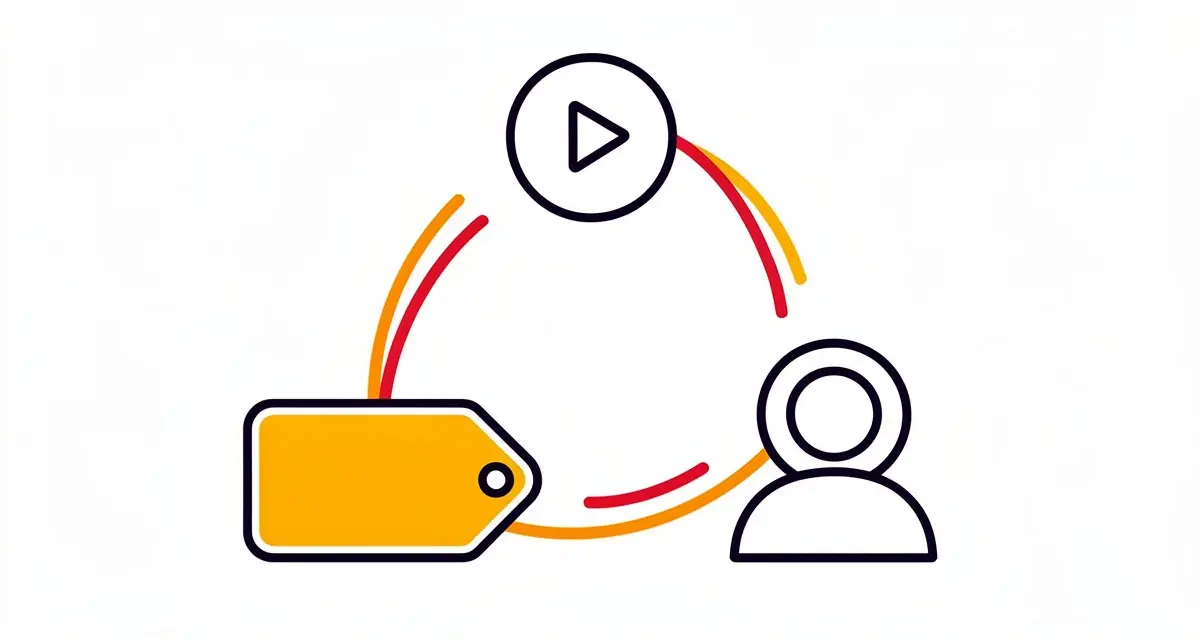
Tag-triggered video automation works by having Sendspark listen for a specific tag change on a GHL contact, then automatically searching for, updating, or creating that contact once the video is generated, so nothing depends on you manually running a campaign. The whole setup lives inside Sendspark’s workflow builder, not GHL’s.
Here’s the sequence:
- Create a new automation in Sendspark and choose LeadConnector’s “Contact Tag Update” as the trigger.
- Set the filter condition to
Tags = Equalsand enter the exact tag value you use in GoHighLevel (for example,demo-booked). - Define the Sendspark action — typically “New Video Generated” for a specific campaign, which pulls in the contact’s name, company, and website for personalization.
- Let the workflow branch automatically. Sendspark searches HighLevel for the contact by email or phone. If found, it tags the existing contact using that contact’s ID. If the search fails, an error-handler path creates a new contact and applies the tag, which stops duplicate contacts from piling up on either side.
- Connect both platforms inside the workflow builder. There’s no separate API key step for this path — the trigger and action live entirely inside Sendspark once GHL is connected.
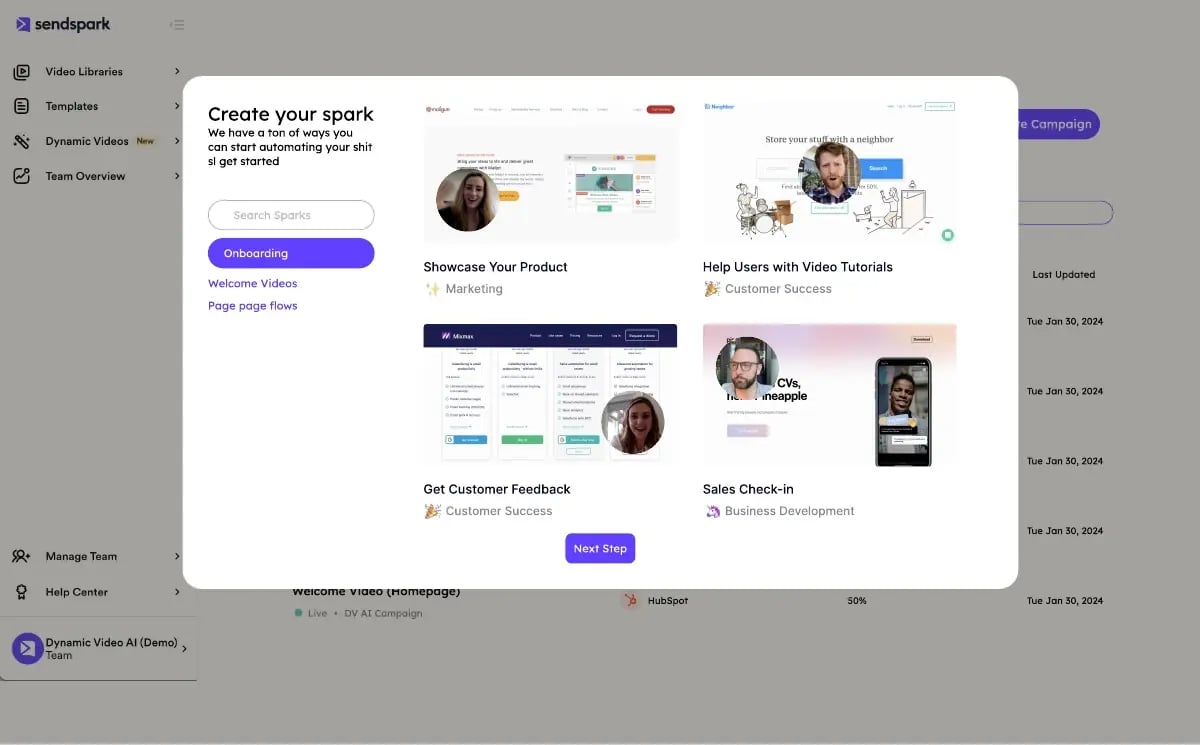
Once this is live, applying the tag in GHL — whether a human does it or another automation does — is the only action needed to generate and send a personalized video. Nobody has to remember to run anything.
Advanced strategy
Use a dedicated tag exclusively for the Sendspark trigger (not one you’re already using for something else in GHL). It makes the automation easier to debug, and it means you can safely re-run it on a contact without side effects elsewhere in your pipeline.
“When you generate a lead, you’ve got five minutes to get back to that lead. And if you don’t, good luck converting. Most small businesses are not set up to have that type of reply rate and that type of speed.”
— Shaun Clark, Co-Founder and CEO, HighLevel (Mixergy interview)
That speed argument is exactly why tag-triggered automation beats a manual batch: a contact tagged at 2am gets a personalized video generated at 2am, not whenever someone next logs in to run a campaign.
Record One Video. AI Personalizes Thousands.
Sendspark is the AI video personalization platform for B2B sales. Record once, and AI voice cloning generates thousands of individually personalized videos with dynamic backgrounds and personalized thumbnails — each prospect hears their name, sees their website, in your voice. Sales teams see 2-3x more replies.
Get Started NowFixing the Most Common GoHighLevel Webhook Problems
The most common GoHighLevel automation failure is a missing tags field in the raw webhook payload, which breaks any attempt to branch a Sendspark workflow by which tag triggered it. The standard payload only includes firstName, contactEmail, company, customfield, and backgroundUrl — there’s no dedicated tags array by default.
If you need tag-based branching and the agentic workflow’s built-in trigger filter isn’t enough for your setup, here’s how to fix it on the raw webhook path:
- Create an incoming webhook trigger inside your Sendspark workflow and copy the generated URL.
- Add a GHL Action → Webhook pointing to that URL, then paste the JSON payload template into the Raw Body field.
- Map the tag into the empty
customfieldplaceholder instead of expecting a standard tags field — this is the step almost everyone misses, and it’s why “the webhook fires but nothing personalizes correctly” support tickets keep coming in. - Replace every merge tag placeholder (like ) with the real GHL contact field before saving. GHL substitutes these automatically per contact, but a typo in the placeholder syntax sends the literal string instead of the value.
The second recurring issue is LeadConnector test payloads not returning data even though the fields are visible in GHL. That’s almost always a sequencing problem: the test only populates data if it’s run against a contact that already has values in every field the workflow expects. Test against a fully populated contact record, not a fresh one, and the “no webhook data captured” symptom usually disappears.
A third, quieter failure mode shows up as a working automation that generates videos correctly but with the wrong background or a blank company field. That’s usually not a webhook problem at all — it’s a case of the trigger firing before GHL has finished writing the contact’s enrichment data (company name, website) to the record. If you’re chaining a form-fill trigger straight into the video-generation step, add a short delay step in GHL before the webhook fires, or trigger off a later event (tag applied after enrichment completes) instead of the raw form submission.
Common mistake
Don’t build two parallel automations — an outbound trigger in GHL and a separate inbound webhook listener in Sendspark — when the built-in agentic workflow already handles both directions. Reserve the raw webhook path for the specific gaps (like tag branching) it’s actually built to solve.
When to Use GoHighLevel Automation vs. Sendspark’s Other CRM Integrations
GoHighLevel automation makes the most sense when your entire client pipeline — sales and marketing — already lives inside GHL, which is the norm for agencies and local-service businesses. If your team runs on HubSpot or Salesforce instead, Sendspark’s native CRM workflows (covered in our guide to sales automation in CRM) skip the webhook step entirely and trigger off native CRM events.
On the HubSpot side specifically, that native automation splits into two tools with different tradeoffs. See HubSpot Sequences vs. Workflows for Video Outreach if you’re deciding between a rep-owned Sequence and a triggered Workflow.
If you don’t use GHL, HubSpot, or Salesforce but still want event-triggered video, Zapier connects Sendspark to thousands of other apps without any raw webhook editing — it’s a reasonable middle ground between GHL’s tag trigger and a fully custom webhook. And if your team runs outbound sequences in Outreach or Apollo rather than a CRM-first workflow, those integrations trigger sends directly from sequence steps instead of contact tags.
For agencies specifically, one detail matters beyond the trigger mechanism: Sendspark’s Growth plan and above remove Sendspark branding from video pages, including ones triggered via GHL. If you’re white-labeling client campaigns, confirm your plan tier covers that before you scale a GHL workflow across multiple client sub-accounts.
If you’re new to AI video personalization generally and want the fuller picture before wiring up any CRM trigger — merge tags, dynamic backgrounds, when AI voice cloning is worth the setup time versus a plain recorded intro — our complete guide to personalized video email covers the mechanics this article assumes you already know. Come back here once you’re ready to automate the sending side specifically inside GHL.
| If your pipeline runs on… | Use this Sendspark integration | Trigger mechanism |
|---|---|---|
| GoHighLevel | Agentic workflow (or embed-code for low volume) | Contact Tag Update |
| HubSpot or Salesforce | Native CRM automation | Workflow / deal-stage change |
| Anything else | Zapier or Make | App-specific trigger, no webhook editing |
| Outreach or Apollo sequences | Direct sequence integration | Sequence step |
This same trigger-and-action pattern is what powers AI SDR platforms too — see AI SDR vs. AI video personalization for how to combine the two instead of picking one.
Frequently Asked Questions
Does Sendspark’s GoHighLevel integration require an API key?
No. The tag-triggered agentic workflow connects entirely inside Sendspark’s workflow builder once your GHL account is linked — there’s no separate API key step for that path. An API key is only relevant if you’re building a fully custom integration outside the standard agentic workflow or embed-code methods.
Why doesn’t the GoHighLevel webhook payload include tags?
Sendspark’s standard GHL webhook payload includes contact fields like firstName, contactEmail, company, and backgroundUrl, but it doesn’t include a dedicated tags field by default. To branch a workflow by tag, map the tag value into the payload’s empty customfield placeholder rather than expecting a built-in tags array.
What’s the difference between embed-code sharing and the agentic workflow in GoHighLevel?
Embed-code sharing means copying a Sendspark video’s LeadConnector embed code into a GHL email or sequence manually, which works well for low volume. The agentic workflow automatically generates and sends a personalized video whenever a specific tag is applied to a contact, with no manual step required per send.
Why is my LeadConnector test payload not returning data?
This almost always happens when the test runs against a GHL contact record that’s missing values in one of the fields the workflow expects. Run the test against a fully populated contact instead of a blank or new one, and the fields should populate correctly.
Does Sendspark remove its branding on videos triggered from GoHighLevel?
Branding removal depends on your Sendspark plan, not on which integration triggered the video. Growth-tier plans and above remove Sendspark branding from all video pages, including those generated through the GoHighLevel agentic workflow; Starter-tier plans keep it visible.
Can I use GoHighLevel automation if my team also uses HubSpot?
Yes, but you’ll typically pick one as the primary trigger source per campaign rather than running both simultaneously for the same contact. Agencies running client pipelines in GHL while their own internal sales team uses HubSpot commonly run both integrations side by side for different audiences.
What happens if I apply the trigger tag to a contact twice?
Sendspark’s workflow searches for the contact by email or phone before generating a new video. If the contact already exists, it updates that same contact instead of creating a duplicate, which is the specific problem the built-in search-then-branch logic is designed to prevent.
Cold email sequencers like Instantly and Smartlead use the same search-then-branch duplicate check — see how AI-personalized video automation works there if your outbound stack includes one of those tools alongside GoHighLevel.
Sources & References
- Mixergy interview with Shaun Clark — “When you generate a lead, you’ve got five minutes to get back to that lead” on the necessity of fast lead response (2026)
- Harvard Business Review, “The Short Life of Online Sales Leads” — leads contacted within 5 minutes are up to 100x more likely to connect and 21x more likely to qualify than leads contacted after 30 minutes (2011)
- Salesforce, State of Sales — sales reps spend roughly 30% of their time selling, with the remainder consumed by administrative and manual work (2026)
- GoHighLevel Help Center — documentation on sending personalized videos from the HighLevel mobile app (2026)
Record One Video. AI Personalizes Thousands.
Sendspark is the AI video personalization platform for B2B sales. Record once, and AI voice cloning generates thousands of individually personalized videos with dynamic backgrounds and personalized thumbnails — each prospect hears their name, sees their website, in your voice. Sales teams see 2-3x more replies.
Get Started Now