Most B2B leads never get a callback. According to HubSpot Research, 44% of sales reps give up after one follow-up attempt — even though the average B2B deal requires 8 or more touchpoints before someone agrees to meet. The rep who wins the deal is rarely the one with the best pitch. It’s the one who shows up consistently, says the right thing, and makes it easy to say yes.
Learn more about better sales call experience.
These 15 lead follow-up call scripts and email templates are built for that rep. Each one is designed for a specific scenario, includes a clear reason for reaching out, and ends with a low-friction ask that moves the conversation forward.
Key Takeaways
- Most B2B reps quit after 1-2 follow-ups, but research consistently shows 8-12 touchpoints are needed to book a meeting with a cold prospect.
- Calling a lead within 5 minutes of a trigger event (pricing page visit, form fill) dramatically outperforms waiting even an hour — the window closes fast.
- The best call templates do three things: reference a specific trigger, give a clear reason for calling, and make a small, easy-to-accept ask.
- Sending a 30-second personalized video before your follow-up call warms the lead and increases the likelihood they pick up or respond.
- Multi-channel sequences (call + email + video) consistently outperform single-channel follow-up for booked meeting rates.
What Makes an Effective Lead Follow-Up Call?
An effective lead follow-up call does three things: states a specific reason for calling tied to a recent trigger, delivers a clear value statement in under 30 seconds, and asks for a small, easy-to-accept commitment — not a 45-minute demo. The trigger is what separates a relevant call from an interruption. Without it, you’re guessing. With it, the call has a credible opening the lead can immediately understand.
A trigger is any action a lead takes that signals interest or re-engagement: visiting your pricing page, downloading a guide, opening an email, attending a webinar, or being referred by a mutual contact. The moment a trigger fires, the clock starts. According to a study published in the Harvard Business Review, companies that responded to web leads within five minutes were far more likely to qualify those leads than those that waited even 30 minutes.
The 3-Part Call Template Structure
Every effective lead follow-up call template follows the same skeleton:
- The hook — Reference the trigger specifically. “I saw you visited our pricing page this morning” beats “I’m calling to follow up.”
- The reason — Explain why that trigger matters to them, not to you. “Companies at your stage usually have questions about [X] before they move forward.”
- The ask — Request the next smallest step. “Would it make sense to spend 10 minutes this week walking through [specific thing]?”
This structure works because it gives the prospect a reason to listen before it asks them for anything. Most cold calls skip straight to the ask, which is why most cold calls end in 15 seconds.
Why Most Lead Follow-Up Calls Fail
The three most common reasons follow-up calls fail: calling without context, using a generic script that sounds rehearsed, and calling at the wrong time. RAIN Group research shows that 80% of sales require five or more follow-up contacts after the initial meeting — but most reps stop after two. The follow-up window is where deals are won or lost, and the reps who win it show up with specificity and persistence.
Common mistake
Starting your call with “I’m just calling to check in” gives the prospect zero reason to stay on the line. Always open with a specific trigger or reason, not a vague check-in.
5 Lead Follow-Up Call Scripts by Scenario
The right script depends entirely on where the lead is in your pipeline and what action triggered the call. These five templates cover the most common B2B follow-up scenarios. Use them as starting points and customize the company name, trigger, and value point for each call.
Script 1: Inbound Lead — Post-Form Fill
Use when: A lead submits a contact form, requests a demo, or downloads a high-intent asset within the last hour.
“Hi [Name], this is [Your Name] from [Company]. I’m calling because you just [downloaded our guide / requested a demo / visited our pricing page] — I wanted to reach out while it was still fresh. Companies at your stage — [size or industry] — typically come to us because [specific pain point]. Does that resonate with where you are right now? If so, I’d love to get 15 minutes on your calendar this week to walk you through exactly how we’d solve that. What does your calendar look like Thursday or Friday?”
Why it works: The same-hour call catches the lead at peak interest. You’re referencing a specific action they took — not guessing at their needs. The question “Does that resonate?” invites a real conversation instead of a yes/no defensive response.
Script 2: Post-Demo — Proposal Sent
Use when: You sent a proposal 2-5 days ago and haven’t heard back.
“Hi [Name], it’s [Your Name] from [Company]. I sent over the proposal on [day] and wanted to check in directly before you pass it around internally. A few teams similar to yours had a question about [common objection — e.g., implementation time / contract length], and I wanted to address it before it became a blocker. Are you free for a quick 10-minute call tomorrow, or is there something specific in the proposal you’d like me to clarify?”
Why it works: Instead of asking “Did you get my proposal?” — which invites a non-committal “still reviewing it” — you’re pre-empting the most likely objection. This positions you as a consultant, not a chaser.
Script 3: Cold Lead Re-Engagement
Use when: A lead went cold 30-90 days ago but you have a new reason to reach out (product update, case study, relevant news).
“Hi [Name], this is [Your Name] from [Company]. We last spoke back in [month] and the timing wasn’t right — I completely understand. The reason I’m calling now is that we just [launched X feature / published a case study from a company similar to yours / changed our pricing]. I thought it might be worth a quick 10 minutes to revisit whether the situation’s changed on your end. Would that be worth it?”
Why it works: Acknowledging the previous “no” removes the awkwardness and resets the clock. Leading with what’s new gives them a legitimate reason to re-engage without feeling sold to. See our no-response follow-up templates for email versions of this scenario.
Script 4: Post-Event / Trade Show Lead
Use when: You collected a business card or scanned a badge at an event 1-3 days ago.
“Hi [Name], it’s [Your Name] — we met at [Event Name] on [day]. You mentioned [specific thing they said — challenge, goal, product interest]. I’ve been thinking about what you said, and there’s actually a specific way we’ve helped [similar company type] solve exactly that. I don’t want to pitch you over the phone — would it make sense to get 15 minutes together this week while it’s still fresh?”
Why it works: Speed is critical for event leads — calls within 24-48 hours of the event have significantly higher connection rates. Repeating something specific they said proves you were actually listening, which stands out from the 50 other vendors who scanned their badge.
Script 5: Referral Follow-Up
Use when: A mutual connection suggested you reach out.
“Hi [Name], my name is [Your Name] from [Company]. [Mutual Contact Name] suggested I reach out to you — they mentioned you’re working on [challenge / initiative] and thought our platform might be relevant. I’d rather not waste your time with a long pitch, so let me ask directly: are you the right person to explore whether [specific outcome] is something worth a 15-minute conversation? If not, who would be?”
Why it works: Name-dropping the mutual contact earns you immediate credibility. The direct question at the end — “are you the right person?” — respects their time, which earns trust faster than any pitch could.
Record One Video. AI Personalizes Thousands.
Sendspark is the AI video personalization platform for B2B sales. Record once, and AI voice cloning generates thousands of individually personalized videos with dynamic backgrounds and personalized thumbnails — each prospect hears their name, sees their website, in your voice. Sales teams see 2-3x more replies.
Get Started Now10 Lead Follow-Up Email Templates
Email is the connective tissue between calls. Every follow-up call should be supported by email — either as a pre-call warm-up, a post-call summary, or a standalone touchpoint when the call doesn’t connect. These 10 templates cover the most common B2B lead follow-up email scenarios.
Email 1: Pre-Call Warm-Up
Subject: Quick call about [specific trigger]
Hi [Name],
I noticed you [visited our pricing page / downloaded the guide / attended our webinar] this morning — I’ll be giving you a quick call later today.
I work with [type of company] to [outcome relevant to their trigger]. If you’d rather connect over email first, just reply here and I’ll follow up that way instead.
Either way — looking forward to speaking.
[Your Name]
Why it works: The pre-call email removes the surprise of an incoming call. Prospects who receive a pre-call email answer at significantly higher rates than cold calls with no context. This template is also short enough to read in 10 seconds.
Email 2: Post-Call Summary
Subject: Summary from our call + next steps
Hi [Name],
Great speaking with you today. Here’s a quick recap of what we discussed and the agreed next steps:
What we covered:
- [Challenge they mentioned]
- [Solution we discussed]
- [Specific feature / case study relevant to them]Next steps:
- [Action you’re taking] by [date]
- [Action they’re taking] by [date]
- Demo call confirmed: [date/time]If anything changes before then, don’t hesitate to reach out.
[Your Name]
Pair this with a short personalized recap video using video messaging for a 2-3x higher response rate on post-call emails.
Email 3: No Response Follow-Up (Day 3)
Subject: Re: [Previous subject line]
Hi [Name],
Wanted to follow up on my note from [day]. I understand things get busy — no pressure.
I did want to share one thing before I let you go: [Company similar to theirs] reduced [metric] by [result] using [your product]. Given what you’re working on, I thought it might be worth 10 minutes of your time.
If the timing is off, just say the word and I’ll reach out in [X weeks].
[Your Name]
For more no-response scenarios, see our complete collection of no-response follow-up templates.
Email 4: Value-Add Follow-Up
Subject: [Resource] that might be useful for [their initiative]
Hi [Name],
I came across [article / report / case study] and immediately thought of our last conversation about [challenge they mentioned].
[One sentence summary of the resource and why it’s relevant to them specifically].
No ask here — just thought it might be useful. Happy to discuss whenever the time is right.
[Your Name]
Why it works: Value-add emails build goodwill without asking for anything. This template is most effective as touchpoints 4-6 in a sequence, after you’ve already established the business case.
Email 5: Post-Demo Follow-Up
Subject: Next steps after our demo
Hi [Name],
Thank you for making time for the demo today. Based on what you shared about [specific challenge], here’s what I’d recommend as a next step:
[Specific recommendation — trial, pilot, introduction to their IT team, etc.]
I’ll send a calendar invite for our follow-up call on [date]. If that doesn’t work, here’s my scheduling link: [link].
Looking forward to [specific next step].
[Your Name]
You can find more post-demo templates in our guide to follow-up emails after a sales call.
Email 6: Objection Response
Subject: Re: Budget / timing / [their specific objection]
Hi [Name],
Thanks for being direct about [objection]. I hear it often, and I want to address it honestly rather than brush past it.
[2-3 sentences addressing the specific objection with evidence — ROI data, case study, flexible option].
Would it make sense to get 10 minutes on the calendar to walk through this specifically? I think the answer will look different once you see [specific proof point].
[Your Name]
Email 7: Reconnect After Long Silence (60+ Days)
Subject: Has anything changed on [specific challenge]?
Hi [Name],
It’s been a while since we spoke — I wanted to check in, not because I have anything to pitch, but because [specific thing that changed — new feature, relevant case study, market shift].
Is [the challenge we discussed in Month X] still a priority for your team?
If not, I’ll get out of your inbox. If yes, happy to pick up where we left off.
[Your Name]
Email 8: Referral Introduction
Subject: [Mutual contact] suggested I reach out
Hi [Name],
[Mutual Contact] mentioned you’re working on [initiative / challenge] and suggested I reach out.
I help [type of company] achieve [specific outcome]. [One sentence about a relevant result — without using the phrase “game-changing”].
Worth a 15-minute call to see if there’s a fit? If not, totally understand — no hard feelings either way.
[Your Name]
Email 9: Break-Up Email
Subject: Closing out your file
Hi [Name],
I’ve tried to connect a few times and haven’t heard back, so I’m going to assume the timing isn’t right and close out your file on my end.
If anything changes — or if I was wrong about the timing — my info is below.
All the best,
[Your Name]
Why it works: Break-up emails consistently generate more replies than most other templates in a sequence. The psychology is simple — people respond to finality. Use it as your final touchpoint, around attempt 7-8.
Email 10: LinkedIn + Email Cross-Channel Follow-Up
Subject: Saw your post about [topic]
Hi [Name],
I saw your post about [specific LinkedIn or social content they published] and wanted to follow up on it here.
You mentioned [specific point from their post]. That’s exactly the problem we help [type of company] solve. [One sentence on how].
Would it be worth 15 minutes to see if we could help you with that specifically?
[Your Name]
How to Make Lead Follow-Up More Personal with Video
Adding a 30-second personalized video to a follow-up email converts at 2-3x the rate of text-only emails. Video gives you tone, context, and a face to the name — three things that text email can’t replicate. The challenge has always been scale: recording individual videos for every lead in your pipeline isn’t realistic.
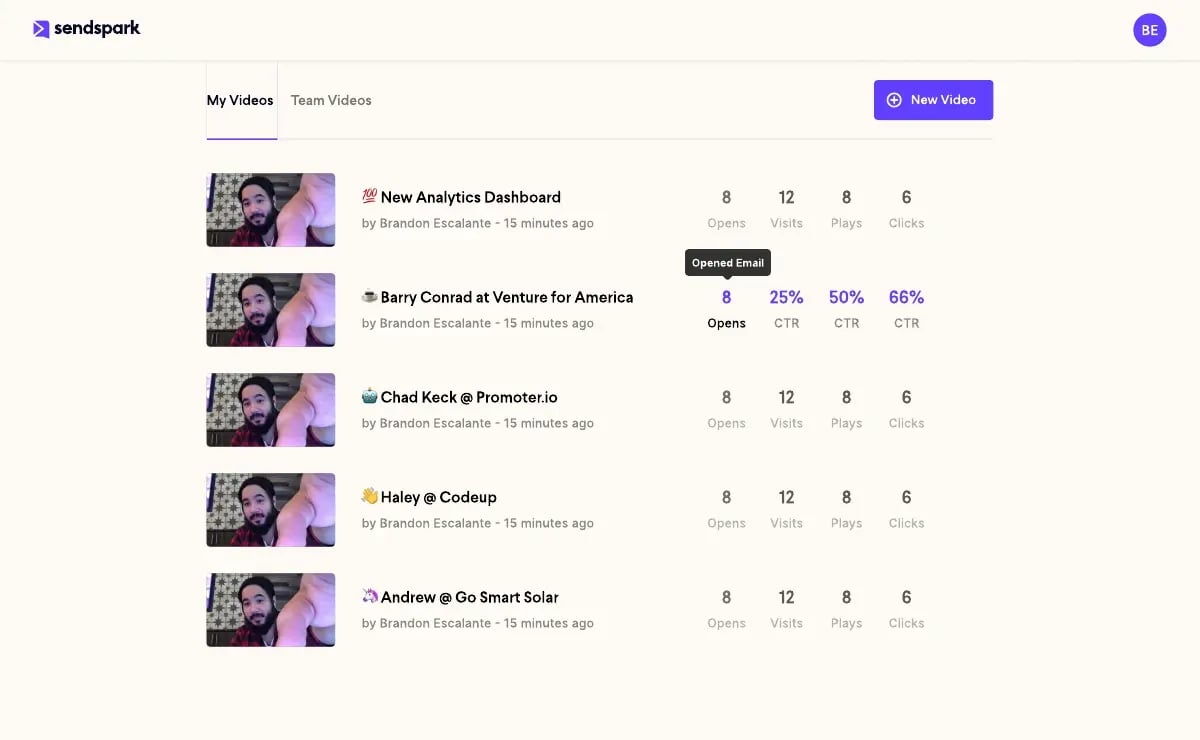
AI-powered sales prospecting tools like Sendspark solve this with a “record once, personalize at scale” approach. You record a single video — say, your standard post-demo follow-up — and Sendspark’s AI personalizes it with each lead’s name, company name, and website as the background. Every lead receives what looks and feels like a 1:1 video, without you recording hundreds of individual takes.
See real-world video follow-up examples for inspiration.
What to Say in a Lead Follow-Up Video
The best follow-up videos are short — 30-60 seconds maximum. Here’s a simple script structure that works across most scenarios:
“Hi [Name], [Your Name] here from [Company]. I just [sent over the proposal / noticed you visited our pricing page / wanted to follow up on our call] and wanted to put a face to the name before I call you later today. [One specific, relevant point — reference their company or challenge]. I’ll be brief on the call — I just want to cover [one specific thing]. Talk soon.”
Sendspark’s AI Intros feature lets you record this structure once and automatically generate personalized versions for every lead in your CRM — complete with their name in the opening and their website or LinkedIn profile as the video background.
Advanced strategy
Send a personalized Sendspark video 2 hours before your scheduled follow-up call. Leads who watch the video before a call are significantly more likely to pick up — and the call itself starts warmer because you’ve already established a human connection.
Integrating Video Follow-Up into Your CRM Workflow
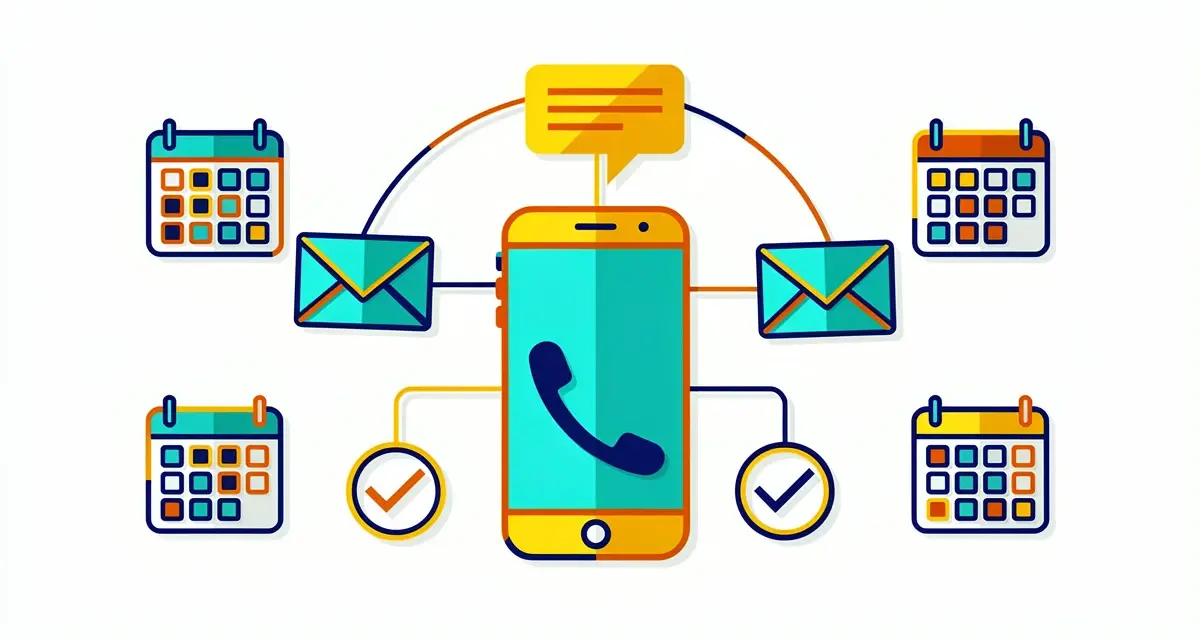
The most effective follow-up sequences combine phone, email, and video across multiple touchpoints. A typical structure looks like this:
| Touchpoint | Channel | Template to Use | Goal |
|---|---|---|---|
| Day 0 (trigger fires) | Email 1: Pre-call warm-up | Signal intent, remove cold-call surprise | |
| Day 0 (2 hrs after email) | Phone | Script 1: Post-form fill | Connect while intent is high |
| Day 2 | Video email | Personalized Sendspark video | Build human connection, stand out |
| Day 4 | Phone + voicemail | Script 1 (modified) + leave voicemail | Second connection attempt |
| Day 7 | Email 3: No-response follow-up | Re-engage with social proof | |
| Day 14 | Email 4: Value-add | Build credibility without asking | |
| Day 21 | Email 9: Break-up email | Final attempt — triggers replies |
This sequence structure connects the call templates above with the email templates, and inserts a video touchpoint at day 2 where engagement rates are highest. You can run this sequence directly from your CRM — Sendspark integrates with both HubSpot and Salesforce to track video views, clicks, and replies alongside your call and email activity.
For a deeper look at structuring multi-touch sequences, see our guide to building a sales sequence from scratch. For cold email follow-up specifically, we have additional templates focused on pure email outreach.
According to Salesforce’s State of Sales research, top-performing sales reps use an average of three or more channels in their outreach sequences — phone, email, and social. Adding video as a fourth channel further differentiates your outreach in crowded inboxes.
Frequently Asked Questions
What is a lead follow-up call template?
A lead follow-up call template is a structured script that gives a sales rep a clear opening, a reason for calling tied to a specific trigger, and a defined ask — typically a small commitment like a 10-15 minute meeting. Templates reduce hesitation, ensure consistency across the team, and give reps a starting point they can personalize for each prospect.
How many times should you follow up with a lead before giving up?
Most research points to 8-12 touchpoints as the threshold for most B2B prospects. According to RAIN Group, 80% of sales require five or more follow-ups after the initial meeting. A general rule: if you haven’t received a definitive “no” after 8 attempts across multiple channels, one more well-timed, value-added touchpoint is still worth making.
What should you say on a lead follow-up call?
Start with a specific reason for calling — ideally a trigger the lead took (pricing page visit, email open, event attendance). State a clear, brief value point relevant to them. Then ask for the next smallest step: a 10-minute call, a demo slot, or permission to send additional information. Avoid vague openers like “just checking in” — they signal no purpose and invite a fast hang-up.
How soon should you call a lead after they convert?
The sooner, the better. Research published in the Harvard Business Review found that responding to web leads within five minutes dramatically improved qualification rates compared to waiting 30 minutes or longer. Within an hour, the window narrows significantly. For inbound leads, same-hour outreach should be the standard — set up CRM automation to alert your team the moment a form is submitted.
What’s the difference between a call template and a call script?
A call script is word-for-word dialogue. A call template is a structural framework — it defines what to cover and in what order, but leaves room for the rep to speak naturally. Templates outperform scripts for most reps because they prevent the “reading a script” tone that prospects pick up immediately. Memorize the structure; improvise the words.
Learn more about natural-sounding personalized outreach.
How do you follow up with a lead that went cold?
Leads go cold for two reasons: bad timing, or insufficient value demonstrated. The best re-engagement approach is to lead with something new — a product update, a case study from a company similar to theirs, or a shift in market conditions. Cold lead re-engagement calls (Script 3 above) work best when paired with a personalized video email sent 24 hours before the call — it re-establishes the human connection before you ask for their time again.
Can I use video in lead follow-up call sequences?
Yes — and it works particularly well as a day-2 touchpoint after an initial call attempt. A 30-60 second personalized video that mentions the lead’s company or references a specific trigger dramatically increases open and reply rates compared to text email alone. Tools like Sendspark let you record one video and automatically personalize it for every lead in your pipeline using AI — so you get the impact of 1:1 video without the manual recording time.
Sources & References
- HubSpot Sales Statistics — “44% of sales reps give up after one follow-up attempt” (2024)
- Harvard Business Review — “The Short Life of Online Sales Leads” — Companies responding within five minutes were far more likely to qualify web leads (2011, research findings remain industry-cited benchmark)
- RAIN Group — “How Many Sales Calls Does It Take?” — “80% of sales require five or more follow-up contacts after the initial meeting” (2023)
- Salesforce State of Sales — Top-performing reps use three or more channels in outreach sequences (2024)
Record One Video. AI Personalizes Thousands.
Sendspark is the AI video personalization platform for B2B sales. Record once, and AI voice cloning generates thousands of individually personalized videos with dynamic backgrounds and personalized thumbnails — each prospect hears their name, sees their website, in your voice. Sales teams see 2-3x more replies.
Get Started Now