LinkedIn follow-up messages are the second or third touch in a conversation that started with a connection request, an InMail, or a networking handshake, and the ones that get replies share three traits: they reference something specific from the prior interaction, they offer a concrete reason to respond, and they are short. Most salespeople send a generic “just checking in” and stop there: Invesp data cited in HubSpot’s sales statistics shows 44% of salespeople give up after a single follow-up attempt. The messages that actually book meetings look different, and this guide breaks down exactly how to write them, when to send them, and how to scale them with AI voice cloning so you never sound like a bot.
Key Takeaways
- Send LinkedIn follow-ups 3-7 days after silence, and make each one add something new rather than repeat the first ask.
- The highest-converting follow-ups reference a specific detail from the prior message or the prospect’s recent activity, not a generic “just checking in.”
- A 3-5 touch LinkedIn cadence (connection, value message, soft follow-up, break-up) outperforms single follow-ups.
- AI voice cloning lets you record one video and personalize thousands of LinkedIn follow-ups by name, company, and context in minutes.
- Dynamic backgrounds showing the prospect’s website or LinkedIn profile stop the scroll and signal genuine research.
What Makes a LinkedIn Follow-Up Message Work?
A LinkedIn follow-up message works when it references a specific detail from your prior interaction, adds new value rather than repeating the same ask, and ends with one clear, low-friction call to action. The medium rewards brevity because LinkedIn DMs are read on mobile, and decision-makers scan before they reply. A message that opens with a shared datapoint or a trigger event earns attention; a message that opens with “just checking in” gets archived.
The anatomy of a high-converting LinkedIn follow-up has four parts, and skipping any one is the most common reason reps get silence. These map to how attention works on the platform:
- Personalization hook: one sentence proving you did your homework, such as a recent post the prospect published, a hiring announcement, or a detail from a previous conversation.
- Value add: a resource, a relevant insight, or a specific question that helps the prospect do their job, not a restatement of your pitch.
- Brevity: aim for 50-75 words. LinkedIn messages over 100 words get significantly lower reply rates because they feel like an essay on a messaging app.
- Single CTA: one clear next step, usually a soft question or a one-click meeting link, never a paragraph of options.
Text-only follow-ups underperform for a measurable reason: they compete with dozens of identical messages in a decision-maker’s inbox. Personalization only helps when it is specific, not a first-name token swap. This is why AI-personalized video follow-ups, where the prospect sees their name, hears it spoken in your cloned voice, and sees their own website behind you, cut through the noise. We cover that approach in the scaling section below.
Common mistake
Do not open a LinkedIn follow-up with “Just checking in” or “Circling back.” These phrases signal you have nothing new to say and train the prospect to ignore you. Replace them with a specific trigger: “Saw your team just announced Series B” or “Read your post on pipeline forecasting.”
LinkedIn Follow-Up Messages by Scenario: 11 Templates
The best LinkedIn follow-up message depends on the scenario, and the 11 templates below cover the situations B2B reps hit most. Each template includes the timing, the goal, and a fill-in-the-blank script you can adapt. We evaluated these templates based on reply-rate data from outreach benchmarks, the prospect’s position in the funnel, and whether the message adds new value rather than repeating the original ask.
How we evaluated: We selected these templates from the scenarios that produce the highest reply rates in B2B outreach: connection accepted, no response, post-event, post-demo, content share, break-up, and re-engagement. Each was chosen for brevity, a single clear CTA, and a personalization hook referencing a specific detail rather than a generic greeting.
1. After a Connection Request Is Accepted
Timing: Within 24-48 hours of acceptance. Goal: Start a real conversation, not a pitch.
Thanks for connecting, [First Name]. I noticed [specific detail from their profile or recent post]. I work with [role] teams on [one-line value proposition]. Are you currently looking at [relevant challenge]? If so, I can share a 2-minute walkthrough that shows how [peer company] solved it.
2. No Response to Your First Message
Timing: 3-5 days after the first message. Goal: Add new value, do not repeat the ask. For prospects who stay silent past touch 2, see our no-response follow-up templates.
[First Name], I know inboxes get buried. Rather than re-sending my last note, here’s something useful: [link to a relevant resource, report, or your own post]. Worth a quick look if your team is working on [specific challenge]. Open to a 10-minute chat next week?
3. After a Networking Event or Conference
Timing: Within 48 hours of the event. Goal: Anchor the in-person connection and propose a next step.
Great meeting you at [event]. I really enjoyed our chat about [specific topic you discussed]. As promised, here’s [resource or follow-up you mentioned]. Would it make sense to continue the conversation on a quick call next week?
4. After a Sales Call or Product Demo
Timing: Same day or within 24 hours. Goal: Recap value and keep momentum. This scenario pairs well with a post-demo follow-up video.
Thanks for the time today, [First Name]. To recap: you’re evaluating [specific capability] for [their use case], and the next step is [agreed action]. I’ve attached [relevant doc or summary]. One question that came up: [open question from the call]. Let me know your thoughts when you have a moment.
5. After Sharing Content or a Resource
Timing: 2-3 days after you sent the resource. Goal: Check whether it was useful and open a conversation.
[First Name], did the [resource name] I sent land with you? The section on [specific part] tends to be the most useful for teams dealing with [specific challenge]. Happy to walk through how [peer company] applied it if you’d find that valuable.
6. The Break-Up Message (Final Touch)
Timing: After 4-5 unanswered touches. Goal: Trigger a response by giving explicit permission to close the loop.
[First Name], I don’t want to keep showing up in your inbox if this isn’t a priority right now. Should I close this out, or is there a better time to revisit in [Q3/Q4]? Either way, no hard feelings.
7. Re-Engagement After a Long Silence
Timing: 60-90 days after last contact. Goal: Restart the conversation with a fresh trigger.
[First Name], it’s been a while. I saw [recent company news, new role, or post] and thought of our earlier chat about [prior topic]. Has anything shifted on your side since we last spoke? If priorities have changed, I’m happy to pick it back up when the timing is right.
8. After a Prospect Viewed Your Profile
Timing: Within 24 hours of the profile view. Goal: Convert curiosity into a conversation.
[First Name], saw you stopped by my profile. Always happy to connect with [role] working on [their area]. What caught your eye? If you’re exploring [relevant topic], I can point you to a resource our team put together on it.
9. After a Prospect Engaged With Your Post
Timing: Within 24 hours of the like/comment. Goal: Turn social engagement into a 1:1 conversation.
Appreciated your comment on my post about [topic], [First Name]. The point you made about [their specific comment] is something I’m hearing a lot from [their role]. Are you seeing that play out on your team right now?
10. The Value-First Follow-Up (No Ask)
Timing: Any point in a cadence where you want to build trust before asking. Goal: Give before you ask.
[First Name], no ask here. I put together a quick breakdown of how [peer company] improved [specific metric] with [approach]. Thought it might be useful given your focus on [their initiative]. Let me know if it sparks any ideas.
11. The AI-Personalized Video Follow-Up
Timing: As touch 2 or 3 in a cadence. Goal: Stand out with a personalized video that references the prospect by name and company.
[First Name], I recorded a 30-second video for you instead of another wall of text. It walks through how [peer company] is using [approach] for [their use case]. The video addresses you by name and shows your site in the background. Here’s the link: [Sendspark video link]. Worth a quick look?
The table below summarizes when to use each template and what to ask for:
| Scenario | When to send | Goal | CTA type |
|---|---|---|---|
| Connection accepted | 24-48h after acceptance | Start a conversation | Soft question |
| No response | 3-5 days after first message | Add new value | Quick chat offer |
| Post-event | Within 48h of event | Anchor the meeting | Call proposal |
| Post-demo | Same day or 24h | Keep momentum | Recap + question |
| Content share | 2-3 days after share | Check usefulness | Walk-through offer |
| Break-up | After 4-5 touches | Trigger a response | Permission to close |
| Re-engagement | 60-90 days later | Restart with a trigger | Open question |
| Profile view | Within 24h | Convert curiosity | Resource offer |
| Post engagement | Within 24h | Turn social into 1:1 | Direct question |
| Value-first | Any touch in cadence | Build trust | No ask |
| AI video follow-up | Touch 2 or 3 | Stand out | Video link |
Record One Video. AI Personalizes Thousands.
Sendspark is the AI video personalization platform for B2B sales. Record once, and AI voice cloning generates thousands of individually personalized videos with dynamic backgrounds and personalized thumbnails — each prospect hears their name, sees their website, in your voice. Sales teams see 2-3x more replies.
Get Started NowWhen to Send LinkedIn Follow-Up Messages (Timing and Cadence)
Send a LinkedIn follow-up message 3-5 days after your first message if you have not heard back, and cap a cadence at 5 touches over 3-4 weeks. Timing matters more than most reps think: a message sent on a Tuesday morning gets read; the same message sent on a Friday night gets buried by Monday. The data is consistent across outreach benchmarks, and the window narrows the higher up the org chart you go.
General timeframes for LinkedIn follow-ups, based on outreach engagement data:
| Touch | When | Channel | Purpose |
|---|---|---|---|
| 1: Connection | Day 0 | Connection request | Get accepted |
| 2: First value message | Day 1-2 | LinkedIn DM | Add value, start a conversation |
| 3: Soft follow-up | Day 5-7 | LinkedIn DM or email | New value, new angle |
| 4: AI video follow-up | Day 10-14 | LinkedIn DM with video | Stand out, break the silence |
| 5: Break-up | Day 21-28 | LinkedIn DM | Trigger a response or close |
The 3/2/1 rule on LinkedIn is a simple cadence framework: send 3 value-first touches before you ask for anything, wait 2 days between touches, and make 1 clear ask on the final message. It works because it front-loads trust. A prospect who received three useful messages from you is far more likely to respond to a meeting request than one who got a pitch on touch one. You can layer this onto the follow-up cadence structure we cover separately.
Persistence is where most reps lose deals. According to Invesp data cited in HubSpot’s sales statistics, 44% of salespeople give up after a single follow-up attempt, yet 80% of successful sales take five or more follow-up calls. That gap is the opportunity.
This is why a structured cadence beats ad-hoc follow-ups. It forces you to keep going past the point where most reps quit, and it sequences messages so each one adds a new reason to respond rather than repeating the same ask.
Advanced strategy
Use Sendspark’s AI to personalize at Level 4: showing each prospect’s own website as the video background. This signals genuine research and stops the scroll in a LinkedIn inbox full of text messages.
How to Scale LinkedIn Follow-Ups Without Sounding Like a Bot
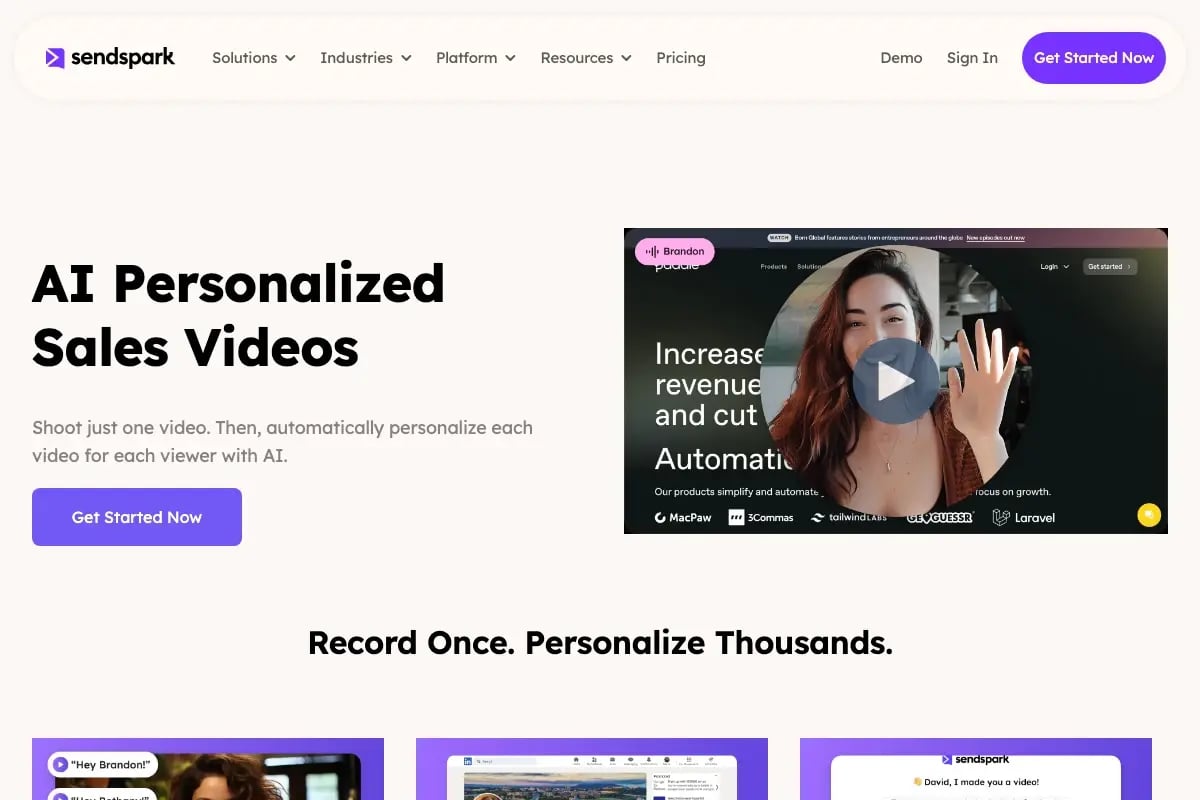
You scale LinkedIn follow-ups without sounding like a bot by using AI voice cloning to record one video and personalize thousands of variations, each addressing the prospect by name, company, and context, then distributing them through a native LinkedIn integration. The problem with manual follow-ups at scale is that they either stay personalized but cap out at a dozen a day, or they go wide but read as generic templates. AI-personalized video breaks that trade-off, and it is the core of what Sendspark does as an AI video personalization platform.
Here is how the workflow works for a sales team running LinkedIn outbound:
- Record once. You record a single 30-60 second video covering your core follow-up message. You do not record per prospect.
- AI clones your voice. Sendspark’s AI voice cloning generates a version of that video for each prospect, with their name spoken in your voice. The prospect hears a greeting that sounds like you recorded it for them.
- Dynamic backgrounds. Each video shows the prospect’s website, LinkedIn profile, or company logo behind you. This is the visual personalization that text and generic video cannot match.
- Personalized thumbnails. The thumbnail shows the prospect’s name or company, which lifts open rates the same way a personalized subject line lifts email opens.
- Distribute via LinkedIn. The native LinkedIn integration sends each video to the right prospect without manual copy-paste, so you can run a 50-prospect follow-up sequence in the time it used to take to record one.
The result is that a follow-up that took 5 minutes per prospect to personalize now takes seconds, and the prospect experience is actually better, not worse, than a manual recording. Sendspark customer Update AI, for example, saw 2x more LinkedIn replies using video personalization.
The comparison below shows the difference between manual, template, and AI-personalized LinkedIn follow-ups:
| Approach | Personalization | Volume per day | Reply rate | Time per prospect |
|---|---|---|---|---|
| Manual personalized video | High (unique per prospect) | 10-15 | High | 5-8 min |
| Generic text template | Low (name only) | 100+ | Low | <1 min |
| AI-personalized video (Sendspark) | High (name, voice, background) | 1,000+ | High | Seconds |
The takeaway is simple: AI-personalized video gives you manual-level personalization at template-level scale. That is the whole point of the platform, and it lets a single SDR run a LinkedIn follow-up cadence that used to require a team.
Do’s and Don’ts of LinkedIn Follow-Up Messages
The do’s of LinkedIn follow-up messages are to reference a specific detail, add new value on every touch, keep messages under 75 words, and use a single clear call to action. The don’ts are to avoid “just checking in,” avoid repeating your pitch, avoid multiple CTAs, and avoid more than five touches in a cadence. These rules come from the reply-rate patterns that separate follow-ups that book meetings from those that get ignored.
Pro tip
Reference a prospect’s recent LinkedIn post or company announcement in your first line. It takes 90 seconds to find and it lifts reply rates by a meaningful margin because it proves you are not blasting a template.
Do’s
- Do reference a specific trigger: a recent post, a hiring announcement, a funding round, or a detail from a prior call.
- Do add new value on every follow-up: a resource, an insight, a relevant case study, or a new angle on their problem.
- Do keep messages short: 50-75 words, scannable on mobile, one idea per message.
- Do use one clear CTA: a soft question, a meeting link, or a resource offer, never a paragraph of options.
- Do follow a cadence and persist past touch 2, which is where most reps quit. Pair LinkedIn with email using a sales follow-up email sequence for multi-channel coverage.
Don’ts
- Don’t open with “just checking in,” “circling back,” or “touching base.” They signal you have nothing new to say.
- Don’t repeat your original pitch on follow-up touches. If they did not reply to the pitch, they will not reply to the same pitch again.
- Don’t pack multiple asks into one message. “Want to hop on a call, or should I just send pricing, or can I intro you to my manager?” overwhelms and gets no reply.
- Don’t send more than 5 touches in a single cadence, and don’t send them too close together. Spacing of 3-7 days respects the prospect’s inbox.
- Don’t use the same message across email and LinkedIn without adapting the tone. LinkedIn is more conversational; email follow-up can be slightly more structured.
The table below summarizes the do’s and don’ts at a glance:
| Do | Don’t |
|---|---|
| Reference a specific trigger | Open with “just checking in” |
| Add new value each touch | Repeat the original pitch |
| 50-75 words, one idea | Long paragraphs, multiple ideas |
| One clear CTA | Multiple CTAs in one message |
| Persist to 5 touches, spaced 3-7 days | Quit after 1 follow-up, or spam daily |
Published August 2026
Frequently Asked Questions
How do I send a follow-up message on LinkedIn after no response?
Wait 3-5 days after your first message, then send a short LinkedIn DM that adds new value rather than repeating the ask. Reference a specific trigger like a recent post or company announcement, keep it under 75 words, and end with one clear question. Adding an AI-personalized video on touch 2 or 3 lifts reply rates by standing out from text-only follow-ups.
What is a good LinkedIn follow-up message?
A good LinkedIn follow-up message references a specific detail from your prior interaction or the prospect’s recent activity, offers a concrete reason to respond, and ends with a single low-friction call to action. It is short (50-75 words), conversational in tone, and never opens with “just checking in,” which signals a generic template.
How many LinkedIn follow-up messages should I send?
Send 3-5 follow-up messages in a single LinkedIn cadence, spaced 3-7 days apart. Invesp data cited by HubSpot shows 44% of salespeople give up after a single follow-up, even though 80% of successful sales take five or more follow-up calls. The break-up message on touch 5 gives the prospect permission to close the loop.
When should I send a LinkedIn follow-up message?
Send a LinkedIn follow-up 3-5 days after your last message if you have not heard back, and aim for Tuesday through Thursday mornings in the prospect’s time zone. LinkedIn engagement peaks midweek and drops sharply on weekends. For a connection request that was just accepted, follow up within 24-48 hours while you are still top of mind.
Should I follow up on LinkedIn or email?
Use both channels in a multi-touch cadence, but adapt the tone for each. LinkedIn is more conversational and works well for relationship-building and initial outreach, while email is better for longer recaps, attachments, and post-demo summaries. Pairing a sales follow-up email with a LinkedIn DM lifts overall reply rates compared to either channel alone.
How do I personalize LinkedIn follow-ups at scale?
Use an AI video personalization platform like Sendspark to record one video and have AI voice cloning generate thousands of personalized versions, each addressing the prospect by name with their website shown as a dynamic background. The native LinkedIn integration distributes each video to the right prospect automatically, so a single SDR can run a 1,000-prospect follow-up cadence in the time it used to take to record one video.
What is the 3/2/1 rule on LinkedIn?
The 3/2/1 rule is a LinkedIn cadence framework: send 3 value-first touches before making an ask, wait 2 days between touches, and make 1 clear ask on the final message. It works because it front-loads trust, so by the time you ask for a meeting the prospect has already received three useful, relevant messages from you.
Sources & References
- HubSpot Sales Statistics: Invesp data, “44% of salespeople give up after a single follow-up attempt” and “80% of successful sales take five or more follow-up calls”
Record One Video. AI Personalizes Thousands.
Sendspark is the AI video personalization platform for B2B sales. Record once, and AI voice cloning generates thousands of individually personalized videos with dynamic backgrounds and personalized thumbnails — each prospect hears their name, sees their website, in your voice. Sales teams see 2-3x more replies.
Get Started Now