Your sales team sends hundreds of emails, makes dozens of calls, and spends hours tracking follow-ups every week. Most of those touchpoints get ignored. Outreach software exists to fix that problem — by automating sequences, personalizing messaging at scale, and making sure no lead falls through the cracks. This guide covers the 10 best outreach software tools for B2B sales teams, what each one does best, and how to pick the right one for your team.
See our roundup of the top sales team tools.
Key Takeaways
- Outreach software automates repetitive prospecting tasks — emails, follow-ups, call scheduling — so reps spend more time selling and less time managing workflows.
- The best outreach tools combine multi-channel sequencing (email, phone, LinkedIn, video) with CRM sync so engagement data flows back to your pipeline automatically.
- Video outreach tools like Sendspark personalize a single recorded video for thousands of prospects, producing 200-300% more replies than text-only email sequences.
- When evaluating outreach software, the three criteria that matter most are: sequencing depth, CRM integration quality, and personalization capabilities.
- Most B2B teams need 8-12 touchpoints across 2-3 channels to book a cold meeting — outreach software makes that volume sustainable.
What Is Outreach Software?
Outreach software is a category of sales tool that automates and coordinates multi-step, multi-channel prospecting sequences. It lets sales reps define a sequence of touchpoints — email, phone call, LinkedIn message, video — and then run those sequences at scale without manually tracking each step. Reps set up the logic once; the software handles the timing, follow-ups, and A/B testing.
This is different from a basic email marketing platform. Email tools (Mailchimp, Constant Contact) are built for one-to-many broadcast sends to opt-in lists. Outreach software is built for one-to-one (or one-to-few) prospecting — cold outreach to targeted accounts with full CRM integration, reply detection, and call logging.
According to the Salesforce State of Sales report, sales reps spend only 28% of their time actually selling. The rest goes to data entry, scheduling, and administrative tasks. Outreach software reclaims that time by automating the workflow layer around selling.
Core capabilities of outreach software
- Sequence automation — Define multi-step cadences (email → call → LinkedIn → video) that execute automatically based on triggers and wait times
- Reply detection — Pause sequences automatically when a prospect replies so reps don’t send a follow-up to someone who already responded
- CRM sync — Push all outreach activity (emails sent, calls made, opens, clicks) back to your CRM so pipeline data stays current
- A/B testing — Test subject lines, email copy, and call scripts to improve performance across the team
- Analytics — Track open rates, reply rates, meeting booked rates, and step-level performance across sequences
- Inbox management — Manage replies and conversations directly inside the platform without switching to your email client
Pro tip
The highest-performing outreach sequences mix at least 3 channels. According to RAIN Group research, top-performing salespeople make 50% more attempts to reach a prospect than average performers. Outreach software makes volume sustainable without sacrificing personalization.
How We Evaluated These Tools
We evaluated 30+ outreach software platforms against five criteria: sequencing depth and channel coverage, CRM integration quality, personalization capabilities, pricing transparency, and verified G2 ratings from B2B sales users. Tools were scored on each criterion and ranked by overall suitability for teams of 5-50 reps at B2B SaaS and services companies.
Sequencing depth measures how many steps and channels a tool supports and how flexible the branching logic is. CRM integration quality considers bidirectional sync, field mapping, and whether activity data flows back reliably. Personalization capabilities cover mail merge, dynamic snippets, AI-assisted writing, and — increasingly — video personalization. Pricing transparency rewards tools that publish their pricing openly rather than requiring a demo to get a number.
| Tool | Best For | Starting Price | G2 Rating | Key Differentiator |
|---|---|---|---|---|
| Sendspark | Video-first personalized outreach | $49/mo | 4.8/5 | AI personalizes one video for every prospect |
| Apollo.io | All-in-one prospecting + sequencing | Free tier; $49/mo paid | 4.8/5 | Built-in contact database of 270M+ records |
| Outreach | Enterprise SDR teams | Custom (est. $100+/seat/mo) | 4.3/5 | Deepest sequencing logic and enterprise compliance |
| Salesloft | Revenue teams needing deal intelligence | Custom | 4.5/5 | Conversation intelligence + deal health scoring |
| Reply.io | Mid-market teams on a budget | $49/mo | 4.6/5 | AI email generation + multi-channel sequences |
| Instantly | High-volume cold email teams | $37/mo | 4.9/5 | Unlimited email accounts + warm-up included |
| Klenty | SMB teams with HubSpot/Salesforce | $50/seat/mo | 4.6/5 | Tight CRM integration with intent-based triggers |
| Woodpecker | Agencies sending on behalf of clients | $29/mo | 4.4/5 | Multi-sender agency workflows |
| Mailshake | Teams starting with cold email | $25/mo | 4.7/5 | Simple interface, phone dialer add-on |
| Lemlist | Image and video personalization in email | $39/mo | 4.4/5 | Dynamic image personalization built in |
Record One Video. AI Personalizes Thousands.
Sendspark is the AI video personalization platform for B2B sales. Record once, and AI voice cloning generates thousands of individually personalized videos with dynamic backgrounds and personalized thumbnails — each prospect hears their name, sees their website, in your voice. Sales teams see 2-3x more replies.
Get Started NowThe 10 Best Outreach Software Tools for B2B Sales
The right outreach software depends on your team size, channels, and how much personalization you need. Here’s a detailed breakdown of each tool, including what it does well, where it falls short, and who it’s built for.
1. Sendspark — Best for Video-First Personalized Outreach
Sendspark is an AI-powered personalized video platform built specifically for B2B sales outreach. What makes it different from every other outreach tool on this list: you record one video, and Sendspark’s AI personalizes it for every single prospect — automatically adding their name, their company, and even their live website as a dynamic background behind you.
For a detailed breakdown, see our personalized video platform comparison.
That “record once, personalize at scale” workflow is the core value proposition. A rep records a single cold outreach video and Sendspark generates individualized versions for 1,000 prospects. Each recipient sees their own name and website in the video, not a generic message. The result: sales teams using Sendspark report 200-300% more email replies and 40-50% more meetings booked compared to text-only sequences.
Key features:
- AI video personalization — one recording, unlimited personalized variants
- Dynamic backgrounds — prospect’s website or LinkedIn profile shown behind you
- AI voice cloning — personalize the greeting in your own voice
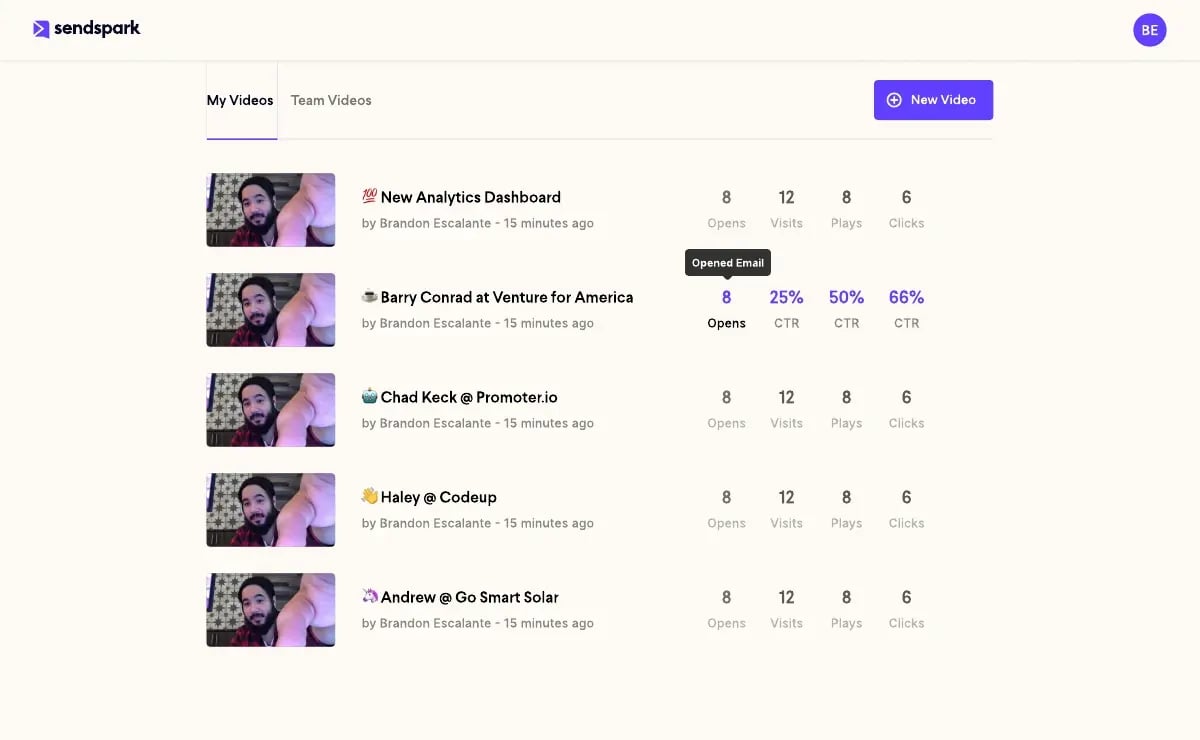
- Video analytics — track opens, plays, watch time, and CTA clicks per recipient
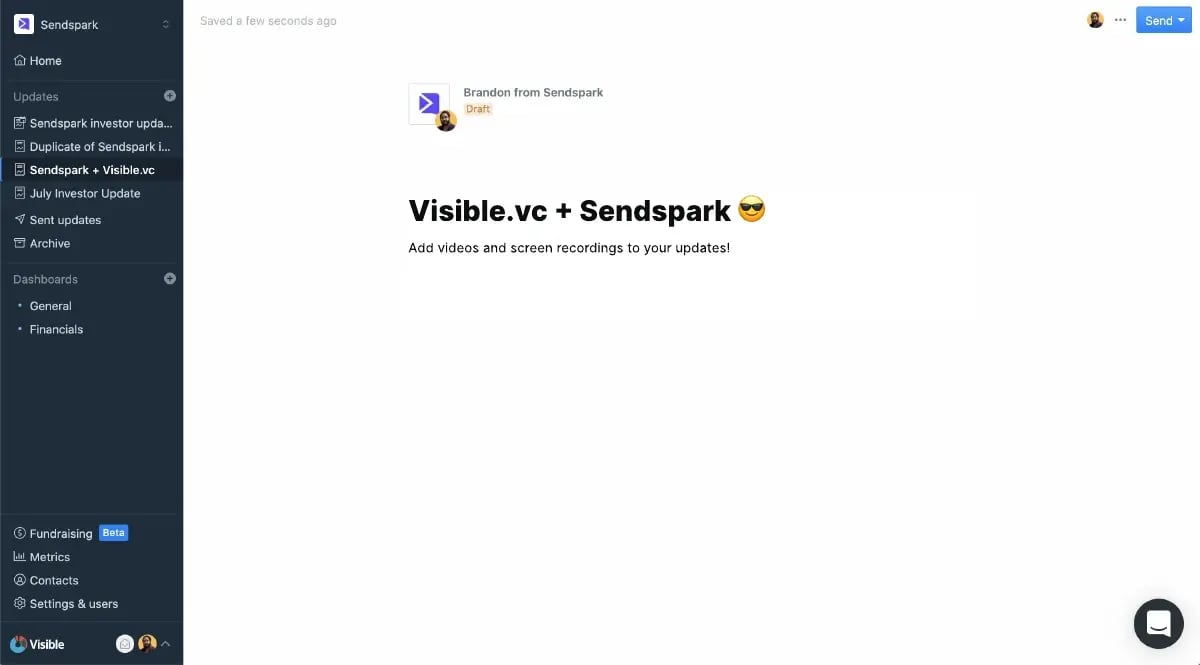
- Native integrations with HubSpot, Salesforce, Outreach, SalesLoft, and Apollo
Best for: B2B SaaS and services teams doing outbound prospecting who want video to stand out in crowded inboxes. Works well as a layer on top of existing email sequencing tools — embed Sendspark videos directly in your Apollo, Outreach, or SalesLoft sequences.
Pricing: Solo $49/mo, Growth $99/mo (3 seats, API access), Team $299/mo (10 seats). See full pricing.
G2 rating: 4.8/5 (350+ reviews)
2. Apollo.io — Best All-in-One Prospecting + Sequencing
Apollo.io combines a 270M+ contact database, email sequencing, dialer, and basic LinkedIn automation in a single platform. For teams that want to go from “finding prospects” to “sequences running” without stitching together multiple tools, Apollo is the most complete option at its price point.
The free tier is genuinely useful — 50 email credits per month and basic sequencing are included. Paid plans unlock unlimited email credits, advanced analytics, and CRM sync with HubSpot and Salesforce. The sequencing logic is solid for email + call, though LinkedIn automation requires a separate Chrome extension.
Best for: Startups and growth-stage teams (10-100 seats) that want to combine data sourcing and outreach in one tool. The all-in-one approach reduces tool sprawl and speeds up ramp time for new reps.
Pricing: Free tier; Basic $49/mo; Professional $79/mo; custom Enterprise.
3. Outreach — Best for Enterprise SDR Teams
Outreach (the platform, not the generic concept) is the market leader in sales engagement for enterprise teams. It has the deepest sequencing logic on the market — conditional branches, AI-suggested next steps, governance rules for compliance, and territory-level management tools that enterprise revenue ops teams need.
The tradeoff is cost and complexity. Pricing is quote-only and typically starts above $100/seat/month. Implementation takes weeks, not days. For small teams or early-stage companies, the overhead isn’t justified. For an enterprise with 50+ SDRs and a revenue ops team managing sequences, Outreach’s governance and analytics depth is worth it.
Best for: Enterprise sales organizations (50+ reps) with dedicated revenue ops support who need compliance controls and manager-level visibility.
Pricing: Custom (contact sales). Requires annual contract.
4. Salesloft — Best for Revenue Teams Needing Deal Intelligence
Salesloft has evolved from a pure outreach/sequencing tool into a revenue intelligence platform. It now includes conversation intelligence (recording and analyzing calls), deal health scoring, and pipeline forecasting alongside its core cadence functionality. If your team uses calls heavily and wants AI coaching for reps on live calls, Salesloft offers that capability natively.
Like Outreach, pricing is quote-only and targets mid-market to enterprise buyers. The multi-product platform means more complexity but also more data in one place — call recordings, email threads, and deal activity all linked at the account level.
Best for: Mid-market and enterprise teams (20+ reps) who want conversation intelligence and deal health data in the same platform as their outreach sequences.
Pricing: Custom (contact sales).
5. Reply.io — Best for Mid-Market Teams on a Budget
Reply.io covers email, calls, LinkedIn, SMS, and WhatsApp in a single sequence builder. Its AI email generation (Jason AI) can write personalized first drafts based on prospect LinkedIn profiles, which reduces the time reps spend on manual personalization. The platform also includes an inbox management view so reps handle all replies in one place.
At $49/month for a single seat (with volume pricing for larger teams), Reply.io is significantly cheaper than Outreach or Salesloft while covering similar channel breadth. The trade-off is less sophisticated analytics and no native conversation intelligence.
Best for: Teams of 2-20 reps that want multi-channel sequences and AI writing assistance without enterprise-level pricing.
Pricing: Starter $49/mo; Scale $89/mo; Custom Enterprise.
6. Instantly — Best for High-Volume Cold Email Teams
Instantly is designed for teams that send at very high volume — thousands of emails per day across multiple sending domains. Every plan includes unlimited email accounts and a built-in email warm-up service that automatically raises deliverability for new sending addresses. The analytics focus on deliverability metrics (inbox rate, spam rate, domain health) that volume-focused teams care about most.
The trade-off is channel breadth — Instantly is primarily email-focused. There’s no native phone dialer or LinkedIn automation. For teams running multi-channel sequences, Instantly works best as a pure email engine supplemented by other tools.
Best for: Cold email agencies, demand gen teams, and SDR teams running high-volume email programs (5,000+ emails/day).
Pricing: Growth $37/mo; Hypergrowth $97/mo; Light Speed $358/mo.
Common mistake
Don’t choose outreach software based on price alone. A tool that’s $30/month cheaper but lacks bidirectional CRM sync will cost your team hours per week in manual data entry. Calculate the total cost including rep time lost to manual workarounds.
7. Klenty — Best for SMB Teams with HubSpot or Salesforce
Klenty’s standout feature is its CRM integration depth. The bidirectional sync with HubSpot and Salesforce is tighter than most tools at this price point — contact properties update in real time, sequence enrollment can be triggered directly from CRM workflows, and deal stage changes pause or advance sequences automatically.
Klenty also supports intent-based triggers, where prospect website visits or email engagement automatically move contacts to higher-priority sequences. For teams that treat their CRM as the source of truth and want their outreach software to feel like a native extension of it, Klenty is the best SMB-tier option.
Best for: SMB and mid-market teams (5-50 reps) that run HubSpot or Salesforce as their primary CRM and want deep, reliable sync.
Pricing: Startup $50/seat/mo; Growth $70/seat/mo; Pro $100/seat/mo.
8. Woodpecker — Best for Agencies Sending on Behalf of Clients
Woodpecker is built for the agency use case — one team managing outreach campaigns for multiple clients with separate sending accounts, templates, and reporting per client. The multi-sender architecture lets agencies keep client data and sending reputations isolated, which matters for deliverability and contract compliance.
The interface is simpler than Apollo or Outreach, which keeps onboarding time short for new campaigns. Woodpecker’s A/B testing and reply detection are solid, but the analytics depth and CRM integrations are thinner than some competitors.
Best for: Sales development agencies, marketing agencies, and consultants running outreach for multiple client accounts.
Pricing: Cold Email $29/mo per slot; Sales Assistant $49/mo per slot; custom Agency plans.
9. Mailshake — Best for Teams Starting with Cold Email
Mailshake is the most beginner-friendly outreach tool on this list. The sequence builder is straightforward, the interface is clean, and the onboarding takes hours rather than days. It includes email sequences, a phone dialer (Power Phone Dialer), and LinkedIn automation via a Chrome extension.
The analytics are solid for email (open rates, click rates, reply rates per sequence step) and the built-in lead catcher automatically surfaces replies and interested leads for rep action. For a team new to outreach software that wants to get running quickly, Mailshake has the shortest time-to-value.
Best for: Small teams (2-15 reps) or individuals who are new to outreach automation and want a simple, reliable tool without a steep learning curve.
Pricing: Starter $25/mo; Email Outreach $45/mo; Sales Engagement $75/mo.
10. Lemlist — Best for Image and Video Personalization in Email
Lemlist’s core differentiator is dynamic image personalization — you can insert a screenshot of a prospect’s LinkedIn profile or website directly into an email template image, personalized per recipient at send time. Combined with basic video thumbnail personalization, this makes Lemlist particularly strong for teams that want visual personalization without a dedicated video platform.
Lemlist covers email, LinkedIn automation (via extension), and cold calling in one sequence builder. The community (lemlist Academy) is large and active, making it easier to find sequences and templates from practitioners. The limitation is that the “video” support is thumbnail-only — it doesn’t do true personalized video like Sendspark.
Best for: Teams that want image-personalized emails and a strong community of templates and best practices.
Pricing: Email Starter $39/mo; Email Pro $69/mo; Multichannel Expert $99/mo.
How to Choose the Right Outreach Software for Your Team
The right outreach software is the one your reps will actually use. Sophisticated tools with steep learning curves get abandoned. Here are the four questions that matter most when evaluating options for your team.
1. What channels does your team use?
If your team is email-only, a tool like Instantly or Woodpecker covers you at lower cost. If you run email + phone + LinkedIn sequences, you need a multi-channel platform like Apollo, Reply.io, or Klenty. If video is part of your outreach mix — and it should be, given the reply rate lift — you’ll want either a dedicated tool like Sendspark that integrates with your sequencing platform, or a platform that has native video support.
According to McKinsey research on B2B sales, buyers now interact across an average of 10 channels before making a purchase decision. Multi-channel outreach software lets your team be present across those touchpoints systematically rather than manually.
2. How does it integrate with your CRM?
A poorly integrated outreach tool creates a parallel database that diverges from your CRM over time. Reps end up manually syncing notes, and managers lose visibility into rep activity. Before buying, test the actual sync quality — not just whether an integration exists, but whether activity data flows both ways, whether sequence enrollment can be triggered from CRM workflows, and whether contact updates in one system reflect in the other within minutes, not hours.
For teams on HubSpot, Sendspark’s HubSpot integration is rated 5/5 on the HubSpot App Marketplace — all video engagement data (opens, plays, watch time, CTA clicks) flows directly into contact and deal records. For our full analysis of outreach workflows, see our guide to outbound prospecting for B2B teams.
3. How much personalization do you need?
Basic personalization — first name, company, industry — is table stakes for any modern outreach tool. True personalization requires dynamic content that changes per recipient: custom snippets referencing their recent news, image personalization with their website, or video personalization with their name spoken aloud. The more personalized the outreach, the higher the reply rate — but also the more sophisticated the tool required.
For teams scaling sales prospecting with video, Sendspark’s video personalization engine generates unique variants at scale. One rep can send 1,000 personalized videos in the time it would take to record 20 individual ones. See how our approach compares to standard email in our sales automation software guide.
See our roundup of the personalized video software.
4. What’s your team’s tech stack and budget?
Enterprise tools like Outreach and Salesloft require annual contracts and revenue ops support to configure. SMB tools like Mailshake or Reply.io run on monthly billing and can be set up in a day. Match your tool complexity to your team’s operational maturity. A 5-rep startup doesn’t need Outreach. A 200-rep enterprise team will outgrow Mailshake.
For a deeper look at how outreach software fits into a broader sales tech stack, see our breakdown of the best B2B prospecting tools. And for understanding the automation layer specifically, our sales automation software guide covers how these tools work together.
The HubSpot Sales Enablement research consistently shows that teams using structured outreach sequences outperform those doing ad-hoc prospecting by a significant margin — not because the software is magic, but because consistency and follow-through at volume is what turns cold prospects into meetings.
Sources & References
- Salesforce State of Sales Report — “Sales reps spend only 28% of their work week actually selling” (2024)
- RAIN Group Sales Outreach Research — “Top-performing salespeople make 50% more contact attempts to reach a prospect than average performers” (2024)
- McKinsey B2B Sales Research — “B2B buyers now interact across an average of 10 channels before making a purchase decision” (2024)
- HubSpot Sales Enablement Report — Teams using structured outreach sequences outperform ad-hoc prospecting across reply rates and meeting conversion (2024)
- Gartner Sales Technology Research — Sales technology adoption trends and ROI benchmarks for B2B revenue teams (2025)
Record One Video. AI Personalizes Thousands.
Sendspark is the AI video personalization platform for B2B sales. Record once, and AI voice cloning generates thousands of individually personalized videos with dynamic backgrounds and personalized thumbnails — each prospect hears their name, sees their website, in your voice. Sales teams see 2-3x more replies.
Get Started NowFrequently Asked Questions
What is outreach software used for in B2B sales?
Outreach software automates multi-step, multi-channel prospecting sequences for B2B sales teams. It lets reps define a cadence of emails, calls, LinkedIn messages, and video touchpoints, then runs those sequences automatically — including reply detection, follow-up timing, and CRM activity logging — so reps focus on conversations rather than workflow management.
How is outreach software different from email marketing tools?
Email marketing tools (like Mailchimp) send one-to-many broadcasts to opt-in subscriber lists. Outreach software is built for one-to-one cold prospecting — it handles reply detection, bidirectional CRM sync, call logging, and multi-channel sequences. Using an email marketing tool for cold outreach also creates serious deliverability and compliance risks.
What’s the best outreach software for small B2B sales teams?
For teams under 10 reps, Apollo.io, Reply.io, and Mailshake are the strongest options — all offer multi-channel sequences, solid CRM integration, and transparent monthly pricing. Apollo stands out because its built-in contact database eliminates a separate prospecting tool. For teams wanting to add video outreach, Sendspark integrates directly with all three.
How much does outreach software typically cost?
Outreach software ranges from $25-100+/seat/month depending on features and scale. Budget tools like Mailshake start at $25/month. Mid-market platforms like Apollo and Reply.io run $49-89/month per seat. Enterprise platforms like Outreach and Salesloft require custom quotes, typically $100-150+/seat/month with annual contracts.
Does outreach software integrate with HubSpot and Salesforce?
Most modern outreach software includes native HubSpot and Salesforce integrations. Quality varies significantly — some tools offer full bidirectional sync where sequence activity updates CRM records in real time, while others only push basic email send data. Before committing, test the actual sync quality by enrolling a test contact and checking whether all activity (emails, calls, opens, replies) flows correctly into your CRM.
Can outreach software send personalized video emails?
Most outreach platforms support embedding video thumbnails in email but don’t generate personalized video content. For true personalized video outreach — where each recipient sees their own name, company, and website in the video — you need a dedicated tool like Sendspark. Sendspark integrates with major outreach platforms including Apollo, Outreach, SalesLoft, and HubSpot, letting you embed personalized video directly in your existing sequences.
What is the most important feature to look for in outreach software?
CRM integration quality is the most important feature — not whether an integration exists, but whether it syncs bidirectionally and reliably. Poor CRM sync creates data silos where outreach activity is invisible to managers and reps spend hours on manual data entry. After integration quality, prioritize sequencing flexibility (how many channels, how complex the logic) and deliverability tooling (email warm-up, bounce management).