Ask a B2B sales rep who’s demoing video outreach software, and sooner or later a prospect asks the same thing: “How is this different from just recording my screen?” It’s a fair question. A screen recorder and an AI video personalization platform both start the exact same way — you hit record.
The difference shows up the moment you send that video to more than one person. A screen recording is a single file that looks identical to every viewer. AI video personalization takes that same recording and generates a unique version for each prospect — their name, their company, their website in the background — without you touching the record button again. This guide breaks down what each actually is, where a plain screen recorder still earns its keep, and how to move from one to the other without re-recording a single video.
Key Takeaways
- Screen recording captures one video file that looks the same for every viewer; AI video personalization uses that same recording to generate a unique version for each prospect.
- Gartner reports that 67% of B2B buyers now prefer a rep-free buying experience, which makes identical, one-size-fits-all video outreach even less effective at getting a reply.
- The global screen recording software market is projected to grow to $11.45 billion by 2034 (Fortune Business Insights), but almost none of that growth includes per-recipient personalization.
- Sendspark customers use AI voice cloning and dynamic backgrounds to turn one recording into thousands of personalized videos and see 200-300% higher email reply rates as a result.
- Plain screen recording still makes sense for internal demos, bug reports, and one-off support videos — AI video personalization is the layer sales teams add for outbound prospecting at scale.
What’s the Difference Between Screen Recording and AI Video Personalization?
Screen recording captures your screen, webcam, or both into a single video file that plays back identically for every viewer. AI video personalization is a layer on top of that recording: it uses AI voice cloning and dynamic backgrounds to automatically generate a distinct version of the video for each recipient, swapping in their name, company, and website without you re-recording anything.
Screen recording is a category of software that captures on-screen activity, audio, and webcam video into a shareable file — tools like Loom, OBS, and QuickTime fall into this bucket. AI video personalization is a category of software that starts from one source recording and uses AI to automatically produce individually customized outputs at scale, which is what Sendspark’s AI-personalized video platform does.
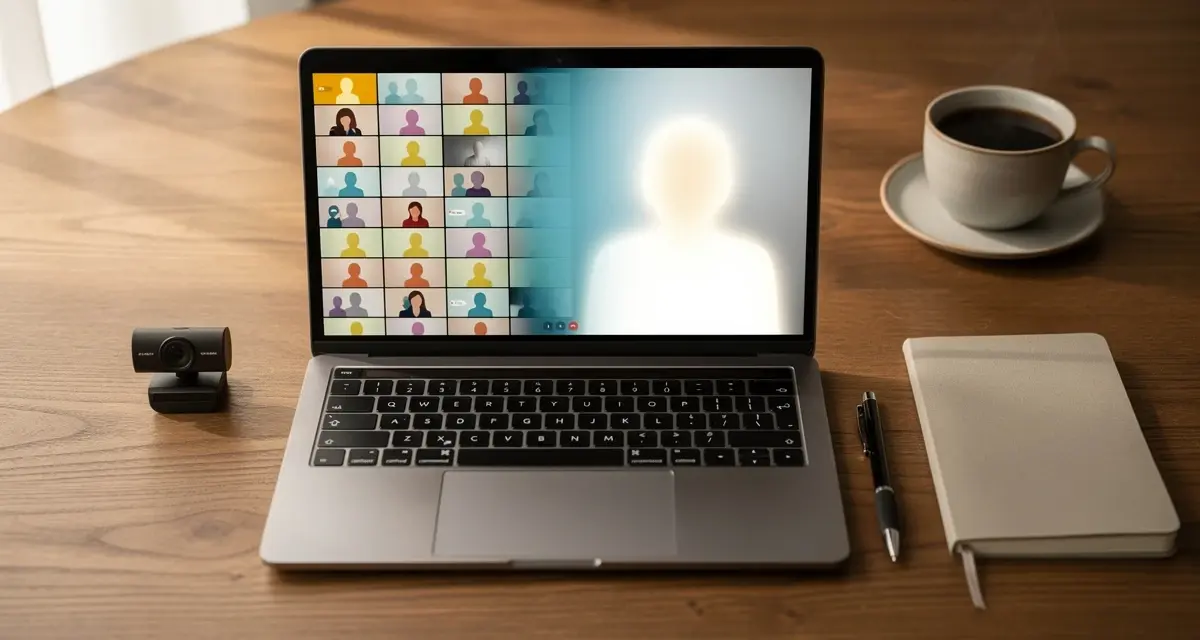
The confusion is understandable, because both tools open to the same interface: a red record button, a camera preview, and a screen-share toggle. The divergence happens entirely after you stop recording. A screen recorder gives you a link to that one file. An AI video personalization platform treats that file as a template and generates a unique, individually addressed video for every name on your list.
This is also why the two categories get lumped together in casual conversation even though they solve different problems. Someone who only ever sends video to one person at a time — a single client, a single teammate — will never notice the gap, because a screen recorder does everything they need. The gap only becomes visible at the moment a rep tries to send a recorded pitch to more than a handful of prospects and realizes that re-recording it individually isn’t realistic.
Common mistake
Adding a prospect’s first name to the email subject line and calling the video “personalized” doesn’t hold up. If every recipient sees the identical recording, that’s screen recording with a mail-merge on top, not AI video personalization.
Screen Recording vs. AI Video Personalization: Side-by-Side Comparison
The core difference between a screen recorder like Loom or QuickTime and an AI video personalization platform like Sendspark comes down to five things: what the tool outputs, how personalization happens, where the video lives, what analytics come back, and how pricing scales as your list grows. The table below compares each directly.
| Feature | Screen Recording Tools (Loom, QuickTime, OBS) | AI Video Personalization (Sendspark) |
|---|---|---|
| Output | One video file, identical for every viewer | Thousands of individually personalized videos from one recording |
| Personalization method | Manual re-recording per prospect, or none | AI voice cloning + dynamic backgrounds + personalized thumbnails |
| Distribution | Shareable link or embedded file | Native sends through HubSpot, Outreach, Smartlead, and 50+ email and LinkedIn integrations |
| Analytics | Aggregate view counts | Per-recipient opens, watch time, and CTA clicks synced to your CRM |
| Best for | Internal demos, async QA, one-off support videos | Outbound prospecting, deal progression, and any 1:many sales motion |
Loom is the tool most sales reps mean when they say “screen recorder” — see our breakdown of Loom alternatives for B2B sales teams if that’s the comparison you’re actually making. But Loom and Sendspark aren’t solving the same problem. Loom captures and shares; Sendspark captures once and personalizes at scale using AI, which is the mechanism behind the reply-rate gap in the next section. If you’re weighing the broader landscape rather than one tool, our roundup of the best video prospecting tools for B2B sales teams sorts screen recorders from AI personalization platforms so you’re comparing like with like.
Record One Video. AI Personalizes Thousands.
Sendspark is the AI video personalization platform for B2B sales. Record once, and AI voice cloning generates thousands of individually personalized videos with dynamic backgrounds and personalized thumbnails — each prospect hears their name, sees their website, in your voice. Sales teams see 2-3x more replies.
Get Started NowWhy Plain Screen Recording Falls Short for B2B Sales Outreach
Plain screen recording falls short for outbound sales because every recipient gets the identical video, and today’s buyers are actively trying to avoid exactly that kind of generic outreach. Gartner reports that 67% of B2B buyers now prefer a rep-free buying experience, up from a third of buyers just a few years earlier. A screen recording proves you can talk. It doesn’t prove you did any research on the person watching it.
That expectation gap isn’t unique to sales. McKinsey’s Next in Personalization research found that 71% of consumers expect personalized interactions from the companies they buy from, and 76% get frustrated when that personalization doesn’t show up. A single screen recording, no matter how well-produced, cannot clear that bar by itself once it’s been sent to more than one prospect.
RAIN Group’s Center for Sales Research found that 67% of buyers say fully customized content influences them to take a meeting, a number that climbs to 75% among C-level and VP buyers. That’s the gap AI video personalization is built to close: the same recorded pitch, but individually addressed to the person watching it.
“Many reps either spend hours personalizing emails (because LinkedIn influencers told them to) and get little to nothing in return, or mass blast, cross their fingers, and hope for the best.”
— Jason Bay, CEO, Outbound Squad (via Gong)
That’s the exact trap plain screen recording sets: the honest choice is between manually re-recording a video for every single prospect (which doesn’t scale past a handful of accounts) or sending the same generic recording to everyone (which reads as mass-blast, not outreach). AI video personalization removes that trade-off by generating the individually addressed version automatically.
What B2B Sales Teams Are Saying
Sales teams that have switched from a plain screen recorder to an AI video personalization platform consistently report the same shift: reply volume goes up not because the message got better, but because prospects can tell the video was actually about them. Reps who previously spent hours cutting one-off Loom videos for their top accounts say the AI-personalized version takes the same amount of effort per prospect as sending a text email, because the personalization happens automatically after the single recording is made.
The critical perspective is worth including too: teams that lean too hard into personalization without a real reason for it (a name and a logo swapped into an otherwise generic script) see diminishing returns, because prospects notice when “personalized” only means surface-level. The tools that keep working are the ones where the personalization ties back to something specific about the prospect — their site, their role, a trigger event — not just a mail-merge field.
None of this means the recording quality stops mattering. Reps who move to AI video personalization and treat the source recording as an afterthought — bad lighting, a rushed script, no clear ask — just end up sending a poorly produced video to more people, faster. The personalization layer amplifies whatever is in the original recording, for better or worse, so the fundamentals of a good sales video still apply before AI ever touches it.
When Screen Recording Alone Still Makes Sense
Plain screen recording is still the right tool when a video only needs to reach one person or a small internal audience and doesn’t need to scale. Bug reports, async QA walkthroughs, internal onboarding clips, and one-off customer support answers don’t benefit from AI personalization because there’s no list of prospects to personalize for in the first place.
The honest tradeoff: a dedicated screen recorder is simpler to open and faster for a single, throwaway clip. If you’re explaining one bug to one engineer, you don’t need dynamic backgrounds or voice cloning — you need a link you can paste into Slack in under a minute. That’s exactly why Sendspark still includes straightforward screen recording with webcam as one feature inside the broader platform, rather than forcing every recording through a personalization workflow it doesn’t need.
Advanced strategy
Use the same base recording for both jobs: record your pitch once, send the raw file internally for team feedback, then run the approved version through AI personalization for the actual prospect list. One recording, two workflows.
The line to watch for: the moment a single recording needs to go to more than a few people who each deserve to feel individually addressed, screen recording alone stops being efficient. That’s the point where outbound prospecting teams typically add AI video personalization on top of, not instead of, their existing recording habits.
How to Move From Screen Recording to AI-Personalized Video Outreach
Moving from a screen recorder to AI video personalization takes four steps: record one video with a flexible script, clone your voice with AI, apply dynamic backgrounds and personalized thumbnails per recipient, and connect the output to your CRM or sequencer so replies and views flow back automatically. None of the four steps require re-recording once the first video is done.
- Record once with a name-agnostic script. Write your pitch so it works without saying the prospect’s name out loud — the AI layer handles the spoken personalization, so your script should focus on the value proposition rather than a scripted greeting.
- Clone your voice with AI. Sendspark’s AI voice cloning generates the personalized name and company mentions in your own voice, so the finished video still sounds like you recorded it individually for that person.
- Layer in dynamic backgrounds and personalized thumbnails. Instead of a static screen share, the background can show the prospect’s actual website, and the video thumbnail in their inbox can display their logo — both proven to lift open and click-through rates.
- Connect to your CRM and sequencer. Push personalized sends through HubSpot, Outreach, or Smartlead so per-recipient watch time and CTA clicks land in the same record your rep already works from, instead of a separate analytics dashboard nobody checks.
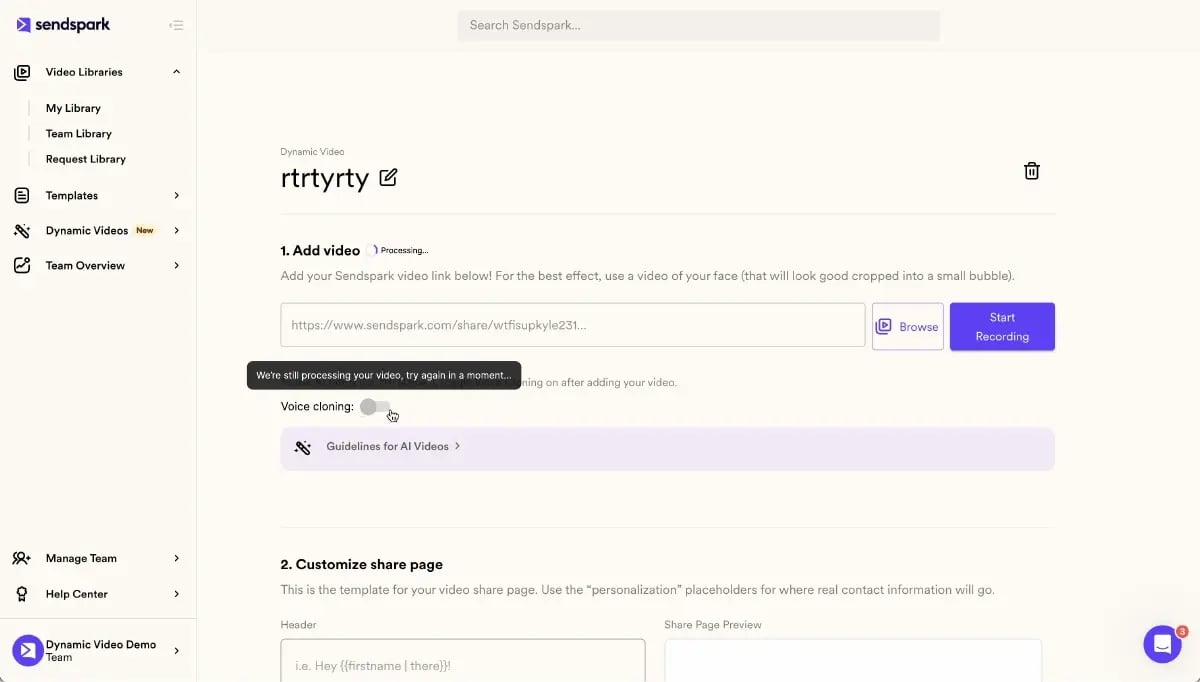
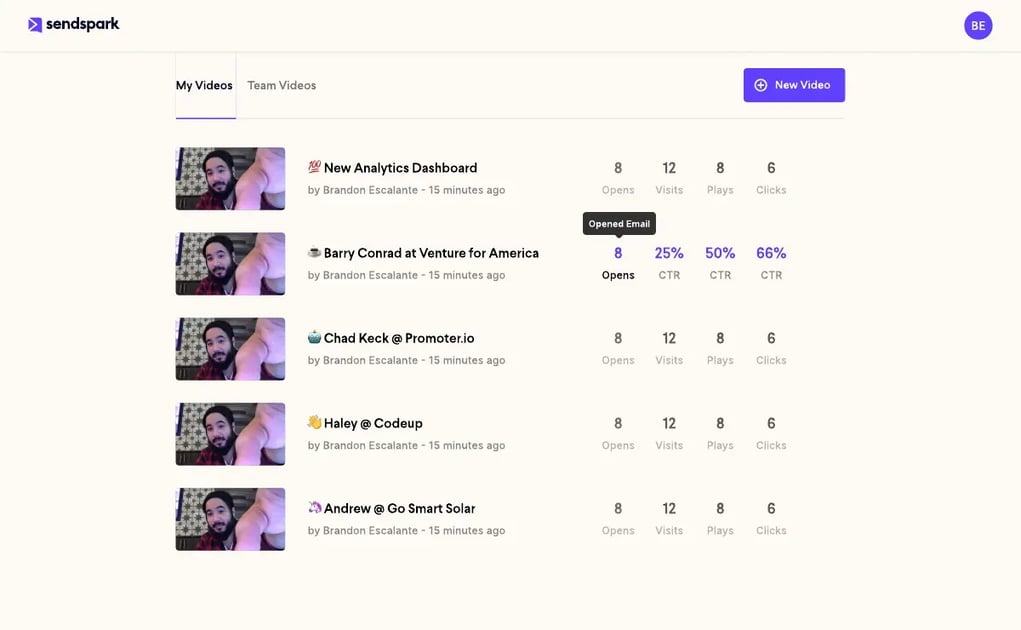
Teams that follow this record-once, personalize-thousands playbook typically get their first batch of personalized videos out within a day of recording the source video, since the AI personalization step itself takes minutes, not hours, regardless of list size. For a deeper walkthrough of what “personalized at scale” looks like across a full pipeline, see our complete guide to personalized video at scale and the video prospecting guide in our resources hub.
On cost: a screen recorder is typically priced per seat regardless of how many videos you send, while AI video personalization platforms price around usage — videos, minutes, or AI credits — because the value scales with how many prospects you’re reaching, not how many people are logging in to record. Compare the tiers on the Sendspark pricing page against your current outbound volume before switching.
| If you need to… | Use |
|---|---|
| Send one video to one internal teammate | Plain screen recording |
| Document a bug or walk through a QA step | Plain screen recording |
| Send a personalized video to a prospect list | AI video personalization |
| Track per-recipient opens and CTA clicks in your CRM | AI video personalization |
Published August 2026
Frequently Asked Questions
What is the difference between screen recording and AI video personalization?
Screen recording captures one video file that looks the same for every viewer. AI video personalization uses that same recording to automatically generate a unique version for each recipient, with their name, company, and website swapped in without re-recording.
Is Sendspark just a screen recorder?
No. Sendspark includes screen recording as one feature, but its core function is AI video personalization: recording once and using AI voice cloning and dynamic backgrounds to generate thousands of individually personalized videos from that single recording.
Can I use my existing screen recordings and still personalize them for prospects?
Yes. Any existing recording, including ones made in a plain screen recorder, can be used as the source video for AI personalization, as long as it doesn’t already contain one prospect’s name spoken out loud.
Does AI video personalization work with videos recorded in Loom or QuickTime?
Yes, in most cases. A recording exported from Loom or QuickTime can typically be uploaded and used as the source video, though recording directly in an AI video personalization platform avoids an extra export and upload step.
Is an AI avatar the same thing as AI video personalization?
No. An AI avatar is a fully synthetic digital presenter, while AI video personalization starts from a real recording of an actual person and uses AI only to personalize details like name, company, and background for each recipient.
How much does AI video personalization cost compared to a basic screen recorder?
Basic screen recorders are typically priced per seat starting around free to $15/month. AI video personalization platforms like Sendspark price around usage, starting at $49/month for a solo plan with 5,000 videos and 100 Dynamic Video Minutes included.
How many personalized videos can I create from one screen recording?
There’s no practical limit tied to the source recording itself — the same video can generate personalized versions for a list of 10 prospects or 10,000, since the AI personalization step scales with your plan’s video and credit allowance, not the length of the original recording.
Sources & References
- Gartner — “67% of B2B buyers prefer a rep-free buying experience” (2026)
- McKinsey & Company, Next in Personalization research — “71% of consumers expect personalized interactions; 76% get frustrated when it’s absent” (2023)
- RAIN Group Center for Sales Research — “67% of buyers say fully customized content influences them to take a meeting, rising to 75% for C-level/VP buyers” (2024)
- Fortune Business Insights — “Global screen recording software market projected to grow from $2.95B in 2026 to $11.45B by 2034” (2026)
- Gong (quoting Jason Bay, CEO of Outbound Squad) — “Many reps either spend hours personalizing emails… or mass blast, cross their fingers, and hope for the best” (2025)
- HubSpot — sales and video-conversion benchmark statistics (2025)
Record One Video. AI Personalizes Thousands.
Sendspark is the AI video personalization platform for B2B sales. Record once, and AI voice cloning generates thousands of individually personalized videos with dynamic backgrounds and personalized thumbnails — each prospect hears their name, sees their website, in your voice. Sales teams see 2-3x more replies.
Get Started Now