Most business development emails get no reply. Not because the product isn’t interesting — but because the email reads like a form letter. BD reps who craft specific, research-backed outreach consistently see 3-5x more replies than those using generic blasts. These 8 templates give you a proven foundation for every key BD scenario, from cold intros to partnership proposals to re-engagement, so you can stop guessing and start booking meetings. For more cold-outbound formats, see our outreach email templates by use case.
Key Takeaways
- Business development emails differ from cold emails in intent — BD outreach focuses on strategic relationships and partnerships, not immediate transactional sales.
- According to McKinsey, personalization drives a 10-15% revenue boost and significantly higher conversion rates than generic outreach.
- The optimal BD email is 75-125 words, contains one clear CTA, and references something specific to the recipient’s company or role.
- AI video personalization through platforms like Sendspark allows BD teams to record one video and generate thousands of individually addressed video messages — delivering 200-300% more replies than text-only email.
- The 8 templates below cover every major BD scenario: cold intro, partnership proposal, referral, post-event follow-up, re-engagement, LinkedIn follow-up, product announcement, and strategic alliance.
What Makes Business Development Emails Different?
Business development emails are strategic relationship emails, not transactional sales emails. A BD email proposes partnerships, explores co-selling arrangements, requests warm introductions, or opens dialogue about long-term opportunity — whereas a cold sales email pitches a product with an immediate demo or trial CTA. The distinction matters because the wrong frame sends the wrong signal to the reader, and even a well-written sales email will tank if it’s sent to someone who needs a partner pitch.
The practical differences show up in three places:
- Intent: BD emails explore mutual value — “here’s what we could do together” — while sales emails establish individual value — “here’s what we can do for you.”
- Audience: BD emails often go to founders, VPs, or business owners who think in terms of strategy and relationships, not features and pricing.
- Timeline: BD conversations develop over weeks or months. The email is the first step in a longer conversation, not a shortcut to a same-week close.
That said, both types of outreach share one universal requirement: specificity. According to McKinsey research on personalization, emails that reference something specific to the recipient convert at dramatically higher rates than generic outreach — and the gap is widening as AI-generated mass email floods inboxes.
The templates below are structured around the key BD scenarios B2B teams encounter most. Each one is designed to open a real conversation, not land in the trash folder.
For reaching out to potential business partners specifically, see our guide to professional partnership email templates for B2B sales outreach.
Pro tip
Before sending any BD email, spend 5 minutes on the recipient’s LinkedIn profile and company homepage. Look for a recent announcement, funding round, product launch, or job post — one specific reference in your opening line triples your reply rate compared to a generic opener.
8 Business Development Email Templates for 2026
These templates are ready to copy, customize, and send. Each one includes a subject line, body copy, and brief notes on when to use it and what to personalize. Replace every [bracket] with real information — a blank placeholder is a reply-killer.
Template 1: Cold Intro / First Touch
When to use: You’ve identified a high-value prospect with no prior contact. Use this when you have a specific observation about their business that creates a natural opening.
Subject: Quick question about [Company Name]’s [relevant initiative or goal]
Hi [First Name],
I noticed [Company Name] recently [specific observation — e.g., launched a new product, expanded to a new market, posted for 3 SDR roles]. That kind of growth usually comes with some interesting challenges on the [relevant area — e.g., outbound sales, partnership, customer acquisition] side.
We help [type of company] teams [specific outcome]. We recently worked with [similar company] to [specific result].
Worth a 15-minute call to see if there’s a fit? I have [day] and [day] open this week.
— [Your Name]
Personalization tips: The observation in line 2 is everything. Set up Google Alerts or use a tool like Clay to get notified of triggers — funding rounds, job openings, leadership changes, press mentions — so the observation is fresh and timely.
Template 2: Partnership Proposal
When to use: You’ve identified a company that serves a complementary audience or has a product that integrates well with yours. BD teams use this for co-marketing, integration, or reseller conversations.
Subject: Partnership idea — [Your Company] + [Their Company]
Hi [First Name],
I’ve been following [Company Name] for a while — [specific thing you admire or have noted]. I think there’s a natural partnership angle between our two companies.
We work with [X type of companies], and a lot of them also use [their product or category]. A co-marketing arrangement or integration partnership could add real value for both customer bases.
I’d love to explore what a partnership could look like. Are you the right person to talk to, or should I connect with someone else on your team?
— [Your Name]
Personalization tips: Research who handles partnerships at the company — often a VP of Partnerships, Head of BD, or co-founder. Avoid sending to general sales inboxes. The question at the end (“are you the right person?”) dramatically increases response rate because it removes friction and invites a simple redirect even if they can’t help.
Template 3: Referral Outreach
When to use: A mutual contact referred you or gave you permission to use their name. This is the highest-converting BD email type because social proof is baked in from the first line.
Subject: [Mutual Contact] suggested I reach out
Hi [First Name],
[Mutual Contact’s name] mentioned you’d be a great person to talk to about [specific topic]. They thought our work in [area] might be relevant to what you’re building at [Company Name].
We help [type of company] teams [specific outcome]. Happy to share more if the timing makes sense.
Do you have 20 minutes in the next couple of weeks?
— [Your Name]
Personalization tips: Always get explicit permission from the mutual contact before using their name. A warm referral that the recipient can verify is worth 5x more than a cold name-drop. If possible, ask the mutual contact to make the intro via email — a true warm intro converts even better than a referral mention.
Record One Video. AI Personalizes Thousands.
Sendspark is the AI video personalization platform for B2B sales. Record once, and AI voice cloning generates thousands of individually personalized videos with dynamic backgrounds and personalized thumbnails — each prospect hears their name, sees their website, in your voice. Sales teams see 2-3x more replies.
Get Started NowTemplate 4: Post-Event / Conference Follow-up
When to use: You met someone at a conference, trade show, or virtual event. The sooner you send this, the better — ideally within 24-48 hours while the conversation is fresh.
Subject: Great meeting you at [Event Name]
Hi [First Name],
Really enjoyed our conversation at [Event Name] — especially your point about [specific thing they said or topic you discussed]. It stuck with me.
As I mentioned, we help [type of company] teams [specific outcome]. Given what you shared about [their challenge or goal], I think there could be a real fit.
Would you be up for a quick call next week to dig in a bit more?
— [Your Name]
Personalization tips: The reference to what they specifically said is the most important personalization here — it proves you were actually listening, not just collecting business cards. If you took notes during the conversation, this email writes itself. Reference a challenge they mentioned, not a compliment about their company.
Template 5: Re-engagement After No Reply
When to use: You’ve sent 2-3 touches with no response. This is a “soft break-up” email — it lowers the stakes and often prompts a reply from prospects who just needed a nudge.
Subject: Should I close your file?
Hi [First Name],
I’ve reached out a couple of times and haven’t heard back — which usually means one of three things: the timing is off, this isn’t relevant, or you’re just very busy (fair enough).
If it’s the first or last, I’m happy to reconnect when the moment is better. If it’s the second, no hard feelings — just let me know and I’ll stop reaching out.
Either way, I appreciate your time.
— [Your Name]
Personalization tips: The subject line “Should I close your file?” consistently performs better than any re-engagement subject line because it triggers a response — prospects feel the asymmetry of not replying. Use this as a final touch, not a second email. Review your cold email best practices to ensure your previous touches were strong before sending this one.
Template 6: LinkedIn Connection Follow-up
When to use: After someone accepts your LinkedIn connection request. This is warm territory — they’ve already engaged once. Convert that to a conversation before the window closes.
Subject: Thanks for connecting, [First Name]
Hi [First Name],
Thanks for connecting. I came across your profile while researching [their industry or company initiative] and thought it made sense to be in each other’s networks.
I work with [type of company] teams on [specific outcome]. I’d love to learn more about what you’re working on at [Company Name] — especially [specific area you noticed from their profile or company page].
Any chance you’d be open to a quick call?
— [Your Name]
Personalization tips: Don’t send this as a LinkedIn message — move to email as quickly as possible. LinkedIn InMail response rates are a fraction of email response rates for BD conversations. Pull their email from LinkedIn Sales Navigator, Apollo, or Clay and follow up by email for a warmer and more professional channel.
Template 7: Product / Feature Announcement
When to use: You’re announcing a new product, feature, or integration to a warm lead who has previously expressed interest but not yet moved forward. Timing an outreach around a tangible new development restarts stalled conversations.
Subject: We just launched [feature/product] — thought you’d want to know
Hi [First Name],
We just launched [new feature or product]. Given that you mentioned [challenge or goal they shared previously], I thought this was worth flagging.
[One sentence on what it does and the specific outcome it delivers.]
I’d love to show you a quick demo. Does [specific time] work, or what’s better for you?
— [Your Name]
Personalization tips: This template relies entirely on a real previous conversation — if you haven’t spoken before, the “you mentioned” line will read as fabricated and kill your credibility. Pull notes from your CRM before sending. For warm prospects who last spoke with you more than 6 months ago, consider opening with a brief re-introduction before the announcement.
Template 8: Strategic Alliance Inquiry
When to use: You want to explore a formal co-selling, channel, or reseller arrangement. This is a senior-level email — often sent to VP-level or C-suite contacts — so the framing should be board-room direct, not sales-floor pitchy.
Subject: Strategic alignment idea — [Your Company] + [Their Company]
Hi [First Name],
I’ve been looking at the overlap between [Your Company]’s customer base and [Their Company]’s ecosystem, and I think there’s a compelling case for a more formal arrangement.
[One sentence on the overlap and what customers of both companies have in common.]
We’ve done similar arrangements with [comparable company], and it’s driven meaningful revenue for both sides. I’d value 20 minutes to explore whether there’s a fit here.
— [Your Name]
Personalization tips: Research the company’s existing partner or alliance page before sending this. If they already have a formal program, reference it. If they don’t, note that. Senior leaders respond to evidence that you’ve done your homework — a company overview you clearly pulled from their website undercuts your credibility immediately.
Common mistake
Every template above has [brackets] for a reason — they’re triggers to add real information before you send. The biggest BD email mistake is leaving placeholders in or replacing them with vague phrases like “your company goals” instead of the actual goal you identified in your research.
How to Personalize BD Emails at Scale
Personalizing BD emails at scale means finding a systematic way to add prospect-specific signals without spending 45 minutes per email. The goal is to hit what researchers call “deep personalization” — references to a prospect’s specific business context — while maintaining enough volume to build a real pipeline. McKinsey research consistently finds that deep personalization generates 5-8x ROI on marketing spend compared to generic outreach.
There are three practical levels of personalization for BD email:
- Level 1 — Dynamic fields: First name, company name, and industry. Table stakes. Not enough on their own to drive replies from senior-level BD targets.
- Level 2 — Signal-based personalization: Referencing a specific trigger — a funding announcement, a new hire, a recent press mention, a product launch. Tools like Clay, ZoomInfo, and LinkedIn Sales Navigator make this scalable by surfacing real-time triggers for your prospect list.
- Level 3 — AI video personalization: Sending a short personalized video where you address the prospect by name, show their company website as the background, and speak in your own voice — even when you’re reaching hundreds of prospects simultaneously.
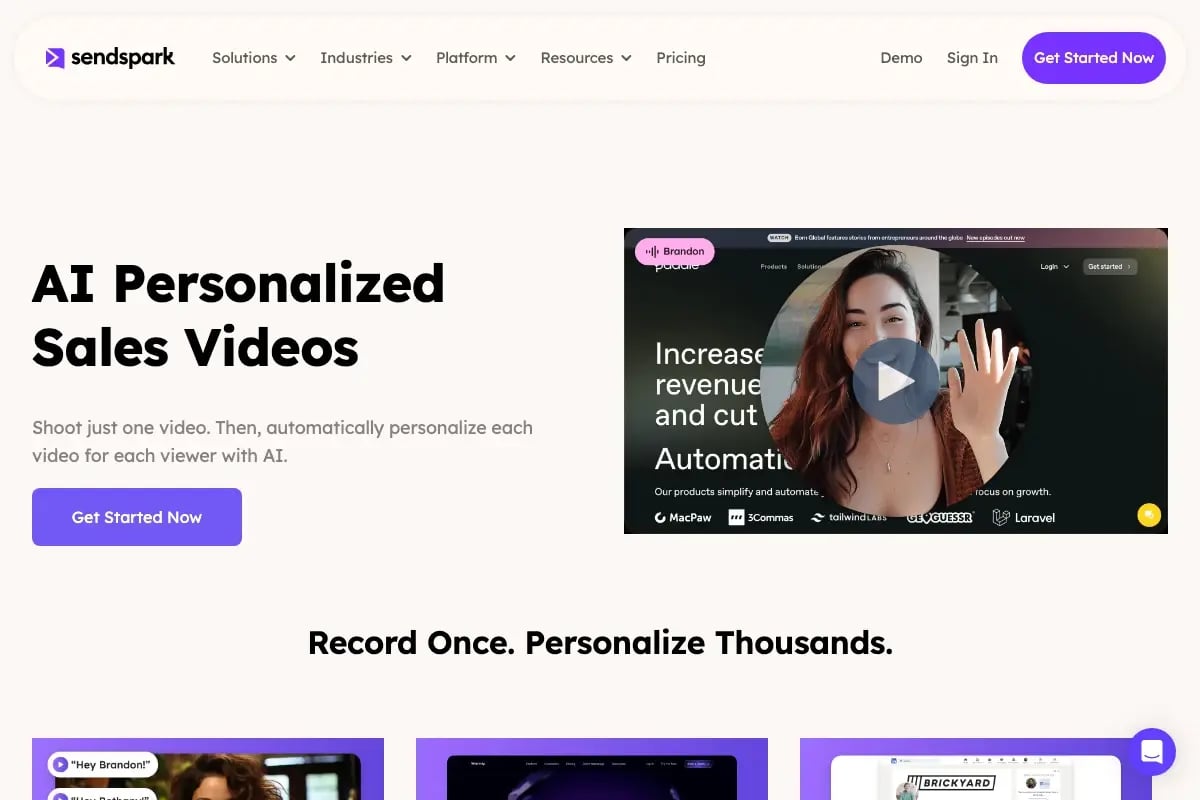
Level 3 is where Sendspark’s AI-personalized video creates a step-change in BD outreach. With AI voice cloning and dynamic backgrounds, you record one video and Sendspark automatically generates individual versions for every prospect — each hearing their own name and seeing their company’s website behind you. Sendspark BD teams using this approach report 200-300% more replies than text-only email.
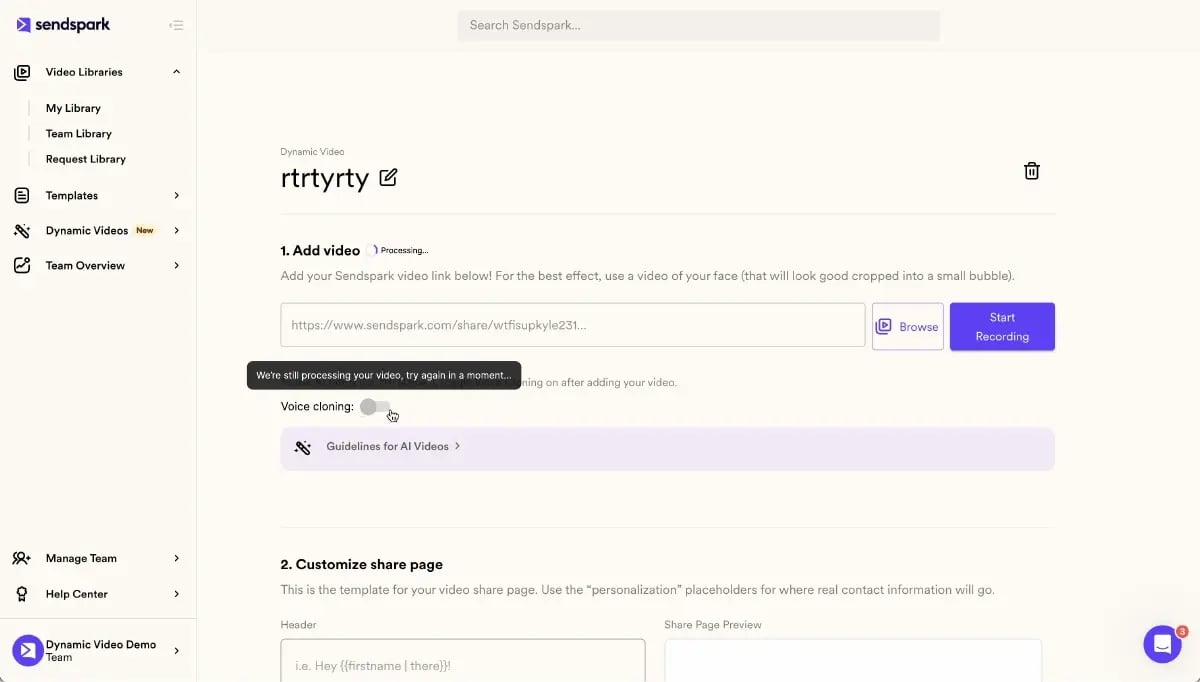
The practical workflow: use Level 2 signal research to write your BD email body (the templates above give you the structure), then layer a personalized video intro at the top of the email. The email text explains the context, the video creates the human connection. Together, they outperform either channel alone.
For sequencing, use your sales sequence to structure when each BD email type is sent. A typical BD sequence might look like: cold intro (Day 1) → LinkedIn connection follow-up (Day 4) → partnership proposal (Day 8) → re-engagement (Day 14). Review our guide on cold email personalization for additional tactics that apply directly to BD outreach.
According to RAIN Group research on B2B sales, it typically takes 8+ touches to get a decision-maker to respond to cold outreach. That means your BD sequence needs depth — not just one polished email, but a sustained, varied, and personalized follow-up cadence.
The Sendspark sales prospecting workflow makes this manageable: batch-create your personalized videos once per week, drop them into the relevant email templates, and let your CRM or outreach tool handle the sequencing. You get deep personalization at volume without the manual effort.
BD Email Quick-Reference Table
Use this table to match each business development scenario to the right template, ideal length, key personalization signal, and expected reply rate. Each row corresponds to one of the 8 templates above, giving you a quick-scan reference for choosing the right approach and setting realistic benchmarks before you hit send.
| Template | Best Use Case | Ideal Length | Key Personalization Signal | Expected Impact |
|---|---|---|---|---|
| Cold Intro | First contact with a researched prospect | 75-100 words | Specific business trigger (hiring, launch, news) | 5-15% reply rate with strong signal |
| Partnership Proposal | Exploring co-selling or integration | 100-125 words | Named overlap between customer bases | 10-20% reply rate with clear mutual fit |
| Referral Outreach | Warm intro from a mutual contact | 75-100 words | Named mutual contact + specific context | 30-50% reply rate — highest converting type |
| Post-Event Follow-up | Within 48h of meeting at an event | 75-100 words | Specific thing they said at the event | 25-40% reply rate when sent within 24h |
| Re-engagement | Final touch after 2-3 unanswered emails | 50-75 words | Low pressure, clear opt-out option | 15-25% reply rate from previously silent leads |
| LinkedIn Follow-up | After LinkedIn connection accepted | 75-100 words | Something specific from their LinkedIn profile | 10-20% reply rate on email follow-up |
| Product Announcement | Restarting a warm but stalled conversation | 75-100 words | Reference to their previously stated challenge | 20-30% reply rate with CRM notes |
| Strategic Alliance | Formal co-selling or reseller conversation | 100-125 words | Evidence of customer base overlap or comp fit | 10-20% reply rate — senior outreach |
Note on reply rate estimates: These ranges are based on industry benchmarks from Salesforce State of Sales research and HubSpot marketing data. Actual results will vary based on targeting quality, industry, and the depth of your personalization. Adding a personalized video to any of these templates typically doubles or triples the numbers in the “Expected Impact” column.
For a deeper look at how these templates fit into a broader outreach system, see our guide on B2B lead generation email templates and our breakdown of multi-channel outreach strategy.
Frequently Asked Questions
What is a business development email?
A business development email is an outreach message designed to open strategic conversations — partnerships, alliances, referrals, or new business opportunities — rather than directly pitch a product. Unlike a typical cold sales email, a BD email focuses on exploring mutual value and relationship-building. The best BD emails reference something specific to the recipient’s business and propose a clear, low-friction next step like a 20-minute call.
How long should a business development email be?
Business development emails should be 75-125 words. Longer emails signal that you’re pitching rather than opening a conversation — and senior BD targets typically scan, not read. Get to your point in the first two lines, include one specific business observation, state what you’re proposing, and close with a single clear CTA. Brevity signals respect for the recipient’s time.
What’s the best subject line for a business development email?
The best business development email subject lines are specific and curiosity-driven, not promotional. Lines like “Quick question about [Company Name]’s [initiative]” or “[Mutual Contact] suggested I reach out” outperform generic lines like “Partnership opportunity” or “Exploring synergies.” Personalized subject lines — those referencing the recipient’s company or a recent event — improve open rates by 26%, according to HubSpot research.
How many business development emails should I send before giving up?
Send 3-5 touches per prospect before closing the file. RAIN Group research on B2B outreach shows that most reps give up after 2 touches, but the majority of responses come on touches 3-8. Space your touches 3-5 business days apart, vary the channel (email, LinkedIn, phone), and end with a re-engagement email like Template 5 that lowers the stakes and often prompts a reply from previously silent prospects.
How do I personalize business development emails at scale?
Personalize BD emails at scale using three layers: dynamic fields (name, company), signal-based research (recent triggers like funding, hiring, product launches), and AI video personalization. Tools like Clay and LinkedIn Sales Navigator automate trigger research. Sendspark’s AI voice cloning lets you record one personalized video intro and generate individual versions for every prospect in your list — each addressed by name in your voice — making deep personalization scalable without manual effort per contact.
What’s the difference between a business development email and a cold email?
A business development email focuses on strategic relationships, partnerships, and mutual opportunity, while a cold email typically pitches a product or service to generate a demo or trial. BD emails are usually sent to more senior contacts — VPs, founders, heads of partnerships — and the conversation they’re trying to start is about long-term fit rather than immediate purchase intent. Both benefit from the same personalization and specificity principles, but the tone and CTA of a BD email should be more exploratory and less transactional.
Can I use video in business development emails?
Yes — and you should. A short personalized video in a BD email dramatically increases reply rates because it creates a human connection that text cannot replicate. Sendspark’s AI video personalization platform lets you record one 30-60 second video and auto-generate individual versions for every prospect, with each person’s name spoken in your cloned voice and their company website shown as the background. BD teams using this approach report 200-300% more replies compared to text-only outreach, and the personalized thumbnail image alone increases click-through rates by 50%.
Sources & References
- McKinsey & Company — “The value of getting personalization right—or wrong—is multiplying: personalization drives 5-8x ROI on marketing spend and 10-15% revenue lift” (2021)
- Salesforce State of Sales Report — Research on B2B email outreach effectiveness, reply rates by personalization level, and sales rep outreach data (2024)
- HubSpot State of Marketing — “Personalized subject lines increase open rates by 26% compared to non-personalized subject lines” (2024)
- RAIN Group B2B Sales Research — “It takes 8+ touches to connect with a B2B decision maker; most reps give up after 2 touches” (ongoing research)
Record One Video. AI Personalizes Thousands.
Sendspark is the AI video personalization platform for B2B sales. Record once, and AI voice cloning generates thousands of individually personalized videos with dynamic backgrounds and personalized thumbnails — each prospect hears their name, sees their website, in your voice. Sales teams see 2-3x more replies.
Get Started Now