LinkedIn native video now gets three times more reach than text posts on the same platform, according to 2025 benchmarks from Socialinsider — yet most B2B sales reps still paste in a plain YouTube link and wonder why nobody replies. Yes, you absolutely can post a video on LinkedIn across feed posts, direct messages, company pages, and InMail, and each surface has different specs and algorithm treatment. This guide walks you through every step, covers the 2026 algorithm changes that now reward vertical video and punish outbound links, and shows you how Sendspark’s AI video personalization platform helps sales teams send thousands of individually personalized videos — without recording each one.
Updated June 2026
Key Takeaways
- LinkedIn native video earns up to 3× the reach of static posts — but only when uploaded directly, not linked from YouTube.
- The 2026 algorithm prioritizes a dedicated vertical video lane (9:16 aspect ratio) that sits above text posts in the feed.
- Watch-through rate has replaced likes as LinkedIn’s dominant ranking signal — short, high-retention videos win.
- Personalized 1:1 video DMs generate 2× more LinkedIn replies and 3× more email conversions than generic messages, based on Sendspark customer benchmarks.
- AI voice cloning lets you record one video and personalize it for thousands of prospects — each person hears their own name in your voice, sees their website as a dynamic background, and gets a personalized thumbnail.
Can You Post a Video on LinkedIn? (Quick Answer)
Yes — you can post a video on LinkedIn across five distinct surfaces: feed posts, direct messages, company pages, InMail (via Sales Navigator), and even comments. Each surface accepts natively uploaded video files, and some support external video links, though native uploads consistently get broader reach.
LinkedIn supports video in the feed (both personal profiles and company pages), in 1:1 direct messages, in InMail sent through Sales Navigator, and inside post comments. The platform removed Stories in 2021 but replaced them with a dedicated in-feed reels-style lane for vertical short-form video that launched fully in 2025.
Before you upload anything, check the specs below. LinkedIn enforces hard limits that differ by surface — exceed them and your upload will fail silently or get compressed to unwatchable quality.
| Surface | Max Length | Max File Size | Aspect Ratios | Recommended Format |
|---|---|---|---|---|
| Feed Post (Personal) | 10 minutes | 5 GB | 1:1, 16:9, 9:16 | MP4, H.264 |
| Vertical Video Lane (Reels) | 3 minutes | 5 GB | 9:16 only | MP4 1080×1920 |
| Direct Messages (DMs) | 3 minutes | 5 GB | Any (16:9 typical) | MP4, MOV |
| Company Page Post | 10 minutes | 5 GB | 1:1, 16:9, 9:16 | MP4, H.264 |
| InMail (Sales Navigator) | No native embed; linked video | N/A (link only) | 16:9 recommended | Hosted link + thumbnail |
| Comments | 3 minutes | 5 GB | Any | MP4 |
For the full official spec sheet, see the LinkedIn Help Center’s video upload guide. Minimum resolution is 256×144 pixels; maximum is 4096×2304. Frame rate must be between 10 and 60 fps.
How to Post a Video on LinkedIn (Every Surface, Step-by-Step)
Posting a LinkedIn video takes fewer than two minutes once you know which surface you’re targeting. The steps differ slightly by device and destination, so here’s every path laid out clearly — including the new 2026 vertical video lane that most guides still miss.
Feed Post — Desktop
- Click Start a post from your LinkedIn homepage.
- Click the video camera icon at the bottom of the post window.
- Select your MP4 or MOV file from your computer. Files up to 5 GB are accepted.
- Add a caption (aim for 150–200 characters with a hook before “see more”), relevant hashtags, and a custom thumbnail if LinkedIn prompts you.
- Click Post.
To enter the vertical video lane, upload a 9:16 video (1080×1920 px, under 3 minutes). LinkedIn’s 2025–2026 algorithm surfaces these as in-feed reels, displayed in a dedicated swipeable strip above standard text posts. This placement alone can double organic impressions.
Mobile — How to Post a Video on LinkedIn from iPhone (or Android)
- Open the LinkedIn app and tap the + button at the bottom center.
- Choose Video.
- Either tap the record button to film directly in-app (up to 3 minutes), or tap the gallery icon to upload an existing clip.
- Trim, add text overlays or stickers if desired, then tap Next.
- Write your caption and tap Post.
Recording in-app on iPhone automatically defaults to 9:16 aspect ratio, which means it qualifies for the vertical video lane immediately. If you upload from your camera roll, make sure the clip is already 9:16 before you share — LinkedIn will letterbox widescreen footage instead of boosting it.
Direct Messages — 1:1 Video DM
- Open a DM conversation.
- Tap or click the image/video icon in the message bar.
- Select your video file (max 5 GB, up to 3 minutes).
- Add a short text message — keep it under 50 words so the video thumbnail is the first thing they see.
- Hit Send.
Alternatively — and this is the better approach for personalized outreach at scale — paste a hosted video link from a platform like Sendspark. The link unfurls into a clickable animated thumbnail that plays in-browser. See the Sendspark LinkedIn integration for setup details.
Company Page
- Navigate to your Company Page and click Create a post.
- Click the video icon and upload your file.
- Add a description, tag relevant people, and select a topic category for extra distribution.
- Click Post.
Company pages also support native LinkedIn Live for scheduled broadcasts. For how to post a video on a LinkedIn company page at scale — for example, product launches or customer stories — native upload consistently outperforms embedding a YouTube link, which triggers LinkedIn’s outbound link suppression (more on that in the algorithm section below).
InMail with Sales Navigator
InMail doesn’t support native video file attachments. Instead, paste a hosted video URL into the body of your InMail. Tools that generate a static personalized thumbnail image with a play button (like Sendspark’s AI personalized intros) work extremely well here — the image stops the scroll and the link takes prospects to a branded video page.
Embedding YouTube / External Links — and Why LinkedIn Throttles Them
You can paste a YouTube URL into a post, but LinkedIn’s algorithm deprioritizes any post containing outbound links. Reach on link-based posts runs 40–60% lower than native video posts, according to data published by Buffer’s 2025 LinkedIn statistics report. For public content, always upload the file natively. For DMs and InMail, a hosted landing page link is fine and often preferable.
Pro tip
Upload your video file directly to LinkedIn and then edit the post to add any website link in the first comment — this preserves algorithmic reach while still giving viewers somewhere to click.
2026 LinkedIn Algorithm Shifts Every B2B Sender Needs to Know
LinkedIn’s feed algorithm changed more in 2025–2026 than in the previous three years combined. Understanding these shifts determines whether your video reaches 200 people or 20,000 — the mechanics are specific enough that small format choices produce dramatically different results.
The biggest shift is the vertical video lane. LinkedIn rolled out a TikTok-style swipeable strip of short-form video in 2025, prominently placed above the standard text-post feed. Videos uploaded in 9:16 aspect ratio and under three minutes are automatically enrolled in this lane and treated as in-feed reels. Early data from Socialinsider’s 2025 LinkedIn benchmarks report shows vertical native video generating 1.9× the impressions of equivalent horizontal video. If you haven’t switched your short-form content to 9:16, you’re effectively running at half speed. Creator mode on personal profiles gives you additional distribution into this lane and turns on follower analytics — worth enabling if you post video regularly.
Two other signals now dominate ranking. First, watch-through rate — the percentage of viewers who watch your video to completion — has replaced simple likes as the dominant ranking input. LinkedIn’s internal documentation confirmed this weighting shift in late 2025. A video with a 70% watch-through rate and 50 views will outrank a video with 500 likes and a 15% watch-through rate. This makes the first three seconds critical: get to the point immediately, lead with a specific insight or named pain point, and avoid long intros. Second, dwell-time signal — how long someone pauses on your post before scrolling — feeds into the same distribution model. A compelling thumbnail and the first line of your caption do most of the work before the video even plays.
LinkedIn also announced Wave AI auto-translation in 2025, which automatically adds captions and translates video content into a viewer’s preferred language. This matters enormously for B2B teams selling internationally: a single English-language video now reaches French, German, Portuguese, and Spanish-speaking audiences without any extra work. Pair this with AI voice cloning and dynamic backgrounds (covered in the personalization section below) and a single recorded video can speak to prospects in multiple markets simultaneously.
Finally, outbound link suppression is now aggressive enough to be a strategic decision, not just a minor penalty. Any post that contains an external link in the body copy — including YouTube embeds — sees a significant reach reduction because LinkedIn’s algorithm interprets it as content designed to take users off-platform. This affects organic reach only, not paid. For B2B sellers, the implication is clear: keep your video native, and move the call-to-action link into the comments. There’s also a growing case for GEO (generative engine optimization) — structuring your LinkedIn posts and video descriptions so they surface when AI assistants like ChatGPT or Perplexity pull professional content. LinkedIn profile pages and native posts are increasingly indexed by these tools, so writing clear, keyword-rich descriptions around your videos helps your content appear in AI-generated answers about your industry.
Common mistake
Pasting a YouTube URL directly into a LinkedIn post body — even with great video content — tanks your organic reach by 40–60% because LinkedIn’s algorithm suppresses all outbound links in feed posts.
Record One Video. AI Personalizes Thousands.
Sendspark is the AI video personalization platform for B2B sales. Record once, and AI voice cloning generates thousands of individually personalized videos with dynamic backgrounds and personalized thumbnails — each prospect hears their name, sees their website, in your voice. Sales teams see 2-3x more replies.
Get Started NowWhat Type of Video Performs Best on LinkedIn for B2B Sales
Not all LinkedIn videos perform equally. For B2B sales specifically, personalized 1:1 prospect videos consistently outperform every other format — more replies, higher meeting-book rates, and shorter response times than cold calls or plain text DMs.
Personalized 1:1 prospect videos are where nearly all the reply volume comes from in outbound sales sequences. According to the HubSpot Blog’s LinkedIn video benchmarks, video messages that reference a prospect’s specific company, role, or recent activity generate 3× the reply rate of generic messages. The reason is simple: it takes 30 seconds to tell whether a message was written for you or copy-pasted to 500 people. Video makes that obvious in either direction.
Native uploads beat YouTube embeds not just on reach but on completion rate. Socialinsider’s 2025 data shows native videos achieve a 52% average watch-through rate versus 28% for embedded external links. For your feed content, that gap in watch-through rate compounds over time because LinkedIn continues distributing high-retention videos to new audiences for days after posting.
For length, the sweet spot for feed posts is 30–90 seconds — long enough to convey one clear idea, short enough to retain most viewers. For DMs and InMail, 90–180 seconds works because the recipient opted in by opening the message. Anything over three minutes in a DM sees sharp drop-off unless the prospect is already warm.
“Native vertical video in 9:16 now reaches nearly twice the audience of horizontal posts on LinkedIn — and that gap is widening every quarter.” — Socialinsider, 2025 LinkedIn Benchmarks
On aspect ratio: 9:16 vertical video now earns meaningfully higher reach than 16:9 horizontal for short-form feed content, purely because it qualifies for the dedicated vertical video lane. For longer-form content (demos, webinar clips, case studies over 3 minutes), 16:9 remains the standard since the vertical lane caps at 3 minutes. For DMs, 16:9 is still the norm because the viewing context is a desktop inbox, not a mobile scroll.
Check out our guide to LinkedIn video marketing and how to showcase your brand with LinkedIn video for more content strategy depth.
How to Send a Personalized Video DM at Scale (AI Voice Cloning Playbook)
The single biggest gap in most LinkedIn video strategies is scale. Recording a personal video for every prospect is too slow for any team running more than 20 outbound touches a day. The answer isn’t to go back to generic videos — it’s to use AI to keep the personal feel while removing the bottleneck.
Why generic videos fail in LinkedIn DMs: prospects can immediately tell when a video isn’t made for them. If you don’t mention their name, company, or a specific detail about their situation in the first five seconds, most people will close it and move on. A generic “hey, just wanted to reach out” video performs barely better than a plain text message.
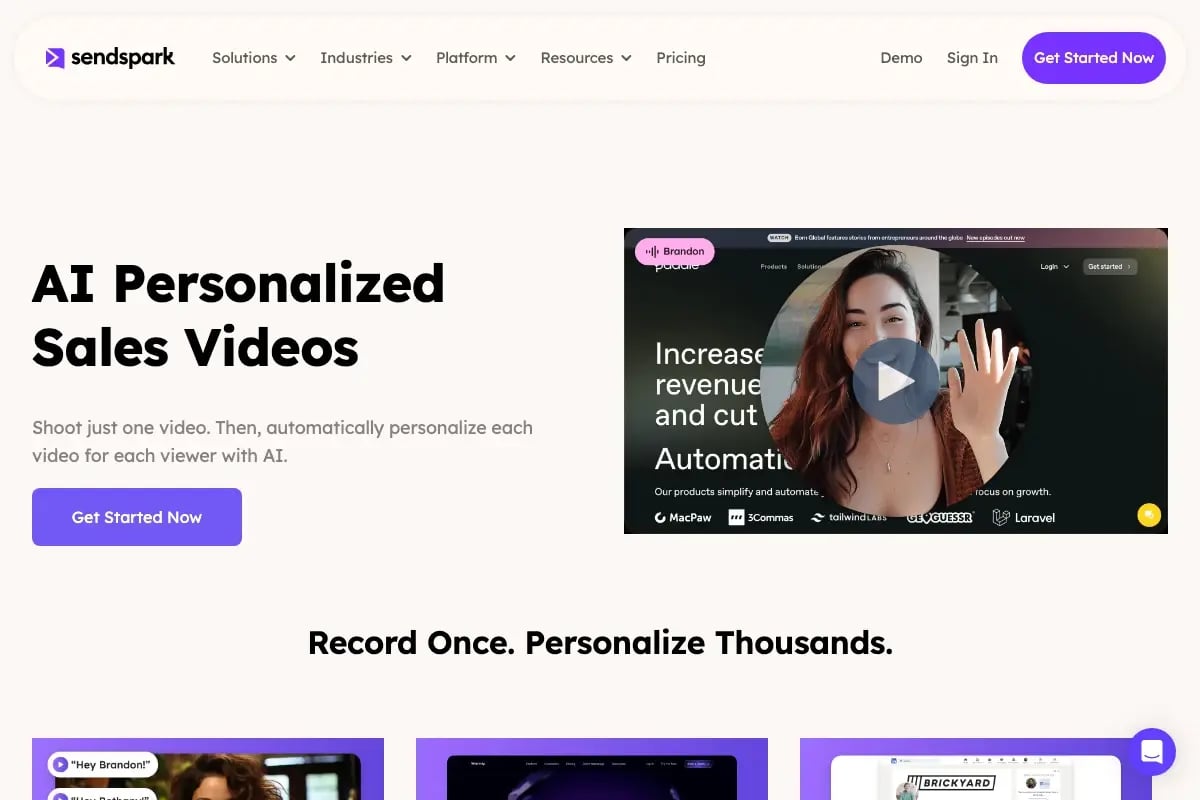
How AI voice cloning changes this equation: Sendspark’s AI video personalization platform works like this — you record one base video, speaking naturally in your own voice about your value proposition. Sendspark’s AI voice cloning then re-renders that video for each prospect, inserting their name, company name, and any custom variable in your exact voice. Add dynamic backgrounds (their company website or LinkedIn profile auto-pulled as the visual backdrop) and personalized thumbnails (their name and face or logo on the preview image), and every recipient sees what looks like a video made specifically for them — because, in the ways that matter, it is.
See it in action: watch a 90-second Sendspark walkthrough.
Workflow: Sendspark + Sales Navigator + HubSpot
- Build your prospect list in Sales Navigator using ICP filters (title, company size, geography).
- Export contacts to HubSpot CRM — use the Sendspark HubSpot integration to sync contact fields.
- Record one base video in Sendspark (60–90 seconds).
- Set up a personalization campaign: map {first_name}, {company}, and a custom one-liner pulled from each contact’s HubSpot record.
- Sendspark generates individualized video links with personalized thumbnails for each contact.
- Drop those links into your LinkedIn DM sequence — either manually or via a sequence tool connected to your CRM.
Benchmarks from Sendspark customers: teams using AI voice cloning personalization in LinkedIn DMs report an average of 2× reply rates compared to their previous plain-text sequences, and 3× email reply rates when the same personalized video is used across email. The biggest gains come in the first touch — personalized video in cold outreach dramatically increases the likelihood of a response before any follow-up is needed. For the full methodology, see the AI video personalization outbound sales playbook.
For a deeper look at video prospecting tactics beyond the DM, read our LinkedIn video prospecting guide and the comprehensive video prospecting resource.
LinkedIn Video Tools Compared (2026 Snapshot)
The right tool depends on what you’re trying to accomplish. For broad awareness content, LinkedIn native is unbeatable on reach. For 1:1 outreach at scale, you need an AI video personalization platform like Sendspark. Here’s a quick comparison of the main categories.
| Tool / Category | Best For | Personalization | Approx. Cost |
|---|---|---|---|
| Sendspark (AI Personalization) | 1:1 personalized DMs and InMail at scale; full sales sequences | AI voice cloning, dynamic backgrounds, personalized thumbnails — per prospect | From ~$59/mo. See full pricing |
| LinkedIn Native | Feed posts, vertical video lane, company page content | None — one video to all followers | Free (included with LinkedIn) |
| Sales Navigator InMail | Reaching prospects outside your network with a video link | Manual text personalization only; no video-level AI | ~$99+/mo (Sales Navigator Core) |
| Generic Screen Recorders | One-off demos or internal screen walkthroughs | None built-in; manual only | Free–$15/mo typically |
Tools like Vidyard offer video hosting with basic analytics, but they lack AI voice cloning — you’re still recording a separate video for each prospect if you want true personalization. The table above reflects what matters most for B2B outbound: not just recording capability, but the ability to generate individualized video at volume without proportional recording time.
When to use each: use LinkedIn native for top-of-funnel brand content and thought leadership. Use Sendspark for any outbound sequence where personalization drives replies. Use Sales Navigator InMail as the delivery channel for Sendspark-generated links when prospects are outside your 1st-degree network.
Frequently Asked Questions
Can you post a video on LinkedIn from your phone?
Yes. On both iPhone and Android, open the LinkedIn app, tap the + button, and choose Video. You can record directly in the app (up to 3 minutes) or upload from your camera roll. Recording in-app defaults to 9:16 vertical format, which qualifies for LinkedIn’s vertical video lane and typically earns higher reach.
What are the LinkedIn video size and dimension limits?
The maximum file size is 5 GB for all surfaces. Maximum length is 10 minutes for feed and company page posts, and 3 minutes for DMs, comments, and the vertical video lane. Supported aspect ratios include 16:9, 1:1, and 9:16. See the LinkedIn Help Center for the complete list of supported codecs and frame rates.
How do you post a video on a LinkedIn company page?
Navigate to your company page, click Create a post, then click the video icon and upload your file. Company pages follow the same specs as personal feed posts (up to 10 minutes, 5 GB). Page admins should upload natively rather than linking to YouTube to avoid the reach penalty from outbound link suppression.
How do you upload a video to LinkedIn without losing quality?
Export your video as MP4 with H.264 encoding at the highest resolution your source supports (1080p is ideal). Upload at the native resolution rather than letting LinkedIn scale it. Avoid re-encoding a file that has already been compressed — each compression cycle degrades quality. If you’re using Sendspark, videos are hosted and delivered at full quality without LinkedIn’s compression pipeline.
Does LinkedIn throttle reach on video posts with external links?
Yes. Any post body containing an outbound link — including YouTube URLs — sees significantly lower organic reach because LinkedIn’s algorithm suppresses posts designed to take users off-platform. The workaround is to upload your video natively and put any external URL in the first comment, not the post body itself.
How do you send a personalized video to multiple LinkedIn prospects without recording each one separately?
Use an AI video personalization platform like Sendspark. You record one base video, then Sendspark’s AI voice cloning generates a unique version for each prospect — saying their name, company, and any custom detail in your voice — while also applying dynamic backgrounds (their website as the backdrop) and personalized thumbnails. One recording scales to thousands of individualized videos. Learn more at the Sendspark video personalization page or start free.
What is the best video length for LinkedIn DMs?
For cold outreach DMs, aim for 60–90 seconds. This is long enough to explain why you’re reaching out and what’s in it for them, but short enough that a busy prospect will watch the whole thing. For warm follow-ups or after an initial positive reply, 90–180 seconds is acceptable. Anything over 3 minutes in a DM sees a steep drop in completion rate regardless of how relevant the content is.
Sources & References
- LinkedIn Help Center — Official video upload specs, file size limits, and supported formats (2026)
- HubSpot Blog — “LinkedIn video reach benchmarks and reply rate data” (2025)
- Buffer — “LinkedIn statistics: native video vs. external link reach comparison” (2025)
- Socialinsider — “LinkedIn video benchmarks: watch-through rate, native vs. embedded, vertical vs. horizontal” (2025)
Record One Video. AI Personalizes Thousands.
Sendspark is the AI video personalization platform for B2B sales. Record once, and AI voice cloning generates thousands of individually personalized videos with dynamic backgrounds and personalized thumbnails — each prospect hears their name, sees their website, in your voice. Sales teams see 2-3x more replies.
Get Started NowTopics: Tips & Tricks