Most cold outreach fails not because of bad messaging — but because reps stop after one or two attempts. According to RAIN Group research, it takes an average of 8 touches to land a meeting with a cold B2B prospect. The average rep quits after 2. A sales cadence fixes that gap — it gives your team a structured, repeatable system for following up across multiple channels until you get a response. For more on optimizing how your team works, see our guide to improve sales productivity. Teams onboarding new AEs can use our account executive ramp-up plan to ensure new hires master outreach skills quickly. For guidance on follow-up timing and multi-channel sequencing, see our complete guide to building an effective follow-up cadence.
Key Takeaways
- A sales cadence is a structured sequence of touches (email, call, video, LinkedIn) spaced over 2–4 weeks — it removes the guesswork from follow-up.
- RAIN Group research shows it takes 8 touches on average to book a meeting; most reps quit after 2, so a cadence is a direct competitive advantage.
- Multi-channel cadences outperform email-only sequences — mixing calls, video, and LinkedIn increases your chances of breaking through.
- Adding a personalized video at touch 3 or 4 increases reply rates by 2–3x compared to a text email at the same step.
- Cadence length and aggressiveness should match ICP tier — high-value enterprise accounts need more touches and more personalization than SMB targets.
What Is a Sales Cadence?
A sales cadence is a predefined sequence of outreach touchpoints — emails, calls, video messages, and social touches — delivered over a set period of time to a specific prospect. Instead of improvising follow-ups on the fly, reps execute a consistent playbook: touch 1 on day 1, touch 2 on day 3, touch 3 on day 7, and so on. The goal is to reach a prospect across multiple channels with enough persistence to earn a response, without being so aggressive that you damage the relationship. After each call in your cadence, a well-structured follow-up email after a sales call advances the deal and confirms next steps. See our sales follow-up email best practices for proven templates.
The term comes from the world of music and sports, where “cadence” means a structured, rhythmic pattern. In sales, the rhythm is everything. According to the Salesforce State of Sales report, top-performing reps are 2.7x more likely to use a structured outreach sequence than their average-performing peers. The structure forces consistency — prospects get touched on schedule, nothing falls through the cracks, and reps don’t have to decide each morning who to follow up with. For a deeper look at the broader definition of sales outreach, see our full definition guide.
Why Cadences Outperform Ad Hoc Outreach
Ad hoc outreach is reactive. A rep sends an email, waits to see if anything happens, and moves on if there’s no reply. This approach has two fatal flaws: it doesn’t account for the 8-touch average needed to book a meeting, and it’s impossible to scale. A sales cadence solves both problems. It’s systematic enough to run across 50 active prospects at once, and it’s persistent enough to actually break through. The LinkedIn State of Sales report found that 78% of B2B buyers engage with a rep who contacts them first with relevant research — but only if the rep follows up consistently. One email and a shrug doesn’t count.
Cadence Anatomy: Length, Channels, and Timing
A standard cold outbound cadence runs 10–15 touches over 3–4 weeks. Inbound follow-up cadences are shorter — 7–10 touches over 2 weeks, since the prospect has already shown intent. Every cadence has three core ingredients: channels (what you use to reach out), timing (how many days between touches), and messaging (what you say and how it evolves across the sequence). Getting all three right is what separates a booked meeting from a spam folder. For a full breakdown, see our guide to inbound vs outbound sales comparison.
Sales Cadence Best Practices
The best-performing sales cadences share five characteristics: they mix multiple channels, they personalize each touch to the specific prospect, they space touches strategically rather than daily-blasting, they include a high-value interrupt (like a personalized video) mid-sequence, and they always end with a clear break-up message. Here’s how to implement each: For a complete framework, see our email cadence guide covering examples and step-by-step setup. Get the timing details right too: the best time to send video outreach covers how AI signals are replacing fixed send-time windows.
1. Mix Channels — Don’t Just Email
Email-only cadences have declining effectiveness. According to Gong research on outbound sequences, reps who add at least one phone call and one LinkedIn touch to their email cadence see 37% higher contact rates. The reason is simple: different prospects live in different channels. Some check email obsessively; others screen calls; some only respond when messaged on LinkedIn. By mixing channels, you dramatically increase the probability of catching each prospect in their preferred medium. If you’re also working the phone, see our guide to power dialer and email integration.
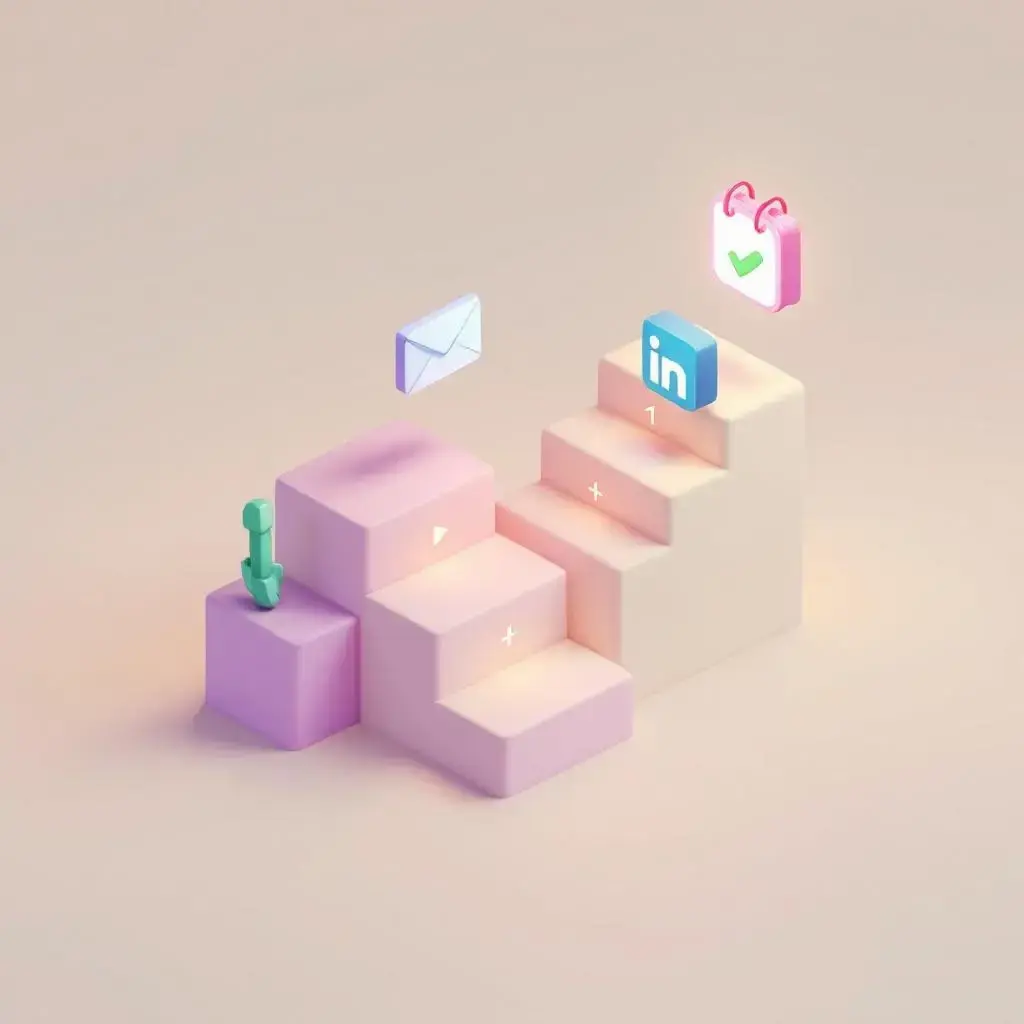
A best-practice channel mix for a 10-touch cold cadence looks like this: email-heavy in the first week (3 emails), then introduce a phone call at touch 4, a video message at touch 5, a LinkedIn connection + message at touch 6, then back to email and phone in weeks 3–4, finishing with a break-up email.
Pro tip
Use your CRM’s engagement data to weight channels by prospect type. If a prospect opened your first email twice but never clicked, send two more emails before going to phone. If they clicked a LinkedIn post, message there next. Let behavior guide channel priority.
2. Personalize at the Touchpoint Level — Not Just the Name
Personalization in 2026 means more than inserting a first name. The top-performing cadences personalize the reason for outreach at each touch: a job change trigger, a recent funding round, a company blog post, or a specific pain point tied to their role. Each email in your sequence should have a different angle — don’t just resend the same message with “following up” in the subject line. Each touch should give the prospect a fresh reason to engage.
3. Space Touches Strategically
Daily outreach signals desperation and triggers spam filters. The best cadences follow a spacing pattern that mirrors natural business rhythms: touch 1 on day 1, touch 2 on day 3, touch 3 on day 7, touch 4 on day 10, touch 5 on day 14. After the first two weeks, touches slow down to every 4–7 days. This spacing gives the prospect time to see your message without overwhelming them — and it keeps your domain out of spam filters by avoiding high-frequency sending. For a complete guide, see our post on building a multi-touch sales sequence.
4. Use a Break-Up Email
The final touch in every cold cadence should be a break-up email — a short, direct note that tells the prospect you won’t be reaching out again unless they want to reconnect. Break-up emails have the highest reply rate of any touch in the sequence. The reason: they trigger a loss aversion response. Many prospects who ignored previous emails will reply to a break-up message simply because the option to work together is being taken off the table. Keep it to 2–3 sentences and don’t be passive-aggressive about it.
Record Once, Personalize at Scale
Stop recording the same video over and over. Sendspark uses AI to personalize your videos with each prospect's name and website — automatically. Sales teams see 2-3x more replies. For a complete breakdown, see our guide to sales automation software.
Get Started NowSales Cadence Templates That Work
A good cadence template maps out every touch: the day it fires, the channel, the goal of that specific message, and the approximate length. Below are two proven templates — one for cold outbound and one for inbound follow-up — that you can adapt to your ICP and product.
Template 1: Cold Outbound Cadence (10 Touches, 21 Days)
This is the core template for reaching cold prospects who have no prior relationship with your company. It’s designed to maximize coverage across channels while respecting the prospect’s inbox.
| Day | Touch # | Channel | Goal / Message Type |
|---|---|---|---|
| Day 1 | Touch 1 | Intro + specific trigger (funding, job change, pain point) | |
| Day 3 | Touch 2 | Value-add: case study, relevant stat, or insight | |
| Day 5 | Touch 3 | Phone call | Introduction call — brief voicemail if no answer |
| Day 7 | Touch 4 | Video email | Personalized 60-second video — show their website, name their pain point |
| Day 10 | Touch 5 | Connection request + short message referencing the video | |
| Day 12 | Touch 6 | Different angle: ROI story from similar company | |
| Day 14 | Touch 7 | Phone call | Second call attempt — reference the video and LinkedIn touch |
| Day 16 | Touch 8 | Objection-handling email (address likely objection for their role) | |
| Day 18 | Touch 9 | LinkedIn DM | Share a relevant article or insight, soft ask for 15 minutes |
| Day 21 | Touch 10 | Break-up email — 2 sentences, no pressure |
Template 2: Inbound Follow-Up Cadence (7 Touches, 14 Days)
When a prospect fills out a form, downloads a resource, or signs up for a trial, they’ve shown intent. The follow-up cadence should be faster and more direct — this is a warm prospect who deserves immediate, personalized attention.
| Day | Touch # | Channel | Goal / Message Type |
|---|---|---|---|
| Day 1 | Touch 1 | Immediate response — thank, deliver value, ask one discovery question | |
| Day 1 | Touch 2 | Phone call | Same-day call attempt — high conversion window within first hour |
| Day 2 | Touch 3 | Video email | Personalized video referencing what they downloaded + specific use case |
| Day 4 | Touch 4 | Social proof email — customer story relevant to their industry | |
| Day 7 | Touch 5 | Phone call | Second call — if no answer, mention the video and ask for 15 min |
| Day 10 | Touch 6 | Connect + short note referencing their company’s use case | |
| Day 14 | Touch 7 | Explicit ask: “Is this still a priority? Happy to close the loop.” |
Common mistake
Don’t clone your cold cadence for inbound leads. Inbound follow-up should be faster (contact within 5 minutes if possible), warmer in tone, and reference the specific action the prospect took. A generic cold sequence sent to a warm lead feels jarring and wastes the intent signal.
How to Add Video to Your Sales Cadence
Video is the highest-converting channel you can add to a sales cadence — Sendspark customers consistently see 2–3x higher reply rates on video touches compared to text emails at the same cadence step. The key is where you place it and how you personalize it. Here’s exactly how to do it.
When to Send the Video Touch
Touch 3 or 4 is the sweet spot for a video message in a cold outbound cadence. By this point, the prospect has seen your name in their inbox at least twice. A video at touch 3 creates a pattern interrupt — they’ve been getting text emails, and suddenly there’s a human face and voice. This novelty dramatically increases open and click rates. For inbound cadences, move the video to touch 2 or 3 and make it even more specific to what the prospect downloaded or searched for.
What to Say in a 60-Second Cadence Video
Keep it short and specific. A high-performing cadence video follows this structure: a personalized opening (say their name, mention their company), one specific observation about their business (referencing their website, a recent press release, or a problem you know companies in their space face), one concrete outcome your product produces (not a feature list), and a simple CTA (“Worth a 15-minute chat?”). No demo. No pitch deck. Just a conversation starter.
AI Personalization: Record Once, Send to Hundreds
The biggest objection to video in cadences is time. Recording individual videos for 50 active prospects every week doesn’t scale. Sendspark’s AI personalized video solves this: you record one video once, and the AI generates a personalized version for every prospect — using their name, company, and even showing their website as the background behind you. It takes the same amount of time as sending a text email, but delivers the engagement of a hand-crafted video. Sales teams using this approach save 10+ hours per campaign while booking 40–50% more meetings. You can see how this fits into your sales prospecting workflow here.
“We added Sendspark video to touch 4 of our cold cadence. Reply rates on that step went from 1.2% to 4.1%. That’s three times more conversations from the same list.”
— B2B SaaS SDR team, HubSpot + Outreach stack
Integrating Video into Your Cadence Tool
If your team runs cadences in Outreach, SalesLoft, or Apollo, Sendspark integrates directly with all three. You can insert a personalized video thumbnail into any email step of your sequence — prospects see an animated GIF preview in their inbox and click through to watch the full video on a branded landing page. Video engagement data (views, rewatch, CTA clicks) flows back into your CRM so you can prioritize follow-up based on who’s actually watching. You can also build these into video messaging workflows for consistent delivery at scale.
Sales Cadence Examples by ICP Tier
Not all prospects deserve the same cadence. Your cadence design should reflect the value of the account, the complexity of the sale, and the likely channel preferences of the buyer. Here’s how to calibrate your approach across three ICP tiers.
| ICP Tier | Account Profile | Cadence Length | Touch Count | Personalization Level | Channel Mix |
|---|---|---|---|---|---|
| Tier 1 — Enterprise | 500+ employees, ACV $50K+ | 4–6 weeks | 15–20 | Deep — custom research every touch | Email + phone + video + LinkedIn + direct mail |
| Tier 2 — Mid-Market | 50–500 employees, ACV $10K–50K | 3–4 weeks | 10–12 | AI-personalized video + trigger-based email | Email + video + phone + LinkedIn |
| Tier 3 — SMB | 1–50 employees, ACV under $10K | 2 weeks | 6–8 | Light — AI personalization at scale | Email-heavy + one video touch |
Tier 1: Enterprise Cadence Design
Enterprise cadences require manual research and deep personalization at each touch. You’re likely targeting multiple stakeholders — a VP of Sales, a Sales Ops lead, and potentially a CRO — and each needs a customized message framed around their specific priorities. The cadence runs longer (4–6 weeks, 15–20 touches) because enterprise buying cycles are complex and decision-makers are harder to reach. Phone calls become more important at this tier; many senior executives ignore email but will answer an unexpected call.
Tier 2: Mid-Market Cadence Design
This is where AI personalization delivers the best ROI. Mid-market targets are specific enough to personalize meaningfully (you know their industry, tech stack, and company size) but plentiful enough that recording individual videos would be impossible. Using Sendspark’s AI to generate a personalized intro for each prospect — featuring their name, company, and website in your video — lets a single SDR run highly personalized 10-touch cadences across 100 active accounts simultaneously. The multi-channel outreach strategy post goes deeper on how to structure this for mid-market accounts.
Tier 3: SMB Cadence Design
For SMB targets, efficiency is everything. Cadences should be shorter (2 weeks, 6–8 touches), email-heavy, and automated wherever possible. Include one AI-personalized video touch — even in a short cadence, it meaningfully improves reply rates — but otherwise keep the sequence tight and move quickly to the break-up email. Time spent on highly manual SMB outreach rarely pays off; the key is volume with just enough personalization to not feel generic. Reference the cold email follow-up guide for specific messaging frameworks for SMB prospects.
Measuring Cadence Performance
Track these metrics for every active cadence to know what’s working and what needs tuning:
- Open rate by step: Are your subject lines generating clicks? Benchmark: 30–40% for cold outbound.
- Reply rate by step: Which touches generate the most responses? Use this to identify your strongest messages.
- Meeting booked rate: Meetings ÷ prospects enrolled. Benchmark: 5–15% depending on ICP tier and list quality.
- Video view rate: What percentage of prospects who receive a video actually watch it? Benchmark: 40–60% for well-targeted lists.
- Break-up email reply rate: If your break-up email isn’t getting 5–10% replies, your earlier messaging isn’t creating enough interest.
Platforms like Sendspark’s video analytics show you exactly who watched, how long they watched, and whether they clicked your CTA — data that’s invisible in a standard email tool. Pair this with your cadence tool’s step-level reporting and you’ll quickly identify which touches are doing the work and which can be improved or cut. The 4-step prospecting cadence guide covers how to interpret this data and make adjustments mid-sequence.
Record One Video. AI Personalizes Thousands.
Sendspark is the AI video personalization platform for B2B sales. Record once, and AI voice cloning generates thousands of individually personalized videos with dynamic backgrounds and personalized thumbnails — each prospect hears their name, sees their website, in your voice. Sales teams see 2-3x more replies.
Get Started NowFrequently Asked Questions
What is a sales cadence?
A sales cadence is a structured, repeatable sequence of outreach touchpoints — emails, phone calls, video messages, and social touches — executed over a defined period of time to engage a prospect. Instead of following up randomly, reps follow a preset schedule: touch 1 on day 1, touch 2 on day 3, and so on. Cadences remove guesswork and ensure consistent follow-up across the full number of touches it takes to book a meeting, and they pair well with a weekly sales coaching review of how each touch performed.
How many touches should a sales cadence have?
Most effective cold outbound cadences include 10–15 touches over 3–4 weeks. Inbound follow-up cadences are shorter — 7–10 touches over 2 weeks. The specific number depends on your ICP tier: enterprise accounts typically warrant longer, more personalized cadences (15–20 touches), while SMB cadences can be effective with 6–8 touches. The RAIN Group research benchmark of 8 average touches to book a meeting is a useful floor — don’t cut your cadence short of this.
What channels work best in a sales cadence?
Multi-channel cadences consistently outperform email-only sequences. The most effective channel mix for B2B outbound is: email as the primary channel (3–5 emails per sequence), phone calls at 2–3 key touchpoints, one video message mid-sequence for a pattern interrupt, and one or two LinkedIn touches for warm connections. The specific weighting depends on your ICP — enterprise buyers often respond better to phone; younger tech buyers often prefer LinkedIn or video.
Where in the cadence should I send a video message?
Touch 3 or 4 is the optimal placement for a video in a cold outbound cadence. By this point the prospect recognizes your name but hasn’t responded, making a video the right pattern interrupt to generate a reply. For inbound cadences, move the video to touch 2 or 3, since the prospect is already warm. The video should be 60 seconds or less, personalized to the prospect’s company, and end with a single simple CTA like “worth a quick chat?”
What are sales cadence best practices for reply rates?
The top practices for maximizing reply rates in a sales cadence are: mix channels instead of emailing repeatedly, personalize the reason for outreach at each touch (not just the name), space touches every 2–4 days in week one then every 4–7 days after, include a personalized video at touch 3–4, and always close with a break-up email. Break-up emails consistently generate the highest reply rates in any sequence because they trigger a loss-aversion response in the prospect.
How is a sales cadence different from a drip campaign?
A sales cadence is a human-led, multi-channel outreach sequence executed by an SDR or AE, typically for cold or warm outbound prospecting. A drip campaign is a marketing-owned, automated email sequence triggered by a prospect’s behavior (e.g., downloading a white paper). Cadences require rep involvement and manual steps (calls, LinkedIn, video); drip campaigns are fully automated. Cadences are measured on meetings booked; drip campaigns are measured on lead nurture metrics like email opens and content downloads. For the broader nurture system around your cadence, see our automated lead nurturing guide covering segmentation, multi-channel triggers, and sales hand-off.
How do I know when to retire a prospect from my cadence?
Retire a prospect after your break-up email if they still don’t respond, or immediately if they reply with “not interested.” Don’t retire them permanently — put them in a long-term nurture list and re-enroll in a new cadence after 90 days with a completely different angle. Their circumstances change: budgets open, priorities shift, and a new trigger (funding, new role, new pain point) can make a previously unresponsive prospect a very receptive one six months later.